

LinkedIn Ads
- LinkedIn Ads Revenue Attribution
- LinkedIn Ads Customer Journeys
- LinkedIn Ads CRM Sync
- LinkedIn Ads Optimization
- LinkedIn Ads Benchmarks

Google Ads

Meta Ads
Cross-Channel
Ad Signals
New



How to Connect Google Ads to HubSpot for Company-Level Attribution in 2026
Quick Summary
Integrating Google Ads with HubSpot creates a data silo between clicks and closed deals, hiding which campaigns are linked to revenue. Fibbler unifies this intent data, syncing anonymous search activity into HubSpot to connect pipeline movement to high-value companies. See Fibbler's HubSpot integration for a full overview.
The Attribution Problem B2B Marketers Face
Paid search is a primary intent signal, revealing exactly when a business is evaluating solutions. But most of this intent vanishes the moment a visitor leaves your site.
B2B buyers research anonymously and share pages internally without converting, so the initial search engagement is rarely captured in your HubSpot portal. When a buyer finally converts weeks later, HubSpot often misattributes the lead to "direct traffic."
This guide shows you how to bridge that gap for full pipeline visibility.
Why Listen to Us?
We understand the challenge of connecting anonymous ad engagement to real revenue - that's why we built Fibbler. By identifying the companies behind clicks and syncing their activity directly to your HubSpot pipeline, Fibbler gives marketing teams clear, actionable insights.
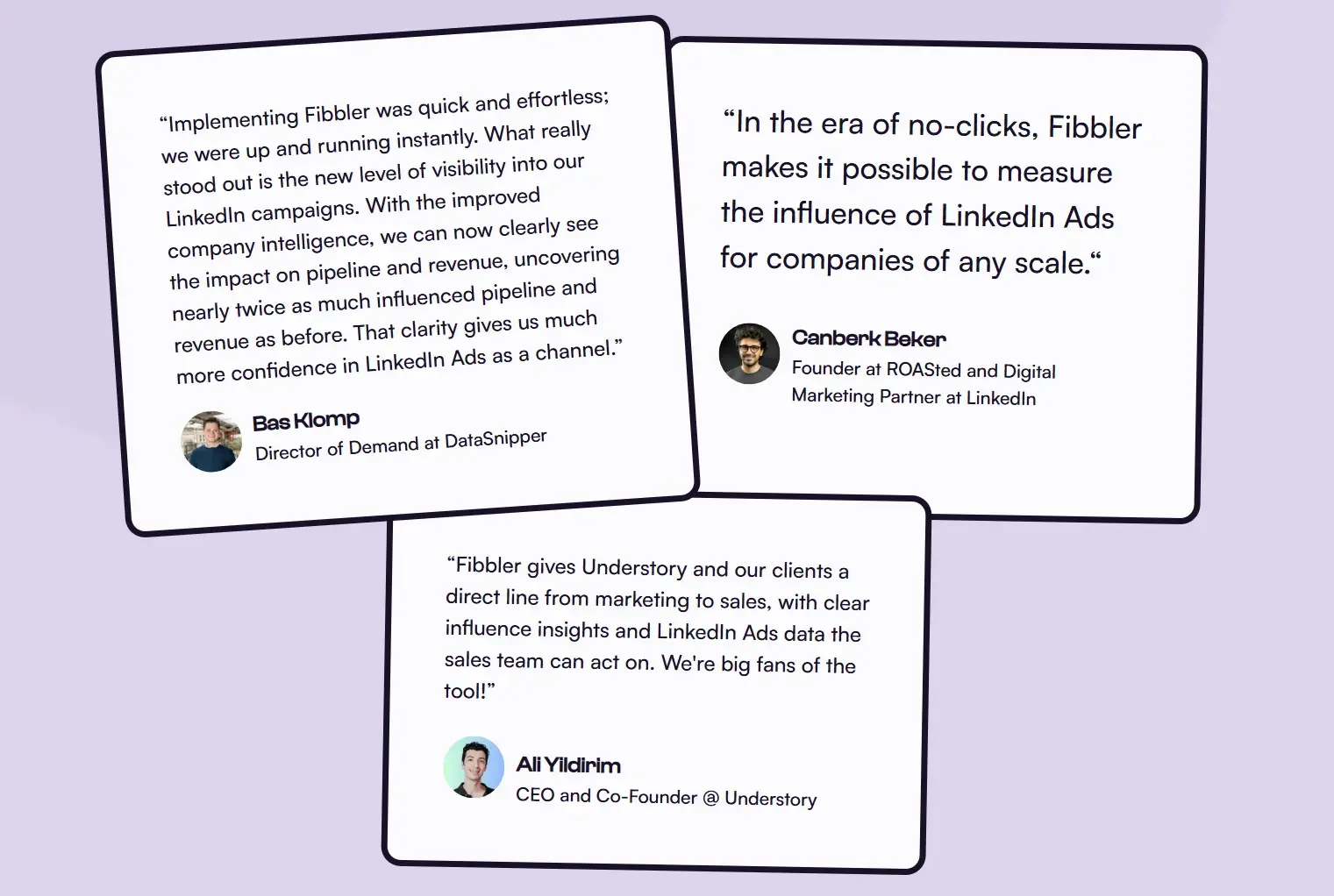
See some testimonies from industry leaders:
With our expertise as an Official LinkedIn Marketing Partner and access to its advanced Company Intelligence API, we created this guide to help you accurately attribute Google Ads spend to account-level pipeline growth.
Does Google Ads Natively Connect to HubSpot?
Technically, yes, but with significant limitations.
HubSpot's native integration relies on the GCLID (Google Click ID), which works for immediate conversions but often breaks during long B2B sales cycles. When buyers switch devices or research anonymously, the GCLID data is lost and HubSpot defaults to "direct traffic," leaving your paid search engagement uncredited.
Why Google Ads Native Integration Falls Short in HubSpot
The native integration is designed for a linear journey (click, land, convert), but B2B buying cycles are rarely that simple. Here are five limitations that create real attribution gaps:
Form-Dependent Attribution
HubSpot's native tracking is reactive. It only credits a conversion once a visitor identifies themselves by filling out a form or engaging with a chatbot.
For B2B teams, this means everything that happens before the form fill remains invisible-including weeks of research and pricing page visits triggered by your ads. You see the lead, but you lose the story of how they got there.
Cookie and GCLID Reliance
Due to browser privacy updates, click identifiers like the Google Ads GCLID can be removed before a page loads in certain scenarios. When identifiers are lost, platforms like HubSpot may be unable to connect the lead back to the original ad click, creating attribution blind spots.
Delayed Multi-Touch Visibility
B2B journeys involve multiple touchpoints across various campaigns. HubSpot's native reporting often oversimplifies this by over-emphasizing the "first touch" or "last touch." This fails to account for the "middle" of the funnel, where search ads might re-engage a stale lead.
Without a more sophisticated view, you might pause a high-performing campaign simply because it didn't trigger the final form fill.
Limited Account-Level Insights
HubSpot is built around the "Contact" record. In B2B, you aren't just selling to one person; you are selling to an entire account. If three different stakeholders from the same company click your ads, HubSpot treats them as three disconnected individuals. It cannot automatically aggregate that collective intent to show you that a specific "Target Account" is showing high engagement.
Blind Spots in Anonymous Research
The majority of the B2B customer journey happens anonymously. Prospects explore solutions and share links internally long before they are ready to talk to sales. Because HubSpot only starts tracking activity after the identity is known, you miss the most valuable early-stage engagement signals that should be informing your pipeline development and sales outreach.
How Fibbler Bridges the Gap
Fibbler's Google Ads Identification Add-on replaces fragile click-based tracking with company-level identification. It unmasks the businesses behind your paid traffic and syncs that intent directly to your HubSpot portal, even when no form is filled. Anonymous research activity becomes actionable company records linked to your pipeline.
Here's what that unlocks in practice:
Durable Attribution Without GCLID Reliance
Privacy updates like Apple's ITP often strip the GCLID before your page even loads. Fibbler sidesteps this entirely by identifying the company domain, matching ad engagement to HubSpot Deals even when tracking IDs are blocked. Your campaigns get credited for the pipeline they actually influenced.
Proactive Sales Intelligence
Fibbler's CRM sync gives SDRs immediate visibility into Google Ad visits directly on HubSpot company records. By bypassing the need for form fills, these real-time signals can trigger automated Slack alerts so your team reaches out while the intent is highest.
Unified Marketing and Sales View
Fibbler syncs Google Ads engagement directly into HubSpot company properties, such as Google Ads Website Visits. This allows Sales and Marketing to monitor account-warming activity from a single record without reconciling separate dashboards.
Smarter Budget Allocation
Without clear attribution, budgets drift toward high-traffic keywords that never influence a deal. Fibbler ties specific campaigns and ad groups to pipeline movement inside HubSpot, so you can shift spend toward the campaigns most associated with pipeline.
How to Integrate Google Ads to HubSpot with Fibbler
Step 1: Run Google Ads to High-Intent Searchers
Focus your budget on keywords that signal active evaluation. Competitor comparisons ("[Competitor] alternatives"), pricing searches ("[Category] pricing"), and bottom-funnel modifiers ("best," "top-rated," "demo") all attract companies already shortlisting vendors. Direct each ad to a landing page that clearly explains your product or offer.
Step 2: Deploy the Leadfeeder Tracking Pixel
Fibbler utilizes the Leadfeeder pixel to identify companies visiting your site.
- In your Fibbler account, go to data sources
- Copy the tracking script
- Add it to your site's global header or tag manager
- Confirm it's firing correctly inside Fibbler
Step 3: Authorize Your Google Ads Account
Connecting Google Ads lets Fibbler ingest campaign engagement data.
- Head to data sources in Fibbler
- Select Google Ads
- Sign in and grant Fibbler read access
- Pick the ad account you want to track
Step 4: Connect HubSpot via CRM Sync
CRM Sync is the bridge between Fibbler's company identification and your HubSpot portal. Once enabled, it writes Google Ads visit data directly onto your HubSpot company records, so your team can see which accounts are actively clicking your ads without toggling between platforms.
To get started:
- Open your Fibbler dashboard and navigate to CRM Sync
- Select HubSpot and log in with your HubSpot credentials to authorize access
- Turn on the Google Ads sync and select your preferred lookback windows: 7, 30, and/or 90 days
- If you want more granular tracking, create campaign-specific sync groups (e.g., "Competitor Keywords" or "Product Pages") to break out visit data by campaign type
Fibbler will create custom properties on your HubSpot company records and begin populating them with Google Ads visit counts. The sync refreshes every Sunday, matching identified companies to existing HubSpot records by domain.
Important: CRM Sync only updates companies that already exist in HubSpot. Fibbler will never create new company records in your portal.
Step 5: Fine-Tune Your Sync Settings
With CRM Sync running, take a few minutes to dial in the configuration so your sales team sees high-quality signals without clutter.
Here's what we recommend:
- Select your lookback windows: A 7-day window highlights accounts with fresh intent. A 30-day window captures companies mid-evaluation. A 90-day window gives you the full picture of how accounts move through a longer buying cycle. Enable whichever combination fits your typical deal timeline.
- Create campaign-specific sync groups: Splitting your sync by campaign type (brand terms vs. competitor terms vs. product keywords) lets your team immediately see what kind of search activity is driving each account's engagement.
- Set up HubSpot workflows using the synced properties: For example, trigger a task for the company owner when 7-day visits jump above a threshold, or enroll high-engagement accounts into a nurture sequence automatically.
This keeps your HubSpot data actionable and prevents your reps from chasing noise.
Step 6: Add Real-Time Alerts with Signals (Optional)
CRM Sync delivers a weekly snapshot of Google Ads engagement into HubSpot. If your team also wants instant notifications when a target account clicks your ads, Fibbler's Signals feature can help.
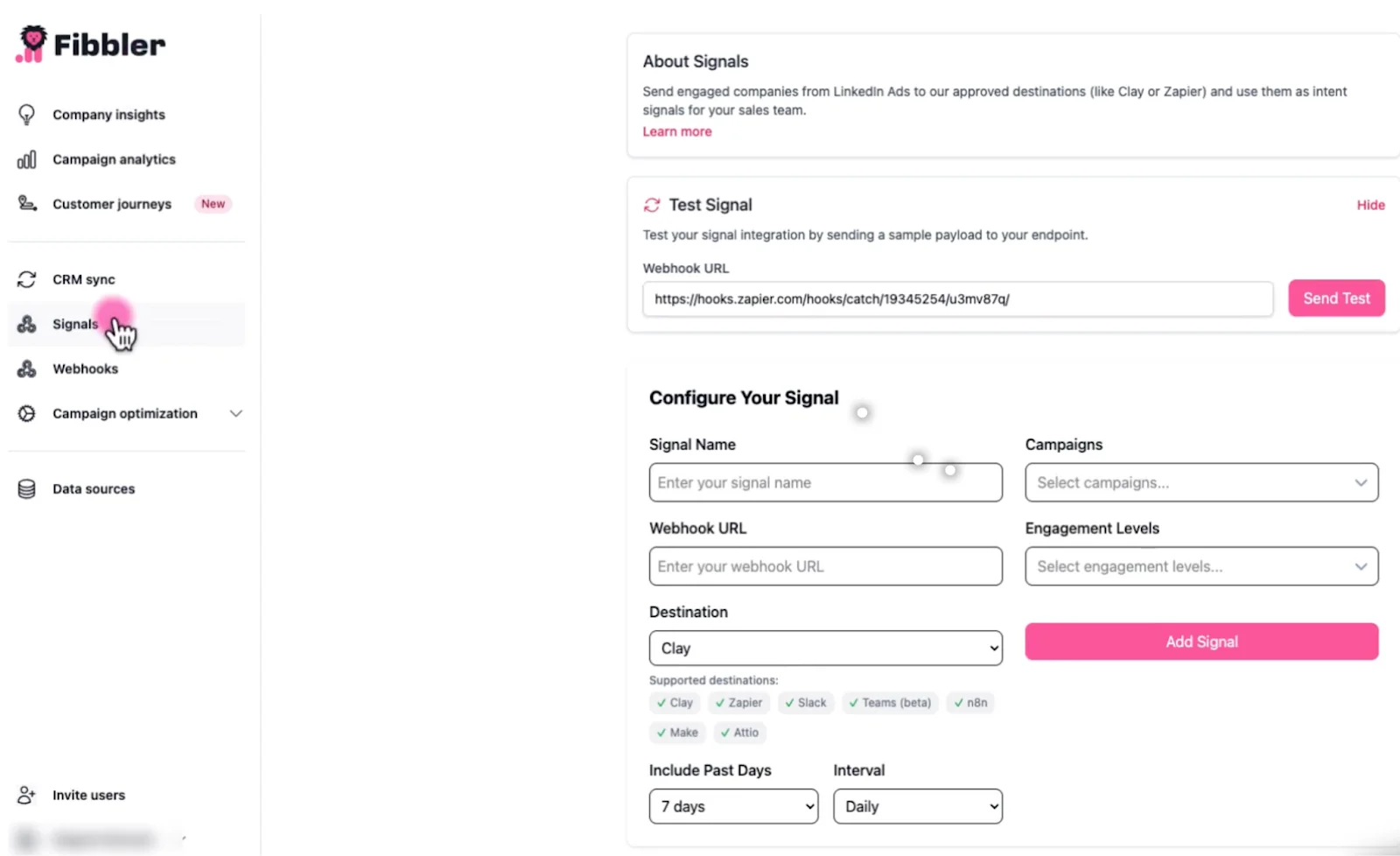
Signals send company visit data to tools like Slack, Clay, Zapier, Make, or n8n via webhooks. They do not write data to your CRM. Think of them as a complement to CRM Sync: the sync keeps HubSpot updated, while Signals keep your team alerted in real time.
To configure a Signal:
- Signal Name: Give it a clear label (e.g., "Google Ads Visits to Slack")
- Destination: Pick your preferred tool (Slack, Clay, Zapier, Make, or n8n)
- Webhook URL: Paste the endpoint URL from your destination tool
- Include Past Days: Set to 7, 30, 60, or 90 days depending on your sales cycle
- Interval: "Daily" for time-sensitive outreach, "Weekly" for digest-style updates
- Campaigns: Filter to your highest-priority Google Search campaigns
This setup is particularly valuable for SDR teams that want a Slack ping the moment a named account hits the site from a paid search ad, or for ops teams routing visit data into Clay for enrichment.
Step 7: Act on the Data
With CRM Sync populating your HubSpot company records, your team now has a live view of how Google Ads activity maps to your pipeline.
Each synced company record will show:
- The number of Google Ads visits in the last 7, 30, and 90 days
- Which campaigns or ad groups drove those visits (if you set up campaign-specific sync groups)
- Whether engagement is trending up or cooling off over time
Your sales team can use this to prioritize outreach toward accounts showing a spike in search activity, reconnect with deals that went dark but are now researching again, and build a case for expanding budget on the campaigns that consistently warm up pipeline accounts. Marketing, meanwhile, gets a direct line from ad spend to influenced revenue inside HubSpot.
Start Tracking Company-Level Attribution Today
Natively integrating Google Ads to HubSpot is a standard starting point, but doing it via Fibbler is a complete strategic shift. While the former is limited to tracking static form fills and final conversions, Fibbler provides a live window into the weeks of "silent" research that happen before a prospect ever identifies themselves.
This transition from reactive tracking to proactive intent monitoring transforms your CRM from a passive database into a real-time intelligence hub.
Start your 30-day free trial of Fibbler today and gain the ability to connect anonymous high-intent activity directly to your HubSpot pipeline.
Google Ads HubSpot Integration FAQ
How does Fibbler attribute revenue if privacy tools block the GCLID?
Traditional tracking fails when browsers strip the "Click ID." Fibbler bypasses this by identifying the corporate domain instead of relying on a cookie. This ensures you link revenue to specific campaigns based on account-level influence, even in a cookieless environment.
Does Fibbler replace HubSpot's Native Ads integration?
Think of it as an upgrade. HubSpot's native tool is great for "hand-raisers" who fill out forms. Fibbler fills the gap for the other 95% of your traffic - the anonymous researchers. Use both to track known leads while unmasking the "ghost pipeline" currently exploring your site.
Is Fibbler compatible with other CRMs besides HubSpot?
Yes. In addition to HubSpot, Fibbler also supports integrations with platforms like Salesforce, Attio, and Pipedrive. This allows teams to route ad engagement and intent signals into the CRM they use to manage accounts and pipeline, keeping campaign insights connected to real sales activity.
Do I need the HubSpot tracking code installed to track Google Ads conversions?
Yes. The HubSpot tracking code must be installed on your website for the integration to correctly attribute ad clicks to contacts and conversions. When someone clicks a Google Ad and later fills out a HubSpot form or becomes a contact, the tracking code helps connect that interaction to the original campaign.
Can HubSpot audiences be used for Google Ads targeting and retargeting?
Yes. Once Google Ads is connected, HubSpot lists can automatically sync to Google Ads as audiences. This allows you to retarget website visitors, exclude existing customers from campaigns, or create highly targeted ads based on CRM data such as lifecycle stage or recent activity.
Why is there a discrepancy between my Google Ads and HubSpot Data?
Google tracks clicks; HubSpot tracks people. This mismatch is why numbers rarely align. Fibbler creates a single source of truth by mapping every ad interaction to a Unified Company Account, giving you a de-duplicated view of how ads actually build your pipeline.
Is account-level identification compliant with global privacy laws?
Yes. Unlike individual tracking that harvests Personal Identifiable Information (PII), Fibbler identifies the Business Entity (Domain). This allows you to gather deep intent data and attribution insights while remaining fully compliant with GDPR, CCPA, and modern privacy standards.
Written by

Adam Holmgren
CEO @ Fibbler

Prove paid ads drive pipeline
Fibbler helps you see which companies view or engage with your LinkedIn, Google and Meta Ads, and connect them to pipeline and revenue in your CRM.
Try 30 days for free
Prove paid ads drive pipeline
Fibbler helps you see which companies view or engage with your LinkedIn, Google and Meta Ads, and connect them to pipeline and revenue in your CRM.
Try 30 days for free