Customer Journeys
Customer Journeys show the full story of how a company moves from first touch to deal creation to closed-won. It combines your LinkedIn Ads data (both paid and organic) with CRM data so you can see the complete timeline.
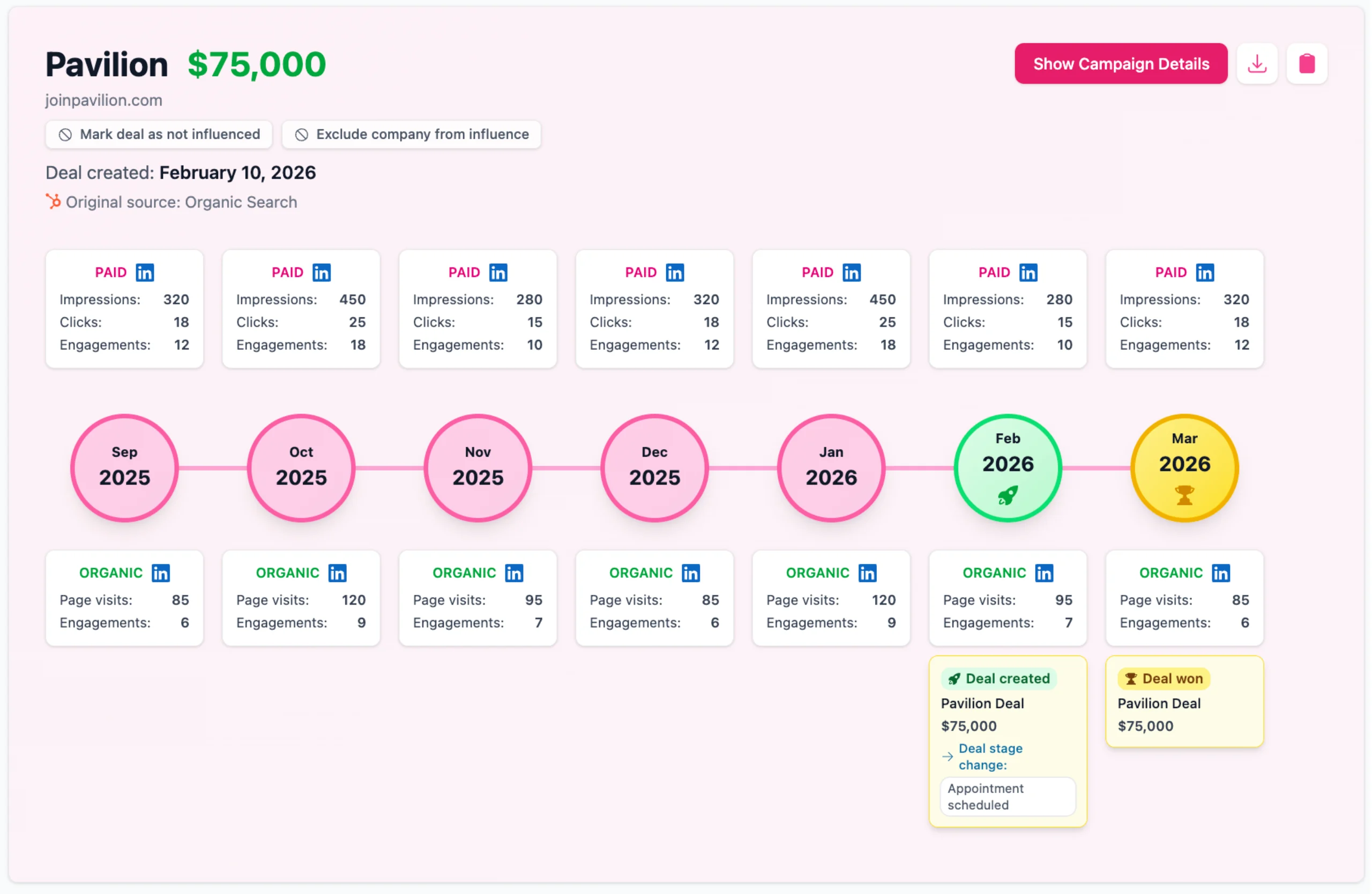
For each company, you can see:
- Every LinkedIn ad campaign they were exposed to
- Organic LinkedIn company page visits and post interactions
- When the deal was created in your CRM
- When the deal was closed
This is especially useful for showing stakeholders how LinkedIn activity lined up with specific deals as they progressed.
Campaign details
You can drill down into any company's journey by pressing "Show campaign details". This opens a month-by-month breakdown showing exactly which campaigns the company engaged with, along with impressions, engagements, video views, and clicks for each one. See what counts as a video view.
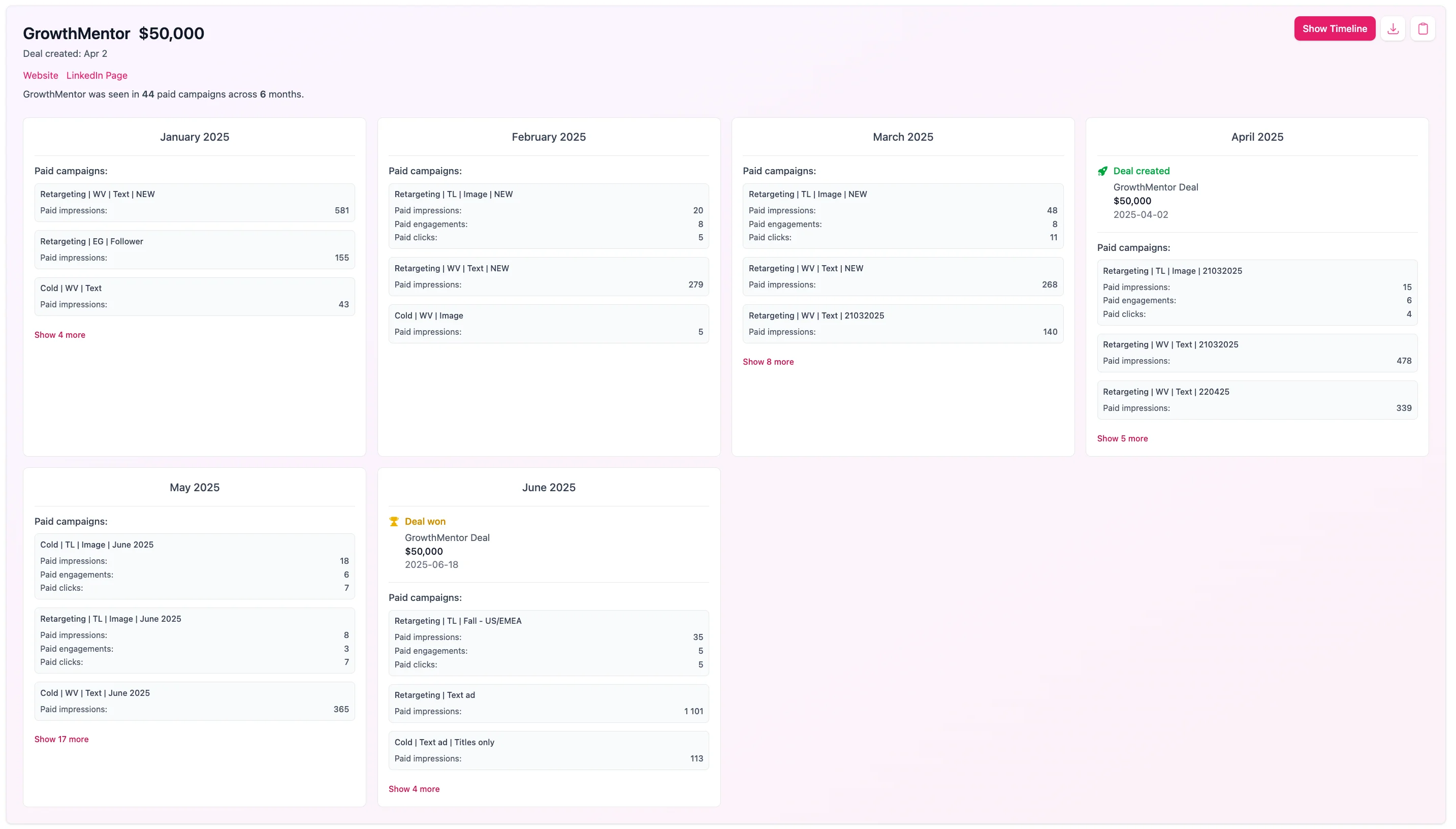
Deal creation and closure dates are highlighted in the timeline, so you can see exactly which campaigns the company was engaging with just before entering the pipeline or closing. This gives you direct insight into what messaging or creative is resonating the most with your buyers.
Exclude a deal from influence
If a company's journey shows a deal that was counted as influenced but shouldn't be, you can exclude it right here. Use Not influenced on an individual deal to remove just that one, or exclude the whole company if none of its deals should count. Excluded deals drop out of your influenced pipeline, revenue and campaign reports straight away.
The same controls live in Company Insights, and anything you exclude can be restored from the Excluded from influence list on the Data Sources page. See Exclude deals and companies from influence for the full details.