Impression caps
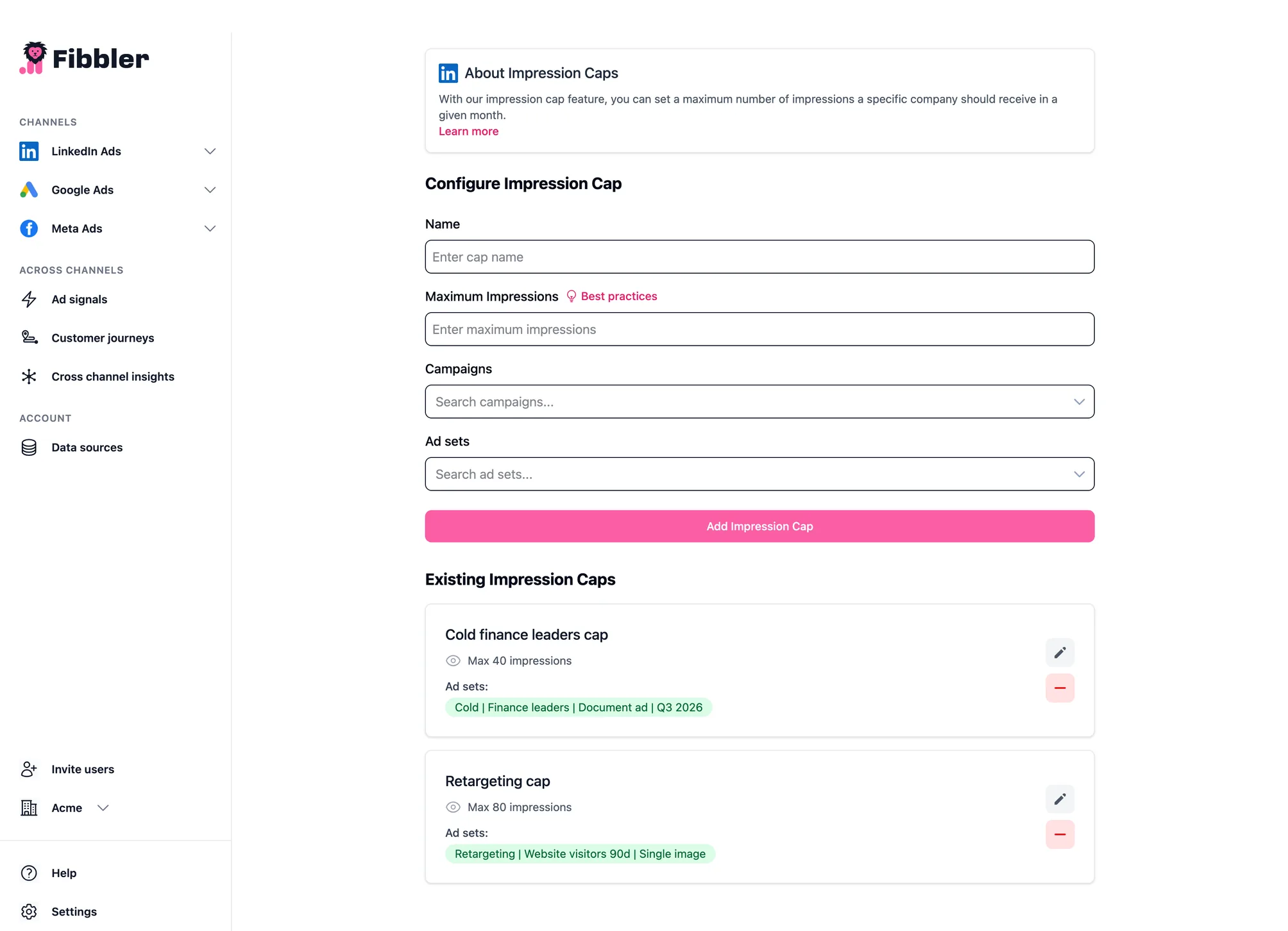
Impression caps let you set the most impressions one company should get in a month. That spreads your budget more evenly across your whole target list, instead of a few large companies taking most of your impressions. You find it under LinkedIn Ads → Optimization → Impression cap. It's on every plan and in the free trial, with up to 3 caps on Growth.
How it works
- Pick one or more campaigns or individual ad sets.
- Set the maximum number of impressions per company.
- When a company reaches the cap, we exclude it for you in LinkedIn Campaign Manager.
Monthly reset cycle
The cap runs per month, from the 1st to the last day of the month. If you turn it on in the middle of a month (say on the 15th), companies that have already reached the cap are excluded straight away.
At the start of each new month, we remove all the exclusions the cap added and it starts over by itself.
Who can use it?
- Up to 3 impression caps on Growth and in the free trial, and as many as you like on Unlimited and Agency.
- Because caps add exclusions to your ad sets, the person who connected LinkedIn to Fibbler needs the Campaign Manager role or higher on the ad account. Viewer is enough for reporting, but not for this.
- In Fibbler, owners, admins and managers can set caps.
Good to know
- The cap works per ad set. Even if you pick a whole campaign, a company is excluded from each ad set on its own, once it reaches the cap in that ad set.
- LinkedIn allows 200 companies per ad set, and the companies an ad set targets and the ones it excludes share that limit. To make the most of that, use caps mainly on the biggest companies, the ones that take most of your impressions.
Why does a capped company still get impressions?
LinkedIn reports impressions with a delay of a day or two, so a company can go a bit over the cap before it's excluded, and those impressions still show up afterwards. An exclusion also only covers people who have that company as their employer on LinkedIn. People at a subsidiary with its own LinkedIn page can still see your ads. And if an ad set already has 200 companies targeted and excluded, LinkedIn won't take more exclusions.
Changing or removing a cap
To change a cap's name or number, click the edit button next to it. To stop capping, click the delete button next to it and confirm. The exclusions a cap added come off by themselves at the start of each month. If you need a company back in an ad set before that, delete the cap first and then remove the company from the ad set's excluded companies in Campaign Manager.
Best practices
Start in Company insights. Sort the companies by impressions and look at your top 25. If a few of them get far more impressions than the rest, those are the ones to cap. Set the cap below what they get today, so they stop taking most of your budget and more of your impressions go to the companies further down the list.