Campaign Scheduling
Campaign Scheduling lets you specify exactly when you want your campaign groups or individual campaigns to run. Fibbler automatically pauses your campaigns outside the active window and reactivates them when the scheduled time starts.
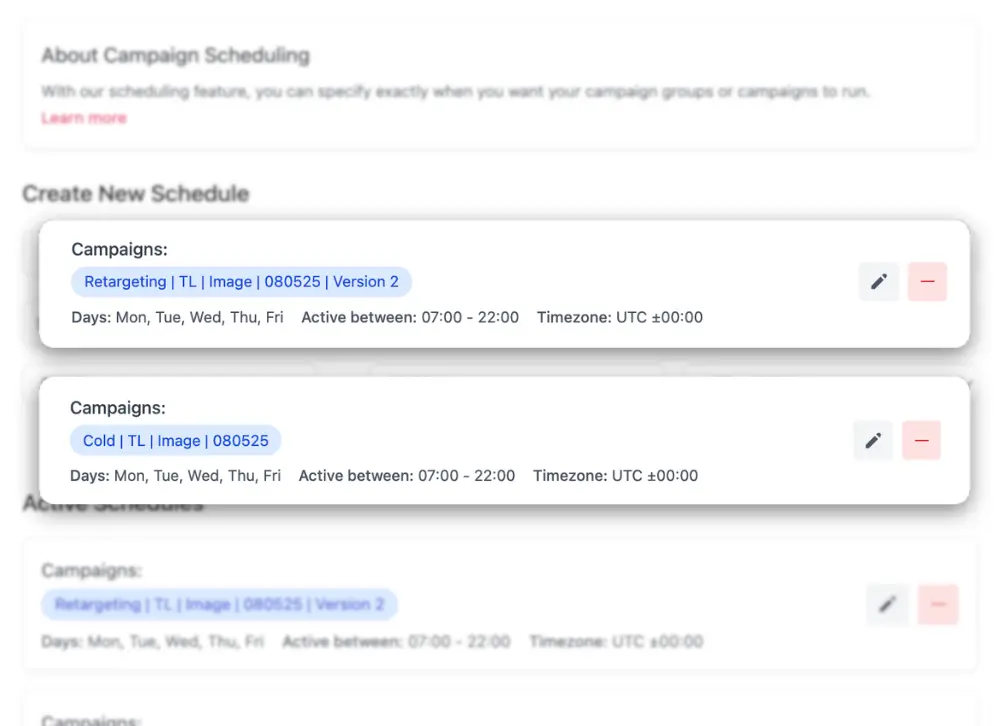
How it works
- Select one or more campaign groups, or one or more individual campaigns. One schedule covers either campaign groups or campaigns, not both, so make a separate schedule if you need both
- Choose the days and times (including your time zone) when you want them to be active. Times are whole hours, like 08:00 to 17:00
- Save your schedule
Use 00:00 to 00:00 (next day) to keep campaigns active for a full 24 hours on selected days. For example, to run campaigns only on weekdays, select Mon–Fri and set the time to 00:00–00:00.
Why use it
- Save budget by only running ads when your target audience is most active
- Avoid wasting impressions on weekends or late nights
- Better control over ad spend distribution
A note on relevancy scores
LinkedIn determines relevancy scores at the account level, so it is recommended to always keep at least one campaign running without a schedule. This helps maintain your account's relevancy score even while other campaigns are paused.