Reports
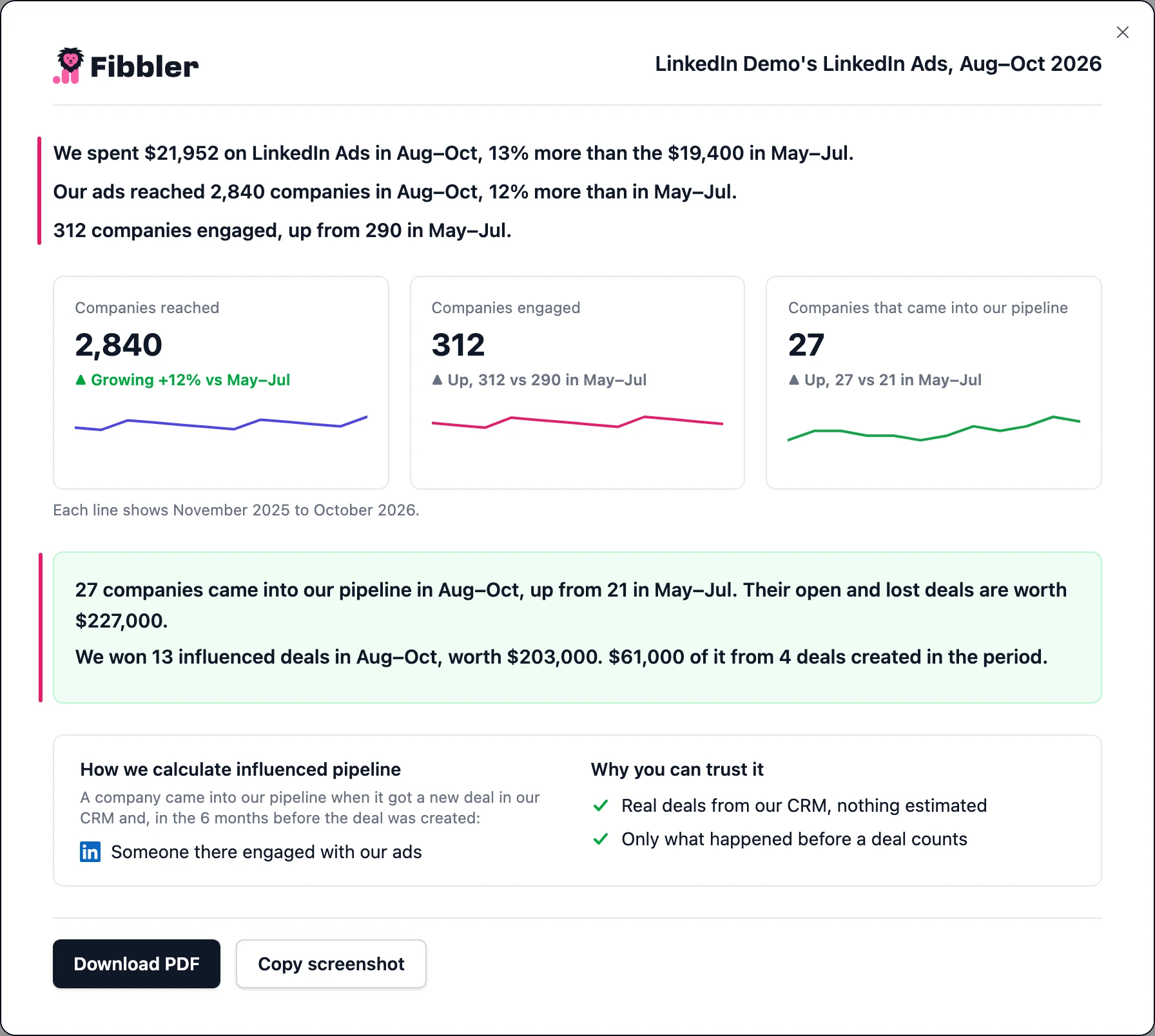
Every report is one page you can send to your leadership team. It says in plain sentences what your ads reached and what came into your pipeline, written as "we" and "our" so you can forward it as it is. You open one from the report link on Company insights (for LinkedIn, Google Ads and Meta Ads) or on Cross-channel insights, so you have a report wherever your plan has that page. It opens in a popup, with two buttons at the bottom: Download PDF saves it as one page, and Copy screenshot copies it as an image you can paste anywhere.
What a report covers
A report covers the months you picked on the page and compares them the same way the page does, so the report and the page show the same numbers. If you're on a rolling period, like the last 90 days, it covers the last 3 full months against the 3 months before. The link is named after the months, for example Jul–Sep report ›. The last 3 full months move on the 4th of the month, once the last month's data has settled.
LinkedIn report
Open it from the report link above the tiles on Company insights. It starts with what you spent, then the three numbers: companies reached, companies engaged and companies that came into your pipeline, each against the months before. Under that you see what those companies have in deals, and the influenced deals won in those months, with how many of them were created in those months.
Google Ads and Meta Ads reports
Open them from the report link on the Google Ads or Meta Ads Company insights page. We can't see who these ads reached, so the report starts with the companies that visited your website from your ads, then the ones that came into your pipeline and what they have in deals.
On a rolling period, until the channel has six months of data, the report covers the last full month against the month before, and the link reads Sep report ›, for example. After that it switches to 3 months, like LinkedIn.
Cross-channel report
Open it from Cross-channel insights. It opens with one sentence on your ads' share of new deals against the period before, then that share month by month, the page's three cards, and how each channel defines an influenced deal. It says the ads came before these deals, not that they caused them.