Deal Insights
Deal Insights shows what the deals LinkedIn influenced look like next to the deals LinkedIn never touched. You get the deal count, pipeline, deal size, sales cycle and win rate for both, side by side. So when someone asks if your LinkedIn deals are any good, you have an answer that goes beyond the number of deals.
You find it under LinkedIn Ads → Reporting → Deal insights. It opens on the last 12 months, since deal comparisons need a bit of volume to be useful.
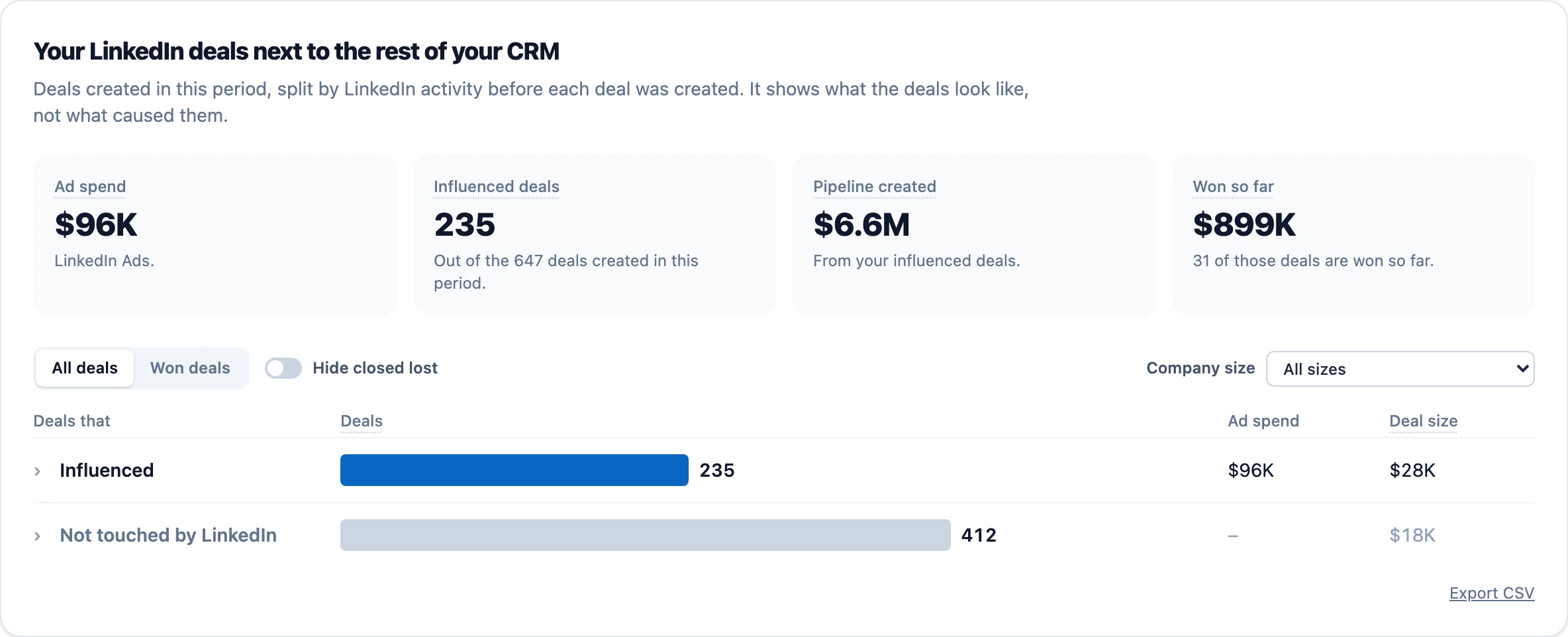
The two groups
The page looks at the deals created in the period you pick, and splits them by the LinkedIn activity in the 12 months before each deal was created.
- Influenced is the deals that met your attribution settings, the same rule you use everywhere else under LinkedIn. Hover the Influenced deals tile to see your exact settings.
- Not touched by LinkedIn is the deals with no LinkedIn activity at all before they were created. No ad views, no clicks, no organic.
Some deals had a bit of LinkedIn activity, but not enough to meet your settings. They're in neither group, so you compare deals LinkedIn clearly reached with deals it clearly didn't. That's also why the two rows don't add up to every deal in the period.
The four numbers at the top
- Ad spend is what you spent on LinkedIn Ads in the period.
- Influenced deals is how many of the deals created in the period met your attribution settings.
- Pipeline created is the total value of your influenced deals.
- Won so far is the value of your influenced deals that are closed won.
All deals and Won deals
All deals shows the deal count, ad spend and deal size for each group. Switch to Won deals to only look at the deals that closed won. Then you see won deals, revenue and deal size, plus:
- Sales cycle, the median number of days from created to won.
- Win rate, won deals divided by won plus lost deals. Open deals are left out, since they haven't been decided yet.
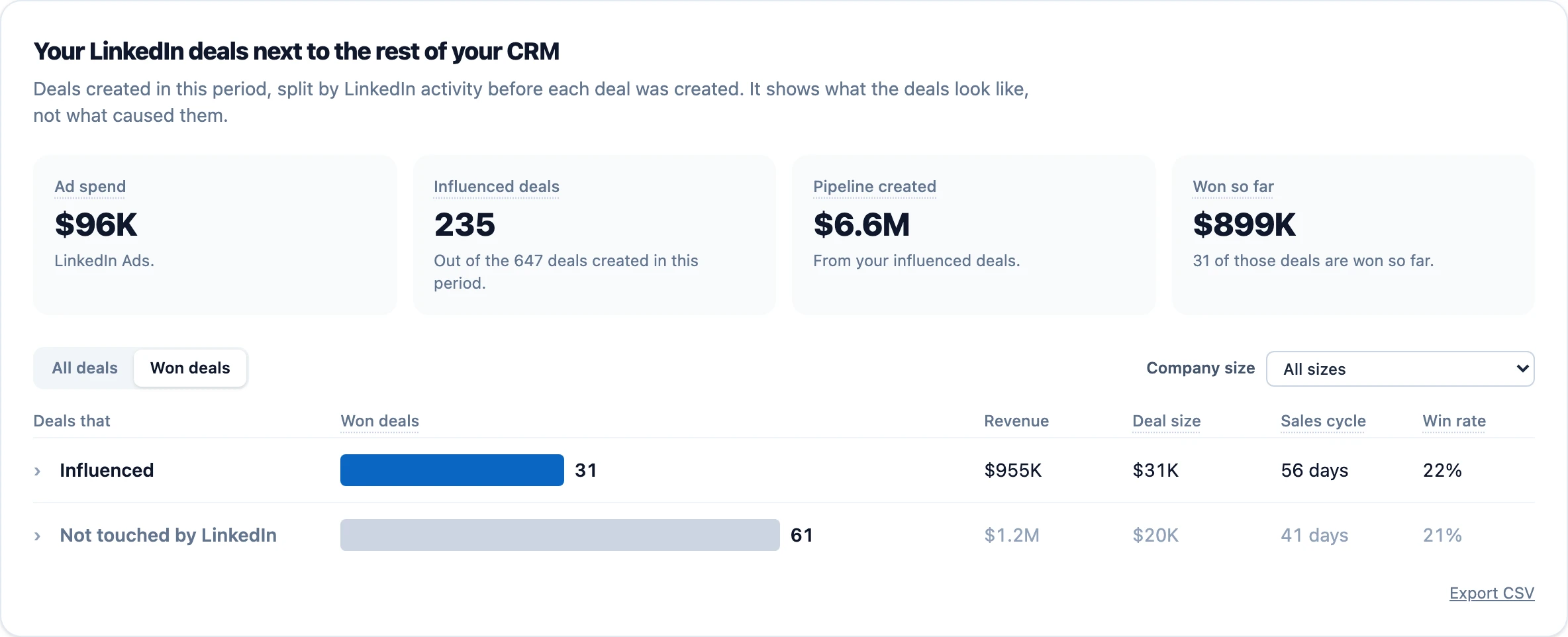
Deal size and sales cycle are medians, so one huge deal or one deal that took two years can't skew the picture.
Hide closed lost
In the All deals view you can hide the deals that are closed lost. Every number on the page updates, the tiles too, so you're only looking at open and won pipeline.
Company size
Pick a company size to only compare deals from companies of that size. This is the easiest way to check the point above. If your influenced deals are still bigger when you look at one company size at a time, it's not just because LinkedIn reaches bigger companies. The picker shows how many deals each size has.
See the deals behind a row
Click a row to open the deals in it, with the company, deal, stage, LinkedIn activity before the deal, created date and value. Each list has its own Export CSV button, and the one under the table exports the comparison.
Why won numbers can differ from Company Insights
Deal Insights looks at every deal at the moment it was created. Company Insights does the same for open deals, but for won deals it also counts LinkedIn activity up until the deal was won. So Company Insights can show a few more influenced won deals than this page. Both are right, they just answer slightly different questions.
What you need
Deal Insights needs LinkedIn Ads and a CRM connected. If you have more than one CRM connected, you pick which one to use. If you run Google Ads or Meta Ads too and want to compare the channels, have a look at Cross-Channel Insights.