

LinkedIn Ads
- LinkedIn Ads Revenue Attribution
- LinkedIn Ads Customer Journeys
- LinkedIn Ads CRM Sync
- LinkedIn Ads Optimization
- LinkedIn Ads Benchmarks

Google Ads

Meta Ads
Cross-Channel
Ad Signals
NewAd engagement signals
your sales team will actually use
We send the companies engaging with your LinkedIn, Google and Meta ads to Slack, Teams, Clay or your CRM, along with what they did on each channel.
Destinations
 HubSpot
 Salesforce
 Attio
Attio Pipedrive
 Zoho CRM
 Clay
ClayTest all features. No credit card needed.
How does it work
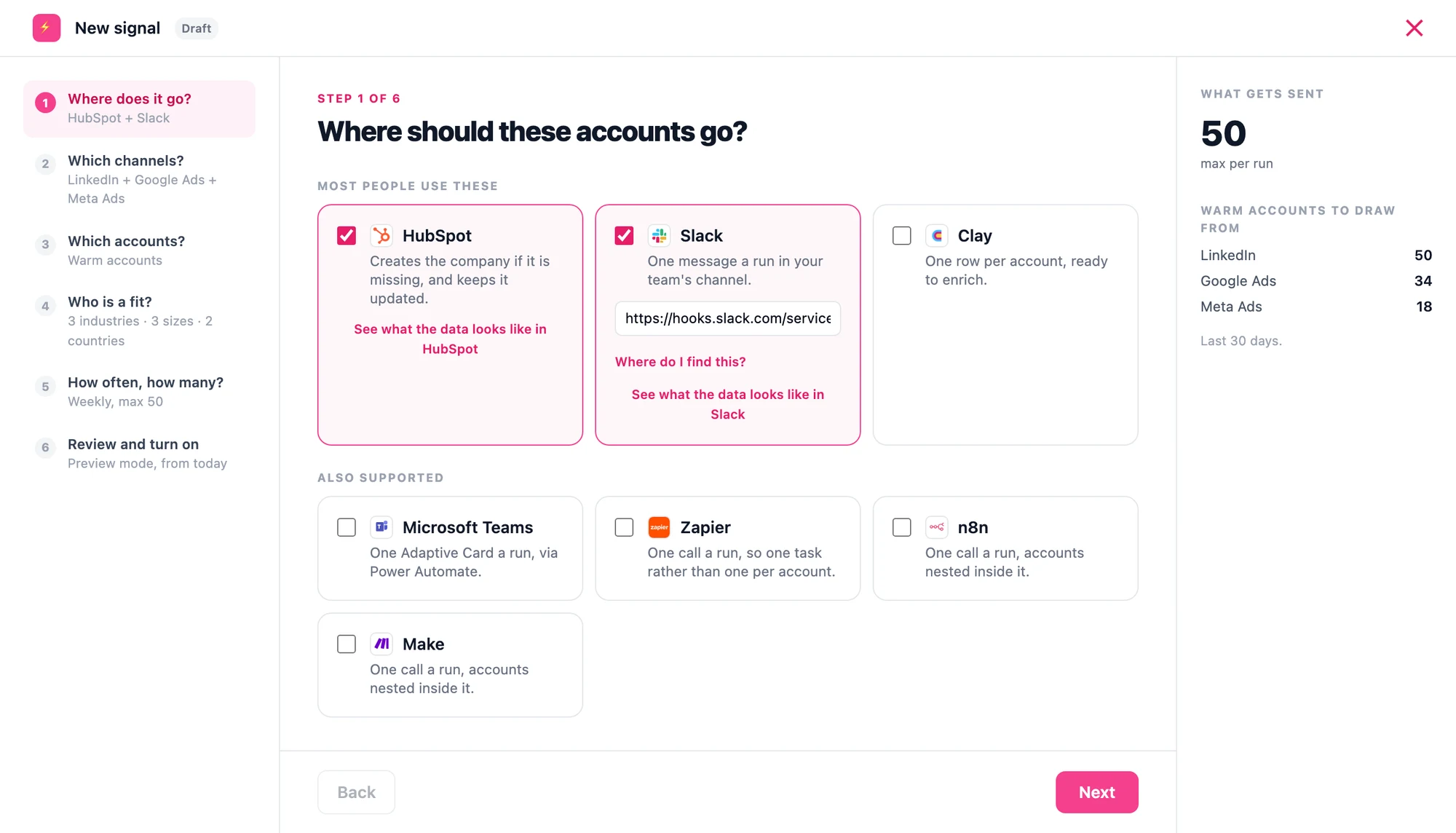
Step 1 of 6
Where should these accounts go?
Pick wherever your team already is. HubSpot, Salesforce, Attio, Pipedrive and Zoho CRM get a company record with the reason written on it. Slack and Teams get one message a run. Clay gets a row per account. Zapier, n8n and Make get one call with everything nested inside it.
Step 2 of 6
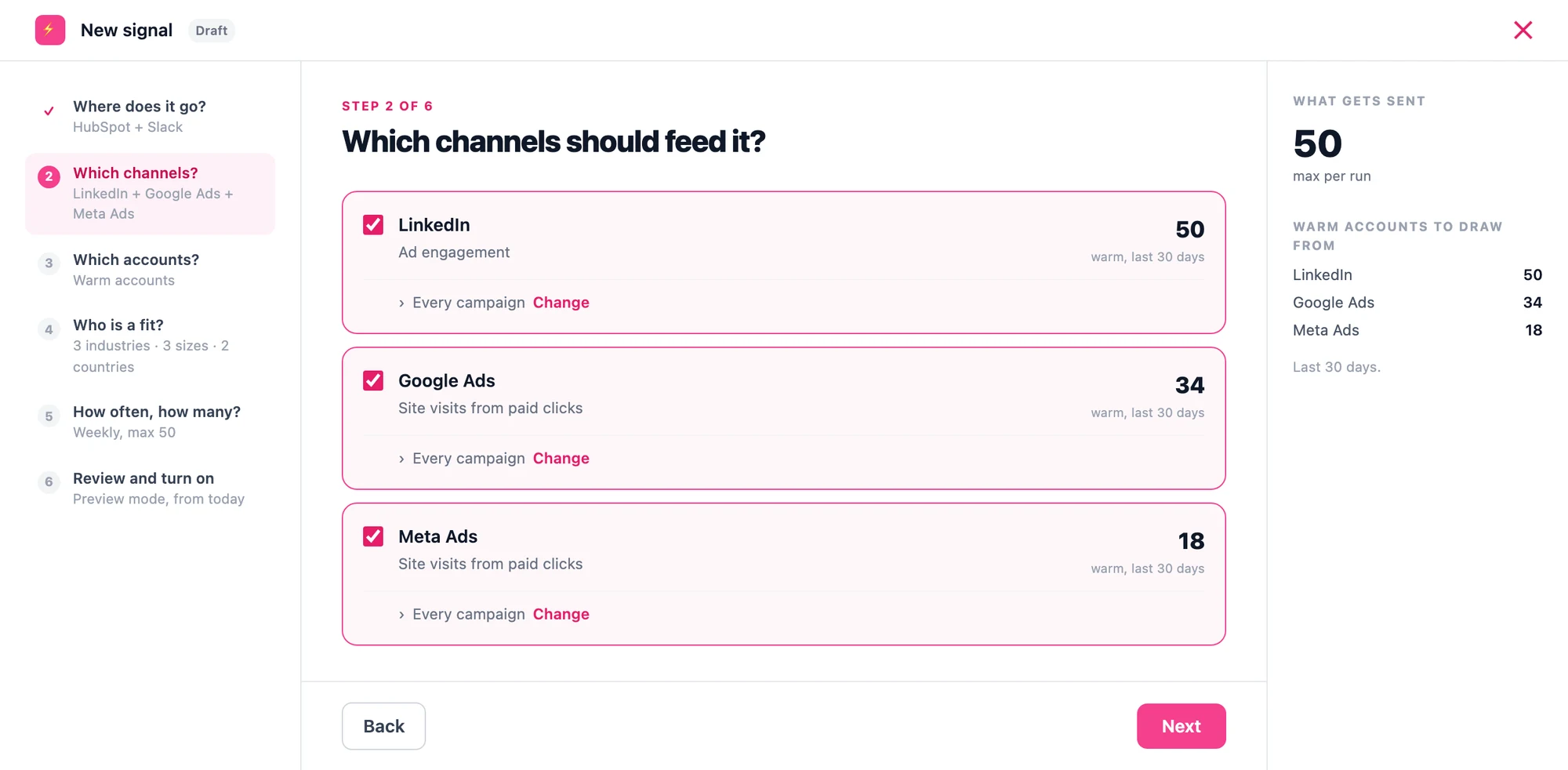
Which channels should feed it?
LinkedIn engagement, Google Ads clicks, Meta Ads clicks. Each one tells you how many warm accounts it is sitting on right now, over the last 30 days, and you can narrow any of them down to specific campaigns.
Step 3 of 6
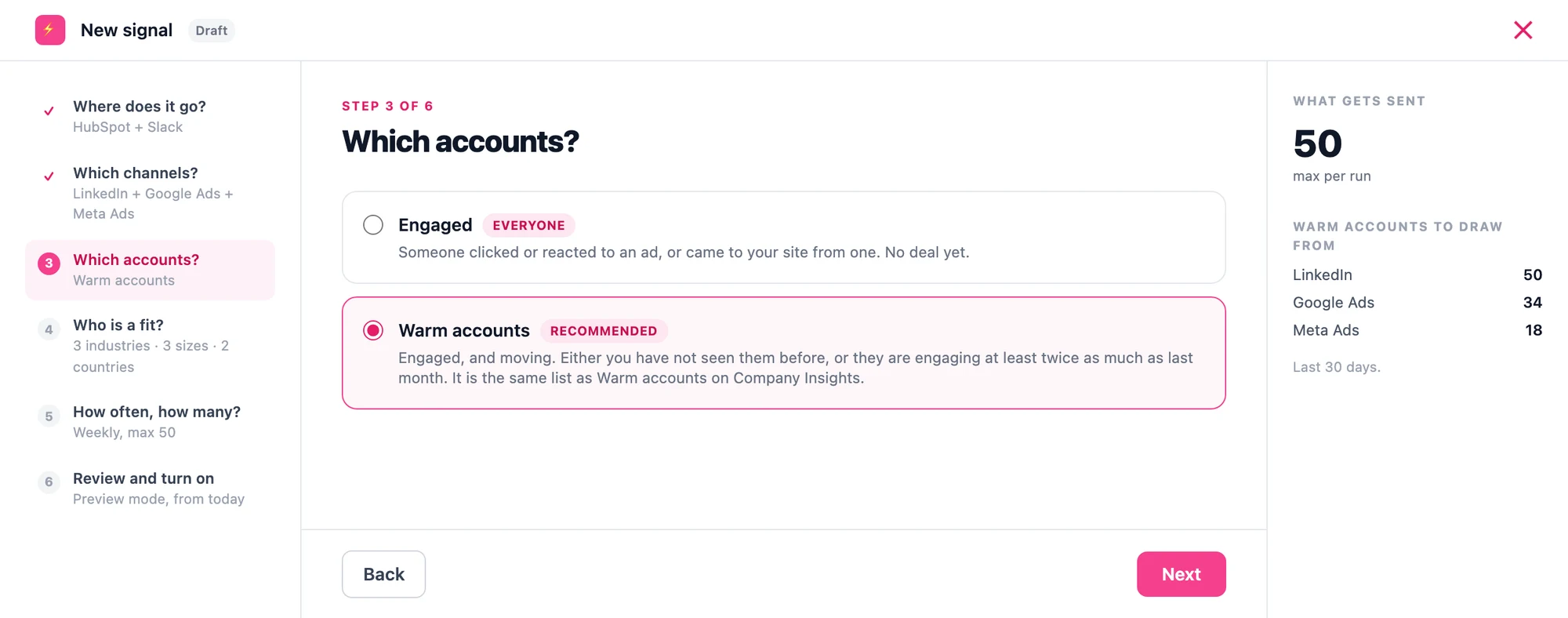
Which accounts?
Engaged is everyone who clicked or reacted, or landed on your site from an ad. Warm accounts are companies that have rapidly increased their engagement with you.
Step 4 of 6
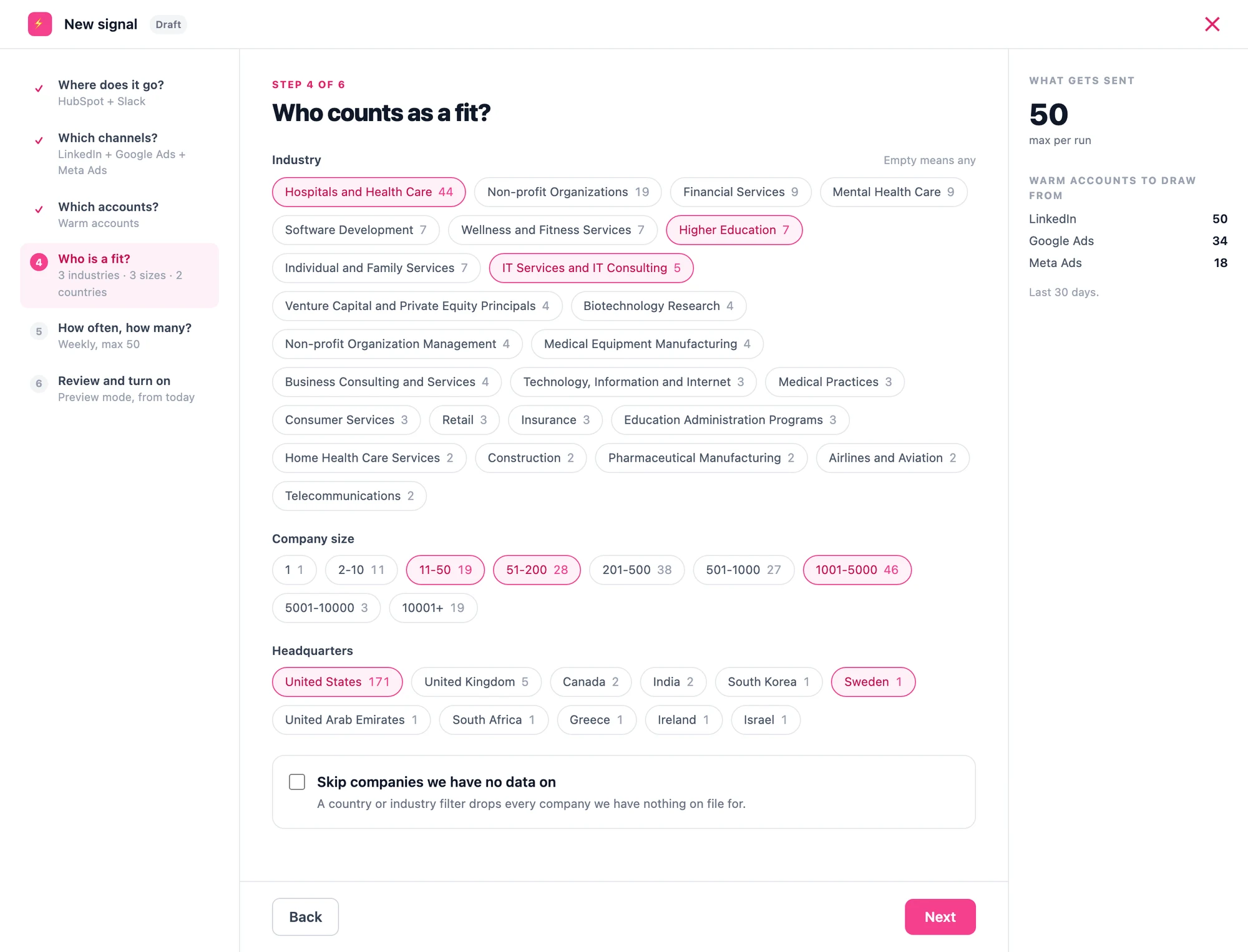
Who counts as a fit?
This is where you set your ICP. Pick the industries, company sizes and countries you actually sell to, and anything outside it never gets sent.
Step 5 of 6
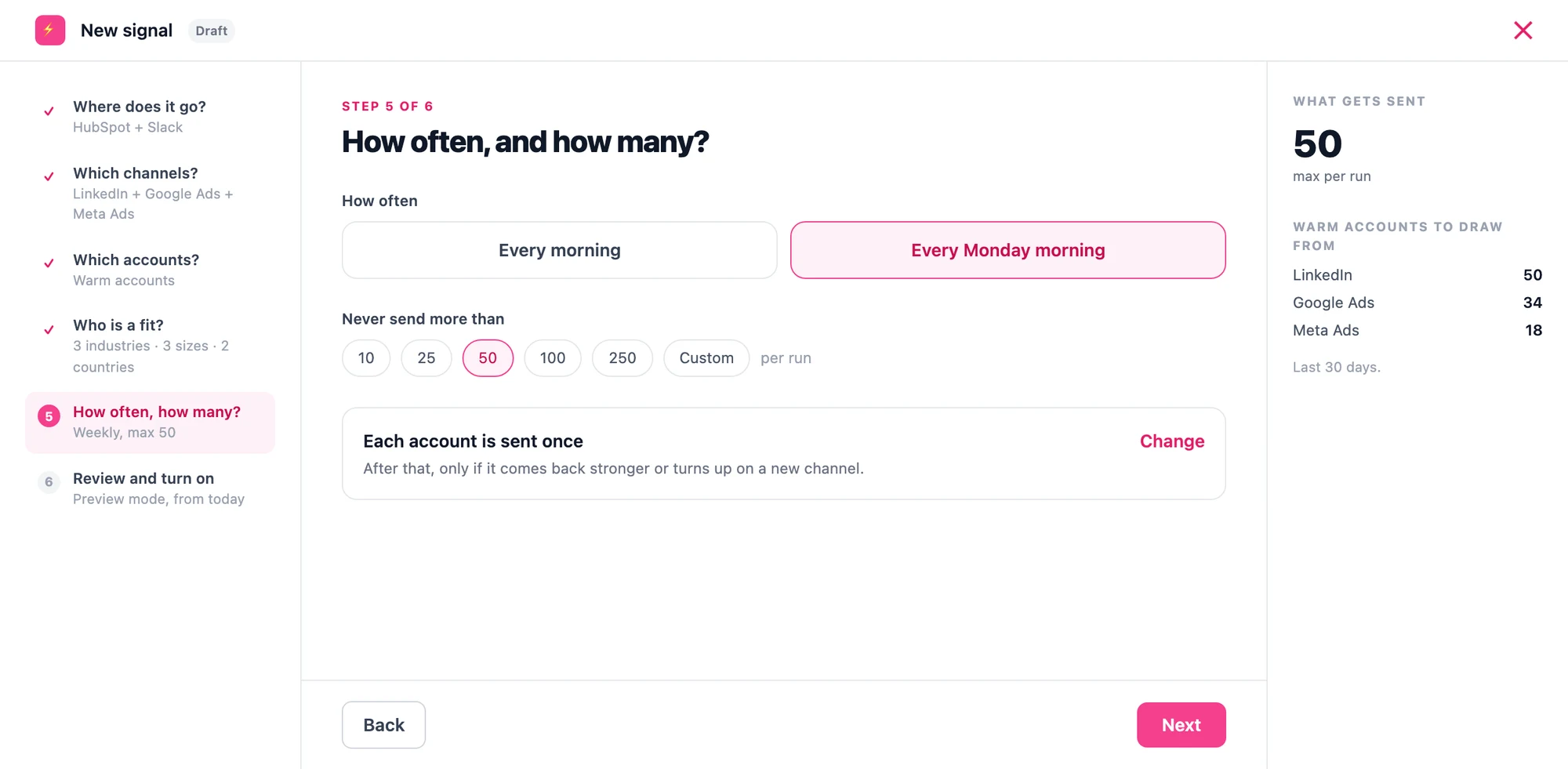
How often, and how many?
Every morning, or Monday mornings. Each account is sent once, and only comes back if it starts rising or shows up somewhere it was not before.
Step 6 of 6
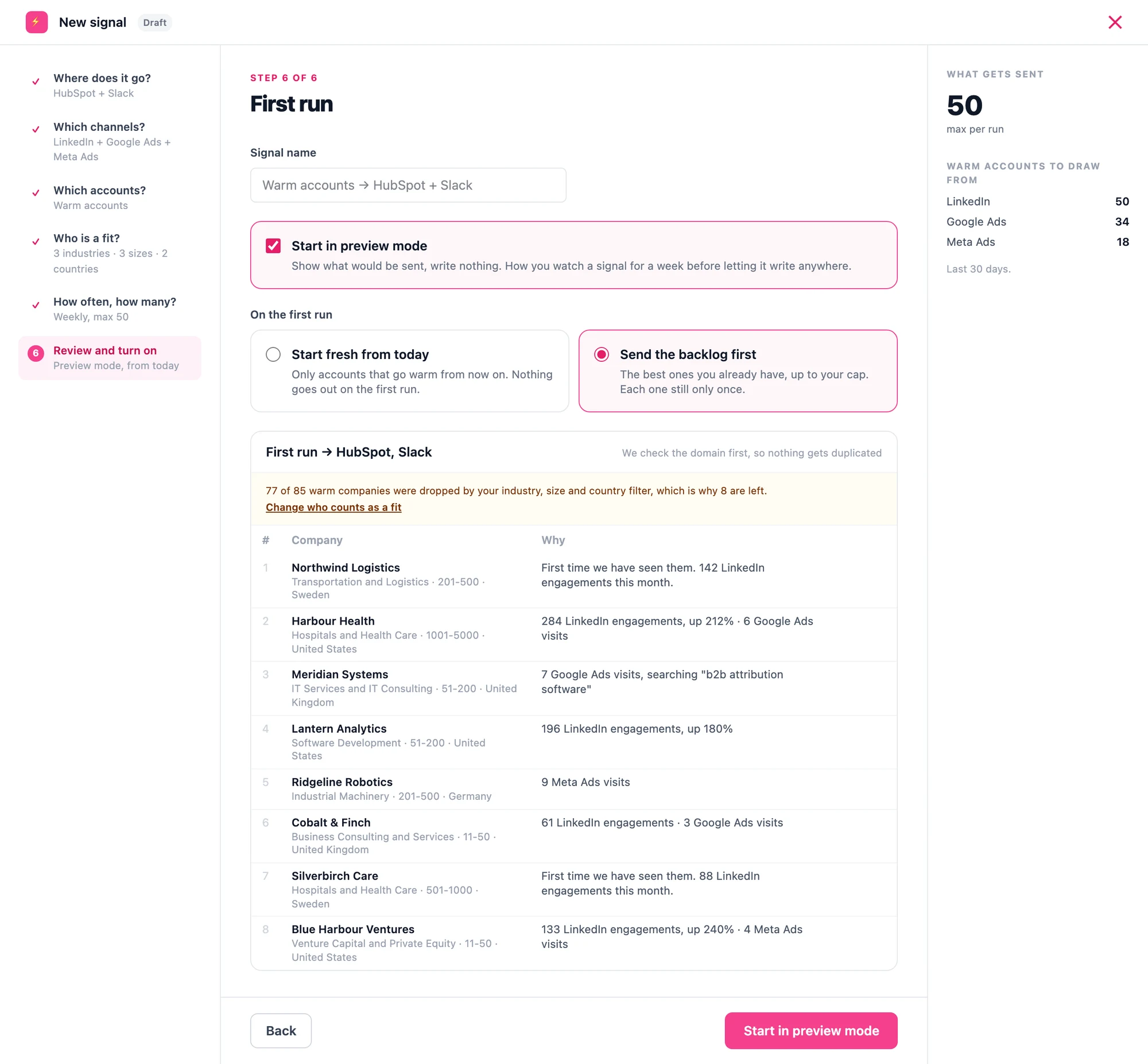
First run
Preview mode shows you exactly who would go out and writes nothing anywhere.
Send warm accounts from ads to sales
Start your 30-day free trial. No credit card needed.
Try 30 days for free