

LinkedIn Ads
- LinkedIn Ads Revenue Attribution
- LinkedIn Ads Customer Journeys
- LinkedIn Ads CRM Sync
- LinkedIn Ads Optimization
- LinkedIn Ads Benchmarks

Google Ads

Meta Ads
Cross-Channel
Ad Signals
New



How to Connect to Attio
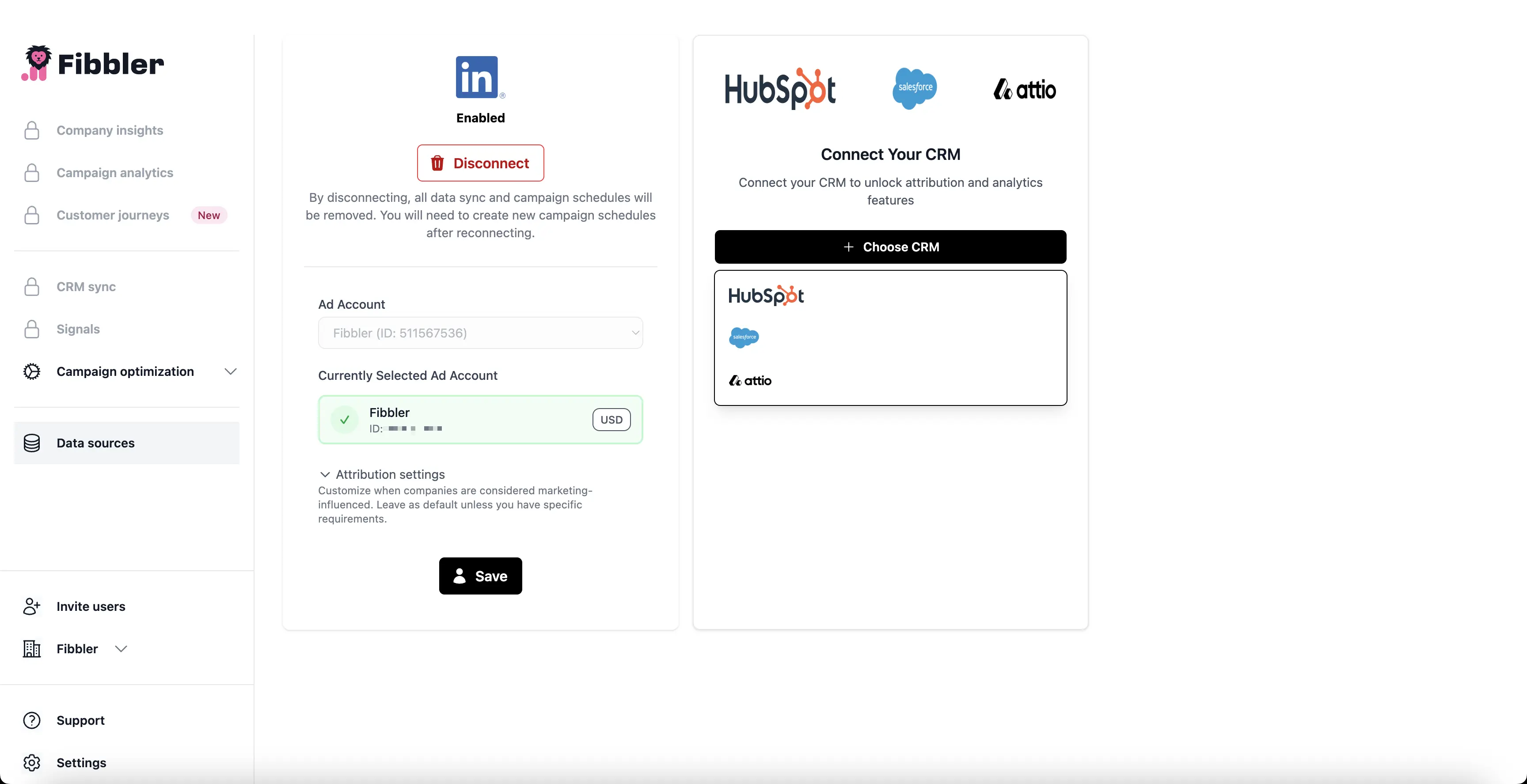
Go to Data Sources and Connect
Navigate to the 'Data Sources' section on your dashboard, locate Attio, and click the 'Connect' button.
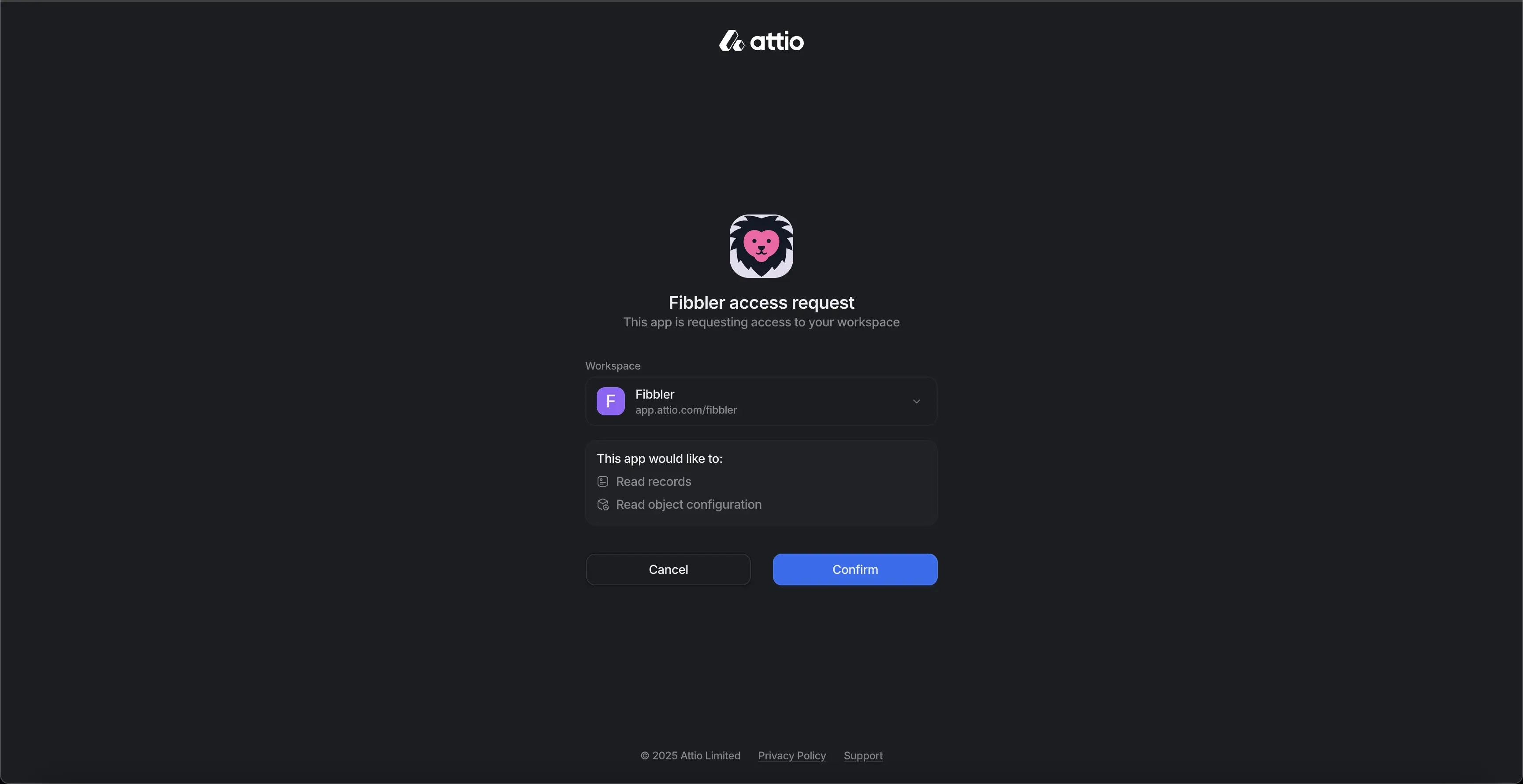
Login and Approve Attio
Sign in to your Attio account and approve the connection request.
Connection Successful
Once connected, you'll see Attio successfully integrated in your Fibbler dashboard.
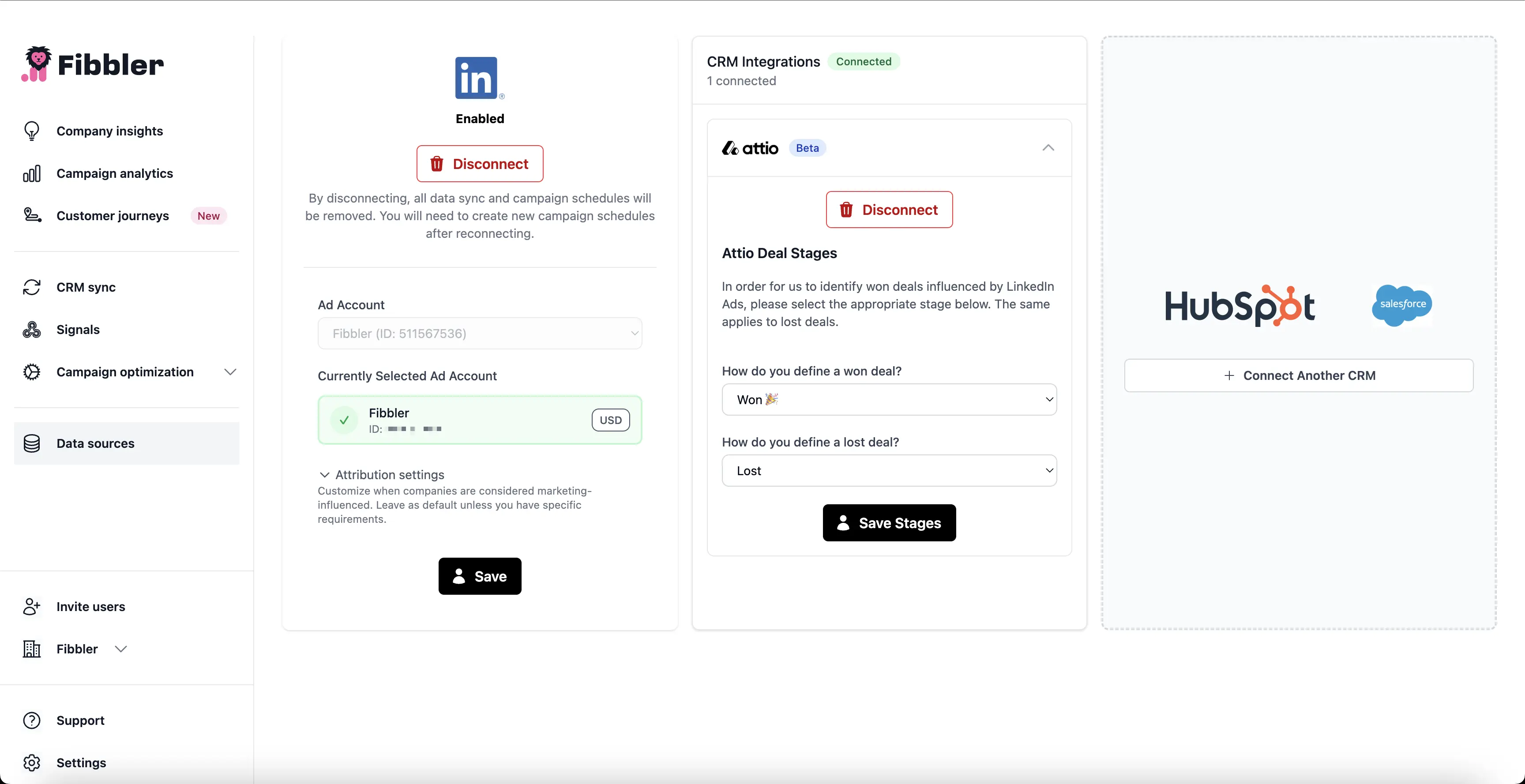
🚀 Finished! You can now load historical data.