

LinkedIn Ads
- LinkedIn Ads Revenue Attribution
- LinkedIn Ads Customer Journeys
- LinkedIn Ads CRM Sync
- LinkedIn Ads Optimization
- LinkedIn Ads Benchmarks
Google Ads

Meta Ads
Cross-Channel
Ad Signals
New



Meta Ads for B2B: How to Build Pipeline on Facebook and Instagram
Quick Summary
B2B teams can build real pipeline on Meta, but not with LinkedIn’s playbook. Job-title targeting isn’t reliable anymore. Bring your own data instead, meaning CRM lists, site-visitor retargeting, and lookalikes built from closed-won customers.
Structure campaigns by funnel stage, with separate cold, warm and hot audiences rather than one blended set. Lead with value before asking for anything. And measure past last-click, because Meta’s own reporting only catches a fraction of a B2B journey that now runs past nine months.
Do Facebook Ads Actually Work for B2B?
Yes, but only if you measure them differently than you measure LinkedIn or Google. Meta was not built to find a VP of Engineering at a 200-person SaaS company, and its native reporting was not built to show you what a buyer did six weeks after seeing your ad.
Both problems are solvable. The rest of this guide covers which audiences replace job-title targeting, how to structure a campaign so the algorithm gets a clean signal, and how to tell whether any of it moved a deal instead of just a click.
Before you decide either way, one data point is worth sitting with. In Metadata’s 2026 B2B Paid Media Benchmark Report (153 B2B advertisers, $57.6M of 2025 ad spend, published with full methodology at metadata.io/benchmark-report-2026), Instagram produced the cheapest B2B lead in the entire dataset, at $138.
That’s not proof Meta is your best channel. It’s evidence that “Facebook doesn’t work for B2B” is usually a targeting problem, not a platform problem.
Why Listen to Us
Fibbler is a B2B attribution platform that shows you which paid campaigns actually influence pipeline. We connect LinkedIn Ads and Google Ads engagement data to your CRM, and the same company-level identification is now live for Meta Ads too.
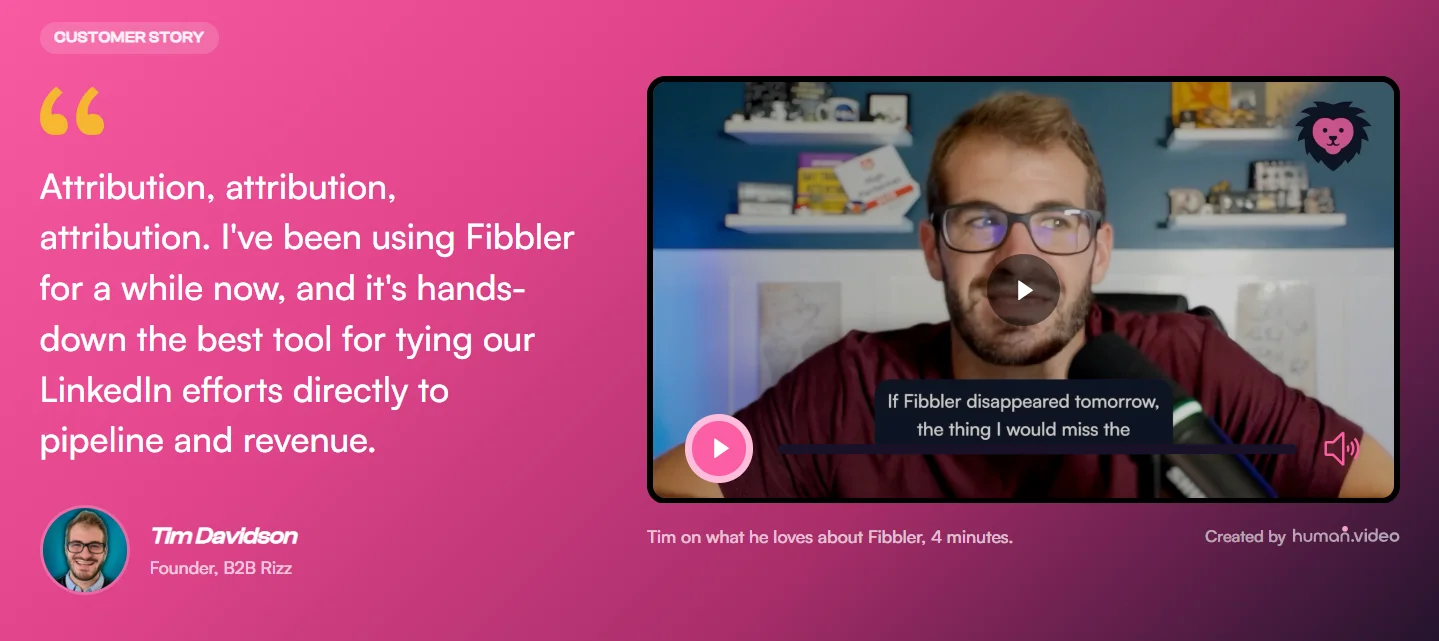
Over 2,000 marketers use Fibbler, including DataSnipper, Arrows, ROASted, and Qwilr. DataSnipper saw nearly twice the influenced pipeline and revenue after connecting their ad data through Fibbler. We’re also an official LinkedIn Marketing Partner in the B2B Attribution and Analytics category, and one of the first five companies with access to LinkedIn’s Company Intelligence API.
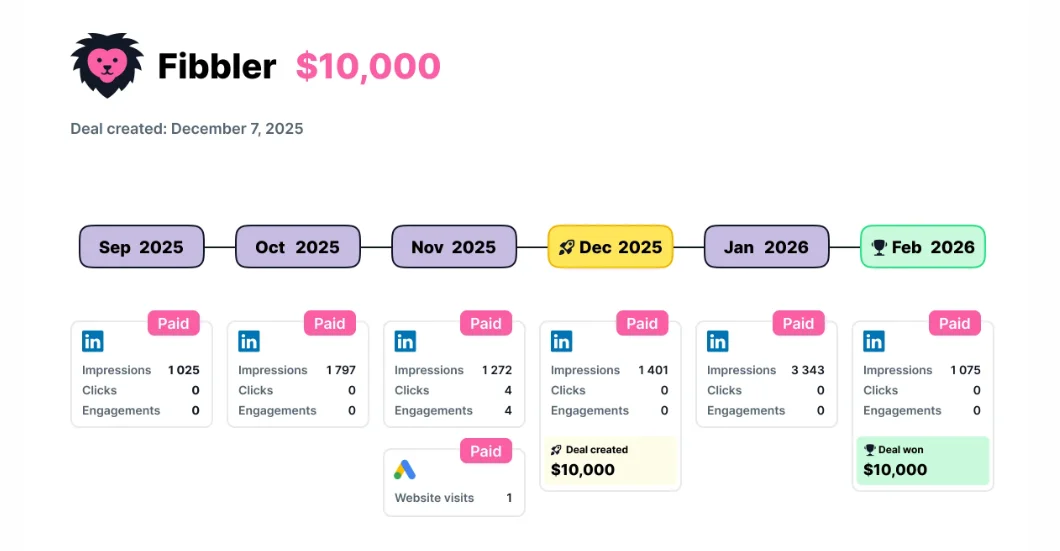
B2B buying journeys now run long. Dreamdata’s 2026 LinkedIn Ads Benchmarks Report puts the average path to close at 272 days and 88 touchpoints across four channels, up from 211 days and 76 touchpoints just a year earlier.
Attribution has to follow that whole path, whatever mix of LinkedIn, Google, and Meta built it, not just whichever channel happened to get the last click.
Where Meta Fits Alongside LinkedIn and Google
Each channel does a different job in a B2B paid mix, and treating them as interchangeable is how budget gets wasted.
- LinkedIn is still the only platform where you can reliably target a Director of Marketing at a specific company size and trust the targeting, because the data comes from the professional network itself. The tradeoff is cost and reach, because LinkedIn’s total audience is a fraction of Meta’s.
- Google captures people already searching for a solution. Cost per click runs high on competitive B2B terms, but the intent behind the click is real.
- Meta does neither of those jobs well on its own. It can’t reliably find a job title, and nobody opens Instagram to search for attribution software.
What it does instead is put your brand in front of a large, relevant audience cheaply and repeatedly, outside the hours someone is in “work mode”, which matters because a buying committee doesn’t stop researching when everyone closes LinkedIn for the evening.
Metadata’s 2026 report found that on cold B2B audiences, Meta produced the cheaper lead while LinkedIn converted more of those leads into pipeline. Neither number means much on its own, because a cheap lead that doesn’t convert is a vanity metric and a conversion rate with no volume behind it doesn’t fill a pipeline.
Put the two findings together and you get the split that works for most B2B teams. For teams spending $10K or more a month across paid channels, LinkedIn usually handles ABM, precision targeting and qualified volume, Google captures people who’ve already decided to look, and Meta fills in underneath both with cost-efficient reach and retargeting that neither of the other two can deliver as cheaply.
Why B2B Targeting on Meta Does Not Work the Way You Expect
The first mistake B2B teams make on Meta is opening Ads Manager and looking for LinkedIn-style precision. It isn’t there, and it’s gotten less available, not more.
Meta’s detailed targeting menu still lists job titles and employers, but that data is self-reported and unverified, so a “Marketing Manager” tag might be five years stale, or an aspiration a student typed in once. Meta has also been stripping detailed-targeting options out of the platform for several years.
It removed a long list of sensitive interest categories starting in 2022, and it eliminated the ability to exclude an interest or behavior from a campaign entirely as of March 2025.
What remains isn’t even a firm command anymore. Meta now treats every detailed-targeting input as an “audience suggestion” its delivery AI can override whenever it predicts better performance elsewhere. You’re not choosing your audience. You’re nudging it.
Interest-based targeting has a related problem. “SaaS” or “B2B marketing” as an interest mixes actual practitioners with anyone who once clicked a single article on the topic. For most B2B offers, that dilution makes the targeting close to useless on its own.
None of that means Meta can’t find your buyer. It means you have to bring the intelligence yourself. Meta’s algorithm is genuinely good at finding people who behave like people you already know. You just have to hand it your own data as the seed, rather than trying to describe your buyer to it in words.
The Audiences That Do Work: CRM Lists, Site Visitors and Lookalikes
Three audience types consistently produce pipeline-quality results for B2B teams on Meta.
CRM custom audiences
Upload your CRM list (customers, closed-won accounts, high-intent leads) directly into Ads Manager. Meta matches emails and phone numbers against its user base at a 30-70% match rate depending on how many of your contacts use a personal email on their social profile.
This is your highest-quality seed audience, because it’s built from people who already bought. Use it directly for retargeting existing contacts with expansion content, and, more importantly, as the source list for lookalikes.
Website visitor retargeting
Install the Meta Pixel and Conversions API, then segment retargeting by intent level rather than treating all visitors as one audience:
- High intent: pricing, demo, and comparison page visitors from the last 30 days
- Medium intent: readers who hit three or more pages, or spent two-plus minutes, in the last 60 days
- Low intent: everyone else, last 90-180 days
A pricing-page visitor earns a direct trial CTA. A one-time blog reader needs a lead magnet first; sending them the same offer wastes both.
Lookalike audiences
This is where Meta earns its place in a B2B stack. Take your best seed (closed-won customers, not every lead you’ve ever captured) and build a 1% lookalike, which represents roughly 2.3 million people in the US. If it performs, expand to 2%, then 3%. Past that, quality for B2B usually degrades faster than the added reach is worth.
Metadata’s own customer base offers two real examples. Automation Anywhere increased its average Facebook Ads deal size by 36% building audiences from its own customer and pipeline data, and Qualified used Facebook and LinkedIn together with its own intent data to influence $6.9M in pipeline across more than 2,000 surging target accounts.
Neither result came from Meta’s native targeting menu. Both came from feeding Meta better seed data than “interested in SaaS.”
A Campaign Structure Blueprint for B2B Meta Ads
Running one campaign that blends cold and warm audiences gives Meta’s algorithm conflicting signals to optimize against. Split by funnel stage instead, and treat the branded search this sequence generates as an intended fourth stage rather than an unmeasured accident:
| Funnel Stage | Audience Source | Ad Format | Offer | What to Measure |
|---|---|---|---|---|
| Cold prospecting | 1-3% lookalike from closed-won customers | Video, single image, document ads | Benchmark report, template, short educational video | CTR, cost per lead, frequency |
| Warm retargeting | Segmented site visitors, 50%+ video viewers, engagers | Carousel, case study, product walkthrough | Customer proof, role- or industry-specific use cases | Cost per MQL, engagement rate |
| Hot retargeting | Pricing, demo, or trial page visitors (last 14-30 days) | Single image or short video, direct CTA | Free trial signup, live walkthrough | Trial starts, CRM-sourced pipeline |
| Demand capture | Branded search traffic generated by cold and warm exposure | Google Search / branded campaigns (outside Meta) | Bottom-funnel landing page, trial CTA | Branded search volume, Google Ads assisted conversions |
Roughly half of Meta budget in cold prospecting, a quarter to a third in warm retargeting, and the smallest remaining share in hot retargeting, which is by definition the smallest audience.
In cold prospecting, don’t ask for a demo. Offer something useful instead.
Warm retargeting is where you show proof, such as customer results and specifics for their role or industry.
Hot retargeting is small by definition; the job there is removing friction, not creativity.
Most B2B Meta guides skip the fourth row entirely. The branded search this whole sequence generates belongs to Google, not Meta. Treating it as the intended final stage rather than an unexplained bump in branded traffic is how you keep Meta’s contribution visible instead of losing it to another channel’s last-click credit.
Creative and Offers That Filter for Your Buyer
On LinkedIn, the platform’s targeting does most of the filtering for you. On Meta, your creative has to do it instead.
What works cold
- Specific, practitioner-only offers. “We analyzed 500 B2B Meta campaigns” filters for marketers and repels everyone else. Specificity is the filter, not the design.
- Templates and checklists that speak directly to a job function.
- Short, under-60-second, founder- or practitioner-led video explaining one concept. The same style of content that works as Thought Leader ads on LinkedIn travels well here.
What works for retargeting
- Case studies with a real number attached. “How DataSnipper saw nearly 2x influenced pipeline” earns more trust than “see how companies use our tool.”
- Product walkthroughs of about three minutes, no fluff, just the product solving the problem on screen.
- Direct trial or sign-up CTAs, reserved for hot retargeting only.
What doesn’t work
- A demo request aimed at a cold audience. Nobody scrolling Instagram wants to book a call with a company they discovered two seconds ago.
- Stock photography, which reads as an ad and gets scrolled past. Screenshots and real data visuals outperform it.
- Long paragraphs in the primary text for cold audiences. Two to three sentences, and save the detail for the landing page.
What to Budget and What Good Looks Like
Meta’s own guidance is that a campaign needs on the order of 50 optimization events a week before its delivery algorithm has enough data to learn.
Below that, campaigns often sit stuck in the learning phase, which functionally means you’re paying to teach the algorithm rather than to generate pipeline.
A rough planning formula is monthly budget = target cost per lead × 50 × 4. At a $50 target CPL, that’s $10,000 a month; most teams testing Meta for the first time run leaner than that and should expect a longer runway to a reliable signal as a result.
On cost, don’t anchor to the number every article quotes. Metadata’s 2026 B2B Paid Media Benchmark Report found that the commonly cited $202 B2B cost-per-lead figure is already a good result, since three out of four of the 153 advertisers in the dataset paid more than that. If your Meta CPL runs above $202, you’re probably normal, not behind.
The report’s more useful finding for planning purposes is that creating demand from a cold audience cost about the same as retargeting an existing one across the dataset, $187 versus $196 per lead. That means retargeting isn’t automatically the “cheap half” of a Meta budget the way many teams assume.
One caution belongs in any Meta plan. On the report’s $29.4M CRM-attributed subset (127 of the 153 advertisers, with CRM opportunity data matched), ad dollars traced through to closed-won revenue returned $0.56 for every $1 spent in year one.
That’s not a verdict on any one channel; it’s a floor to plan against, not a target most first-year campaigns will beat.
Don’t scale a Meta campaign on cost per lead alone. A cheap lead that never becomes an opportunity is worse than an expensive one that does. Wait until your CRM shows which campaigns are producing leads that actually progress. That typically takes two to three months of consistent spend before the pattern is real.
How to Tell Whether Your Meta Ads Are Actually Working
Most B2B Meta programs fall apart here, in measurement rather than setup.
The view-through problem
A typical B2B buyer sees your ad on a Tuesday evening and doesn’t click. They Google your company Thursday, read a blog post, and start a free trial two weeks later through a branded search. Meta’s click-based reporting gives that conversion zero credit, but Meta is the reason the buyer knew your name.
Meta made this worse in March 2026 when it narrowed what counts as a “click” for click-through attribution to link clicks only, and moved credit for likes, comments, shares, and profile visits into a separate 1-day “engage-through” category instead. Advertisers who missed the change saw an apparent drop in click-through conversions with no change in spend or targeting.
Combined with Meta’s already short default window of 7-day click and 1-day view, Ads Manager sees only a narrow slice of a B2B journey that Dreamdata’s 2026 data puts at 272 days on average.
Expecting someone to click an ad and convert in one session was never realistic for B2B; it’s now even less visible in the platform’s own numbers.
What to measure instead
- Inside Ads Manager: cost per lead, CTR, and frequency. Frequency climbing past 4-5 on a retargeting audience signals creative fatigue. Refresh before performance drops further.
- In your CRM: how many Meta-sourced or Meta-influenced leads become opportunities and closed-won revenue. This is the number that actually matters in a budget conversation.
- Branded search lift: a rise in searches for your company name after Meta campaigns launch is a real, if indirect, signal that the awareness spend is doing its job.
Why CRM-connected attribution matters here
The gap between what Meta reports and what actually happened in your pipeline is exactly why company-level, CRM-connected attribution exists. Fibbler’s Meta Ads add-on does this for $59 per month with a 14-day free trial, identifying the companies behind your Facebook and Instagram ad clicks and syncing that engagement to your CRM.
It works the same way as our Google Ads add-on, so you get company-level engagement tied to pipeline and revenue rather than clicks, with Meta next to LinkedIn and Google in the same customer journey.
Without that kind of connected view, you’re left choosing between Meta’s own numbers, which tend to overcount, and last-click CRM attribution, which structurally undercounts everything upstream of the final touch.
Five Ways B2B Teams Waste Money on Meta
1. Optimizing for cheap leads instead of qualified pipeline. A campaign producing $20 leads that never progress is worse than one producing $80 leads that close. Optimize toward CRM-verified pipeline, not the lowest cost per lead in Ads Manager.
2. Sending cold traffic straight to a demo request. Nobody on Instagram wants to book a 30-minute call with a company they just discovered. Save the direct offer for retargeting.
3. Building lookalikes on bad seed data. A lookalike built from every lead you’ve ever captured, including the ones that never closed, teaches Meta to find more of the wrong people. Seed lookalikes from closed-won customers only.
4. Failing to exclude existing customers. Without an exclusion audience, you’re paying to advertise a free trial to people who already have an account. Exclude current customers from every cold and warm campaign.
5. Judging the channel on last-click. If your attribution model only counts direct clicks, Meta will always look like it’s failing. Track view-through influence and CRM-connected pipeline, not just Ads Manager’s own numbers.
Start Measuring What Meta Contributes
Most B2B teams either ignore Meta entirely or run it with no way to connect spend to pipeline. Both are missed opportunities, because the data says Meta can produce genuinely cheap B2B leads and the failure is usually in what happens after the click.
The teams getting real results bring their own audience data, structure campaigns by funnel stage, lead with value before asking for anything, and measure past last-click. The hardest part was never campaign setup. It’s proving the spend worked.
That’s what Fibbler is built for. We connect your ad data to your CRM so you can see which campaigns influence deals, not just which ones got clicked. Our Meta Ads add-on does this at $59 per month with a 14-day free trial, the same model as our Google Ads Attribution add-on.
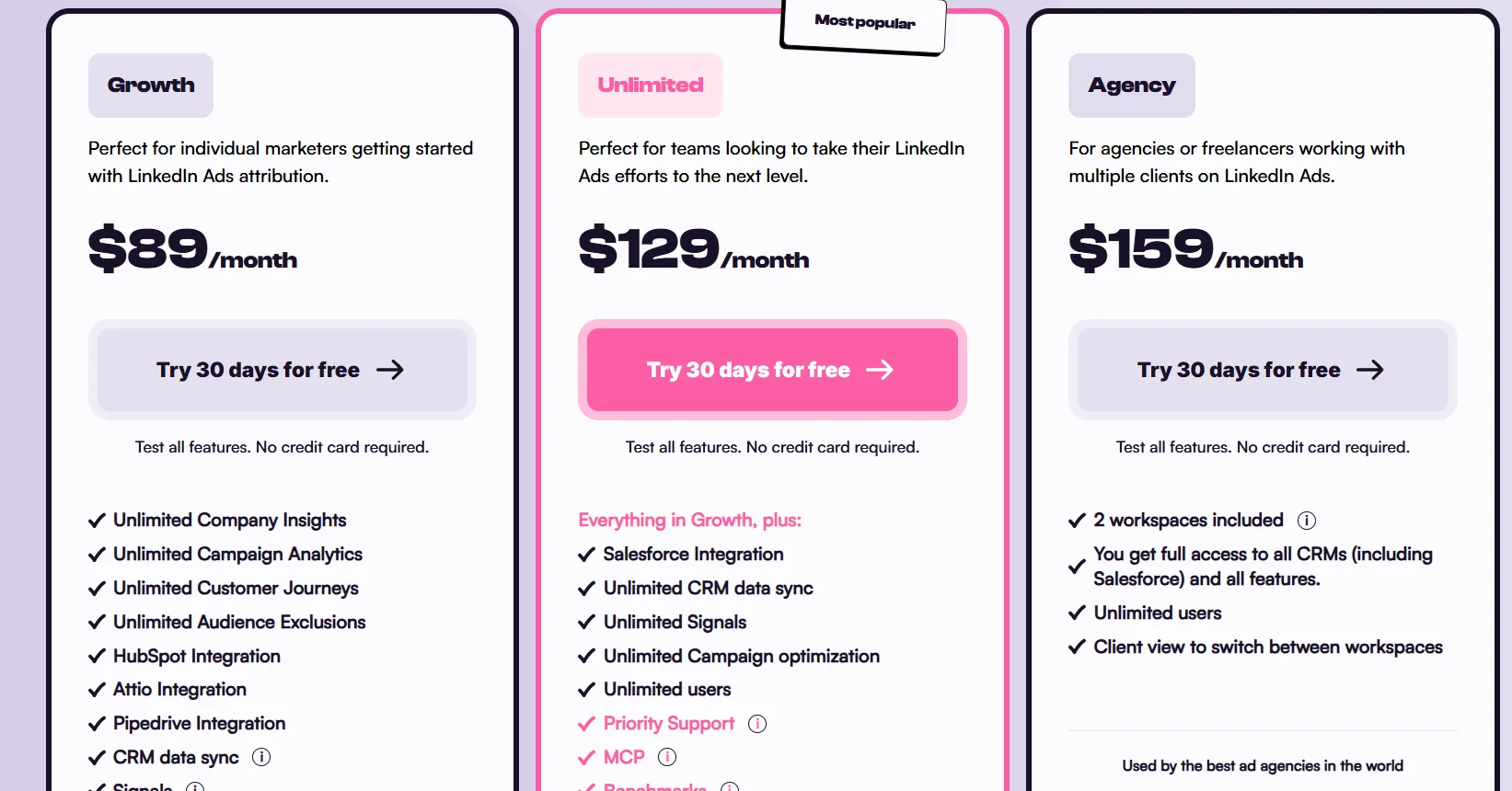
Start a free 30-day trial and see the difference in your first week. No credit card required.
Meta Ads for B2B FAQs
Do Facebook ads work for B2B companies?
Yes, but not the way they work for B2C. You can’t rely on Meta’s native targeting for job titles or company size anymore. You need your own audience data (CRM lists, site visitors, customer lookalikes) and a way to connect ad engagement back to your CRM.
In Metadata’s 2026 benchmark dataset, Instagram produced the cheapest lead of any channel tested, at $138.
How much should a B2B company spend on Meta ads?
Enough to clear roughly 50 optimization events a week so the algorithm can exit its learning phase. A common starting point is $3,000-$5,000 a month for an initial 60-90 day test. Below that, campaigns often stay stuck without ever generating a reliable signal.
What’s the best Meta ad format for B2B?
There’s no single winner across every account, but a few patterns hold up. Short, under-60-second founder-led video performs well for cold prospecting. Carousel ads suit multi-feature or multi-case-study messaging, and document ads are worth testing, since they’re a format almost nobody runs.
Meta’s own Lead Ads (instant forms) reduce friction and typically lift conversion rate, though the tradeoff is usually lead quality, since there’s less intent filtering than a dedicated landing page.
Should B2B companies use Meta Lead Ads or send traffic to a landing page?
Both, for different audiences. Lead ads remove friction and generally convert at a higher rate, at the cost of some lead quality. Landing pages take more clicks to convert but give you more control and tend to produce better-qualified leads.
Use lead ads for cold audiences with a low-commitment offer, and dedicated landing pages for retargeting audiences with a trial or demo CTA.
How do you track B2B conversions from Meta ads?
Install the Meta Pixel and set up the Conversions API for server-side event tracking, which recovers signal that browser-based tracking alone now misses under current privacy rules. Then connect your CRM to an attribution tool that shows which campaigns influenced pipeline and revenue, not just which ones generated a click.
Can you target specific companies with Meta ads?
Not natively. Meta has no account-level targeting the way LinkedIn does. You can approximate it by uploading email addresses from your target accounts as a custom audience, though you’ll need a large enough list for Meta’s matching to work reliably.
If your list clears that bar, you can run a form of account-based marketing on Meta at a fraction of LinkedIn’s cost per account reached.
Written by

Adam Holmgren
CEO @ Fibbler

Prove paid ads drive pipeline
Fibbler helps you see which companies view or engage with your LinkedIn, Google and Meta Ads, and connect them to pipeline and revenue in your CRM.
Try 30 days for free
Prove paid ads drive pipeline
Fibbler helps you see which companies view or engage with your LinkedIn, Google and Meta Ads, and connect them to pipeline and revenue in your CRM.
Try 30 days for free