

LinkedIn Ads
- LinkedIn Ads Revenue Attribution
- LinkedIn Ads Customer Journeys
- LinkedIn Ads CRM Sync
- LinkedIn Ads Optimization
- LinkedIn Ads Benchmarks

Google Ads

Meta Ads
Cross-Channel
Ad Signals
New



How to Connect Google Ads to Attio for Company-Level Attribution
Quick Summary
Standard Google Ads tracking misses the "hidden" research phase of B2B deals. By using Fibbler, you can identify the companies behind anonymous clicks and sync that data directly into Attio. This moves your attribution beyond form-fills to show how search spend actually fuels your pipeline.
The Attribution Gap in Your Attio Workspace
Many B2B teams rely on Google Ads to capture demand from buyers actively searching for solutions. When a prospect searches for a product comparison or pricing, those clicks represent high-intent buying signals. Ideally, this data would live within Attio, your central system for managing company relationships and deals.
In practice, these two systems remain fragmented. Google Ads tracks the click but hides the company behind it, while Attio only begins recording activity once a lead is officially created.
This disconnect leaves the most critical phase of the buying journey invisible. A company may engage with your ads for weeks before identifying themselves, yet that intent never reaches your CRM. Bridging this gap requires moving beyond simple click tracking toward account-level visibility. This guide explains how to do exactly that.
Why Listen to Us?
We didn't build Fibbler to add more noise to your dashboard; we built it to solve the "First-Touch Mystery." Most attribution models are "best-guess" systems that rely on decaying cookies and broad IP ranges. We took a different path.
By securing a spot as an Official LinkedIn Marketing Partner - an elite tier shared by only a handful of companies globally - we gained access to the data layers that native integrations intentionally keep hidden.
The proof is in the success of our customers:
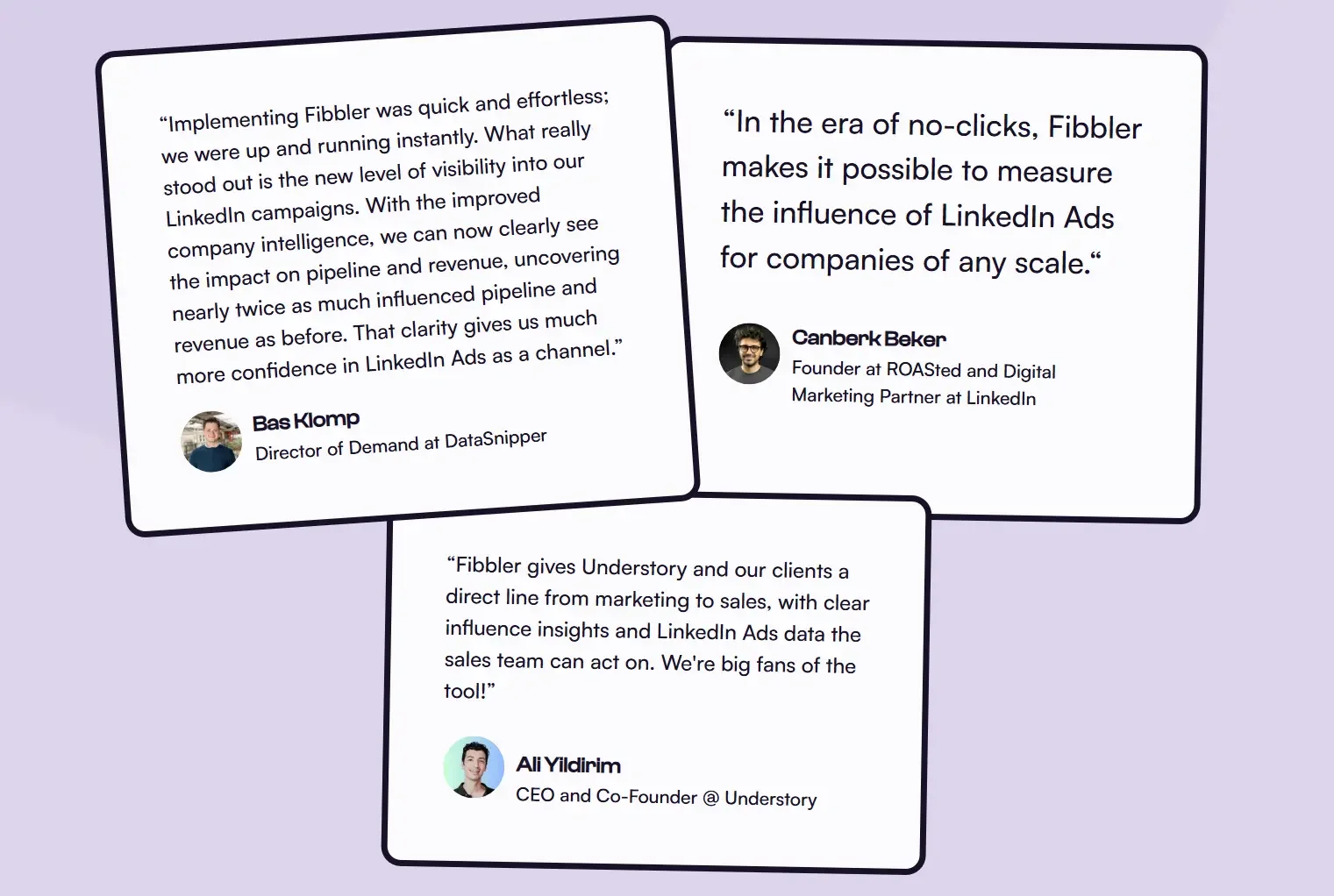
This unique vantage point is exactly what powers the insights in this guide, helping you to eliminate guesswork and identify the real companies behind your Google Ads traffic.
The Problems With Standard Google Ads Tracking
While standard Google Ads tracking is sufficient for simple e-commerce transactions, it lacks the nuance required for complex B2B buying journeys. Several structural limitations prevent accurate attribution within platforms like Attio. These problems include:
The Form-Fill Dependency
Traditional tracking is reactive, triggering only after a form submission, creating a major visibility gap. As Gartner research shows, 75% of B2B buyers now prefer a "rep-free" digital experience. If a prospect researches via your ads but leaves without converting, that high-intent engagement - and the budget spent to earn it - effectively vanishes from your Attio pipeline data.
The Decay of Click Identifiers (GCLID)
Google Ads often loses the original click ID (GCLID) due to privacy filters and long sales cycles. By the time a prospect reaches out, that link is broken. This mislabels high-value paid traffic as "Direct" or "Organic" in your CRM-making your most profitable campaigns invisible and leaving you unable to see the true ROI signals of your spend.
Individual Clicks vs. Account-Level Reality
Google Ads tracks users, but since you sell to company accounts, standard tracking often misinterprets the journey by treating three different people from the same organization as three unrelated clicks.
It's like looking at individual puzzle pieces without ever seeing the full picture: a buying committee that is actively reaching a consensus on your product. By failing to group these signals, you miss the collective momentum of the account, leaving your sales team to chase isolated visitors instead of a unified opportunity.
The "Dark" Research Phase
The majority of the B2B journey happens in the shadows. Prospective buyers evaluate solutions and compare competitors long before they ever fill out a "Request a Demo" form. Because traditional attribution only begins at the point of lead creation, these early, high-intent signals remain invisible, leaving your sales team a step behind.
The Solution: Connecting Google Ads to Attio with Fibbler
Fibbler bridges the gap between Google Ads and your Attio pipeline.
Instead of relying on fragile click identifiers or form submissions, Fibbler identifies the companies behind your anonymous web traffic. By matching visitors to their organizations, it syncs engagement data directly into Attio - even if no one fills out a form. This transforms isolated clicks into account-level intent.
For a predictable monthly cost, your team gains high-intent signals that reveal which companies are actively researching your solution, allowing for data-driven outreach.
Benefits of Integrating Google Ads into Attio Using Fibbler
Integrating Google Ads with Attio via Fibbler offers several benefits that transform your advertising from a source of traffic into a driver of predictable revenue. They include:
Identification of Anonymous Companies
Fibbler deanonymizes your web traffic, surfacing the organizations behind every ad click long before they officially convert. This enables your team to:
- Reveal the specific companies clicking your ads without requiring a form fill
- Capture high-value prospects in the "dark" research phase weeks before they contact sales
- Gain a timing advantage by engaging accounts at the peak of their curiosity
- Shift from reactive lead following to proactive, intent-based account targeting
Automatic CRM Updates
Fibbler eliminates manual data entry by syncing live engagement signals directly into your Attio environment. This allows you to:
- Feed real-time intent levels and campaign interactions straight into Attio records
- Keep company data fresh and actionable without spreadsheets or manual uploads
- Provide sales teams with an "always-on" view of brand engagement
Clear Revenue Attribution
Integrating through Fibbler bridges the gap between marketing spend and closed-won revenue by tracking the full customer journey. As a result you can:
- Connect Google Ads spend directly to Attio deals to measure true ROI
- Move beyond surface-level clicks to see how ads influence pipeline velocity
- Optimize marketing budgets based on revenue outcomes rather than vanity metrics
Sales Prioritization
Fibbler helps transform your CRM into a precision tool by focusing your team's energy on the accounts most likely to buy. With intent visible inside Attio via Signals, your team can:
- Identify high-intent accounts immediately within the Attio interface
- Prioritize daily outreach based on active search behavior and brand interest
- Route low-intent prospects into automated workflows to preserve sales resources
How to Set Up the Integration (Step-by-Step)
Setting up a company-level attribution loop between Google Ads and Attio is a streamlined process. Most teams can establish this integration and begin surfacing account-level intent in under 30 minutes.
Step 1: Run High-Intent Google Ads Campaigns
Start by capturing demand from buyers already researching solutions and comparing alternatives in your category.
- Focus on high-intent keywords like "competitor alternatives" or "pricing"
- Target search terms that indicate a deep research phase
- Prioritize campaigns that align with your core B2B personas
Step 2: Set Up the Leadfeeder Tracking Pixel
This script identifies the companies visiting your site after an ad click.
- Find your unique code in the Pixel / Tracking Setup menu
- Paste the code into your site's global header or deploy it via Google Tag Manager
- Verify Installation in Fibbler to confirm the data is live
Step 3: Connect Google Ads to Fibbler
Sync your Google Ads account with Fibbler to start identifying the organizations behind your search traffic.
- In your Fibbler dashboard, navigate to the data sources tab
- Select the Google Ads module
- Sign in to your Google account to grant Fibbler secure access
- Pick the specific ad accounts you want to track
Once authorized, Fibbler will begin analyzing incoming traffic from those campaigns and matching ad clicks to company domains.
Step 4: Connect Attio as a Data Source
Linking Attio to Fibbler lets the platform read your company and deal records. This is how Fibbler matches Google Ads engagement to your pipeline and calculates influenced revenue.
- In Fibbler, go to Data Sources and click Connect Attio
- Authorize the connection with your Attio workspace
- Grant Fibbler read access to your Company and Deal objects
- Select the Attio deal pipeline Fibbler should use for attribution
- Identify which pipeline stages represent Closed Won and Closed Lost outcomes
Once connected, you can view attribution insights like influenced pipeline, influenced revenue, and company engagement directly in the Fibbler dashboard.
Step 5: Set Up a Signal to Sync Google Ads Data
Fibbler uses Signals to push Google Ads engagement data into Attio. A Signal delivers company-level visit data to Attio via webhook on a schedule you control, keeping your workspace populated with the latest search intent.
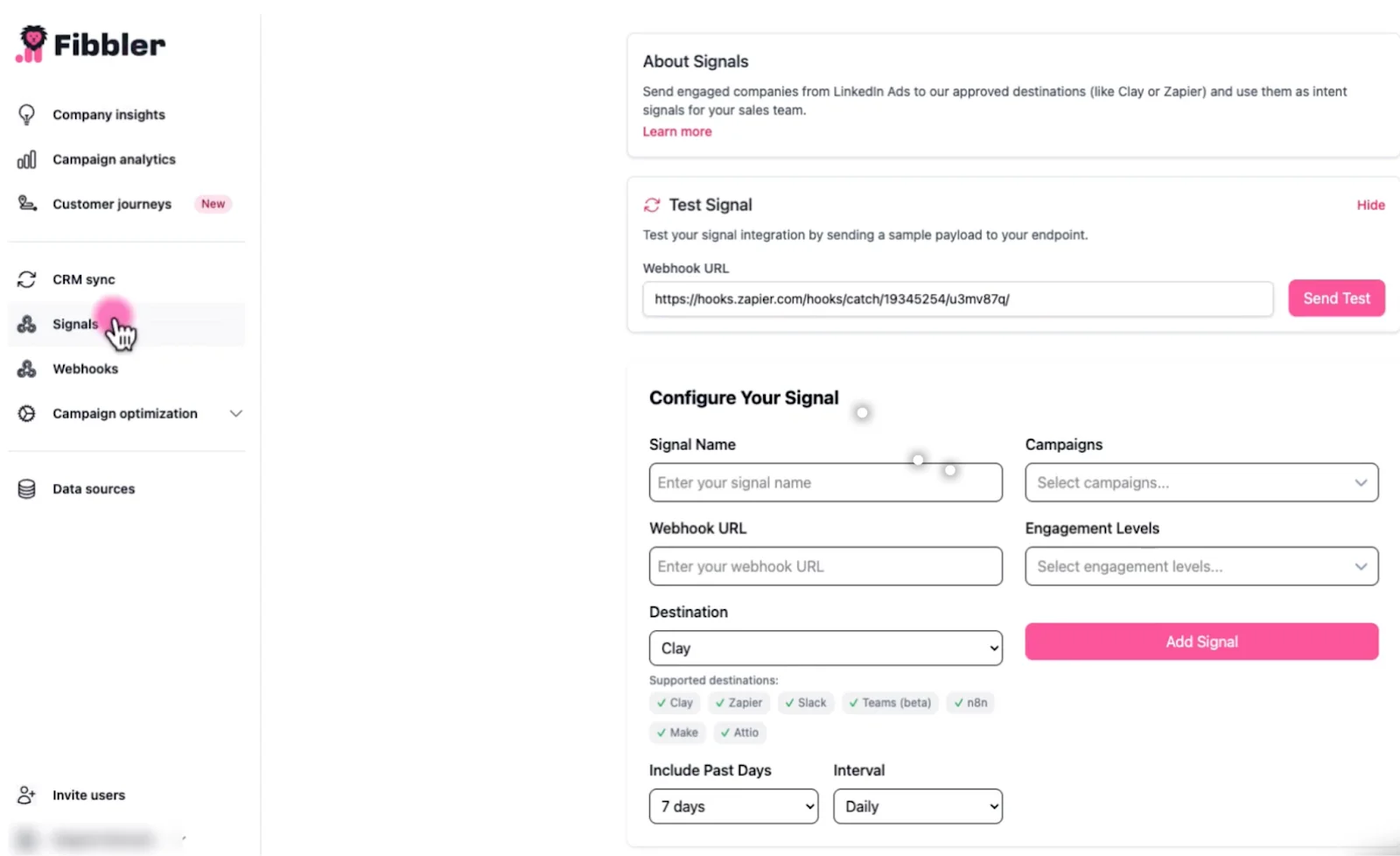
To configure your Signal:
- Signal Name:Give it a clear label (e.g., "Google Ads Clicks to Attio")
- Destination: Select Attio
- Webhook URL: Paste the Attio webhook endpoint (hooks.attio.com)
- Include Past Days: 7, 30 or 90 days to capture extended B2B research cycles
- Interval: Daily for near-real-time updates, or Weekly for a batch review approach
- Campaigns:Filter to your highest-priority Google Search campaigns (e.g., "Competitor Keywords" or "Bottom of Funnel - Pricing")
Use the Test Signal button to send a sample payload and verify data is landing on the correct Attio attributes before going live.
Step 7: Refine Your Signal Filters
Once your Signal is running, tune the configuration so only meaningful engagement reaches Attio:
- Lookback Window: A 7-day window highlights accounts with immediate intent. A 30- or 90-day window captures companies in longer evaluation cycles. Choose based on your typical deal timeline.
- Sync Interval: Daily signals suit teams that act on intent quickly. Weekly signals work better for teams that review accounts in batch during pipeline meetings.
- Automation Rules:Use Attio's native automation to route high-intent accounts into workflows. For example, create a task when engagement hits Very High, or update a field when it reaches Medium.
Test the signal after each change to confirm only relevant accounts are flowing through. Over time, adjust the thresholds based on which engagement levels best predict real pipeline movement.
Turn Your Google Ads Clicks into Attio Pipeline
Most of your Google Ads traffic is trapped outside your CRM. High-intent buyers are researching your product right now, but in Attio, they're invisible.
Fibbler unmasks these anonymous accounts and automatically pipes them into your workspace.
See who's clicking your ads - Try Fibbler free for 30 days.
Google Ads Attio Integration FAQs
Can Google Ads natively integrate with Attio?
Technically, no. Google Ads does not have a "one-click" native connector for Attio. While you can use middleware like Zapier to sync form-fill leads, these tools cannot identify anonymous traffic or link account-level intent to your CRM. Fibbler fills this specific gap by deanonymizing the traffic before a form is ever submitted, providing a level of visibility that basic integrations miss.
How does Fibbler identify companies without a form submission?
Fibbler uses a proprietary identification engine-powered by Leadfeeder, that matches the IP addresses of anonymous website visitors to a global database of company domains. When a prospect clicks your Google Ad, Fibbler recognizes their organization and uses Signals to push that intent signal into Attio, even if the individual never fills out a form.
Can Fibbler connect multiple CRMs at the same time?
Fibbler manages CRM integrations at the account level, so each team can connect the CRM that handles its pipeline. If a company uses multiple CRMs, separate accounts can be set up to route Leadfeeder-powered intent signals into the appropriate system without mixing data across environments.
Does this integration help with "cookie-less" tracking?
Yes. Traditional Google Ads tracking relies heavily on GCLIDs and browser cookies, which are frequently blocked or expired by modern privacy settings. Because Fibbler identifies the organization based on network data rather than just individual browser cookies, it provides a more resilient way to attribute long B2B sales cycles back to your original ad spend.
Will Fibbler create duplicate records in my Attio workspace?
How Fibbler's data lands on your Attio records depends on your webhook configuration in Attio. If the company domain already exists, the data enriches the existing record. You can configure your Attio webhook to handle new domains according to your team's preferences.
Is the data sync compliant with GDPR and CCPA?
Absolutely. The integration focuses entirely on company-level data, not personally identifiable information (PII). It identifies that "Company X" visited your site from a Google Ad, rather than identifying "John Doe." This makes it a powerful, privacy-first alternative to traditional tracking methods that struggle with increasing global privacy regulations.
Written by

Adam Holmgren
CEO @ Fibbler

Prove paid ads drive pipeline
Fibbler helps you see which companies view or engage with your LinkedIn Ads and Google Ads and connect them to pipeline and revenue in your CRM.
Try 30 days for free
Prove paid ads drive pipeline
Fibbler helps you see which companies view or engage with your LinkedIn Ads and Google Ads and connect them to pipeline and revenue in your CRM.
Try 30 days for free