

LinkedIn Ads
- LinkedIn Ads Revenue Attribution
- LinkedIn Ads Customer Journeys
- LinkedIn Ads CRM Sync
- LinkedIn Ads Optimization
- LinkedIn Ads Benchmarks

Google Ads

Meta Ads
Cross-Channel
Ad Signals
New



LinkedIn Ads Analytics Tools: 12 Best Platforms for 2026
Quick Summary
LinkedIn's default Campaign Manager displays basic metrics, such as impressions and clicks. These aren't enough to reveal the full picture of how LinkedIn ads are influencing your pipeline and revenue. For that, you need specialized tools that offer deeper insights.
Here are our top three picks:
| Tool | Key strength |
| Fibbler | LinkedIn Ads-focused teams needing company-level attribution and customer journey mapping |
| Factors.ai | Multi-channel paid ads teams needing cross-channel attribution and analytics |
| Zoho Analytics | Budget-conscious teams seeking a pocket-friendly multi-channel paid ad analytics solution |
Looking for the Best LinkedIn Ads Analytics Tools?
Advertising on LinkedIn is a crucial component of establishing a revenue-generating B2B social media marketing strategy.
However, running successful LinkedIn ad campaigns requires more than just creating compelling content and targeting the right audience. Without proper analytics tools, you're essentially flying blind, unable to measure what's working, identify areas for improvement, or justify your advertising spend to stakeholders.
The native LinkedIn Campaign Manager provides basic metrics, but serious advertisers need more. Deeper insights help you make data-backed decisions to maximize your return on investment. Advanced LinkedIn Ads analytics tools offer:
- granular data on campaign performance
- competitor analysis
- audience segmentation
- attribution modeling, and
- predictive analytics
Need help choosing?
We've curated 12 of the best LinkedIn ads analytics tools for you. We based our rankings on CRM integration, multi-touch attribution, campaign metrics, reporting depth, audience insights, and value for price, to help you find the perfect tool for your needs.
Why Trust Us?
At Fibbler, a dedicated LinkedIn attribution tool, we are obsessed with LinkedIn Ads. We spend our waking hours analysing, testing, and improving LinkedIn ads performance. Our team has managed more than 100 million dollars in LinkedIn ad spend across 300 SMB SaaS companies to understand one thing-how paid and organic work together to turn awareness into real revenue.
We have loads of LinkedIn ads performance data and firsthand experience with the challenges marketers face when tracking and optimizing their campaigns. We base our LinkedIn ads analytics tools recommendations on real-world knowledge, not hearsay.
But don't take our word for it.
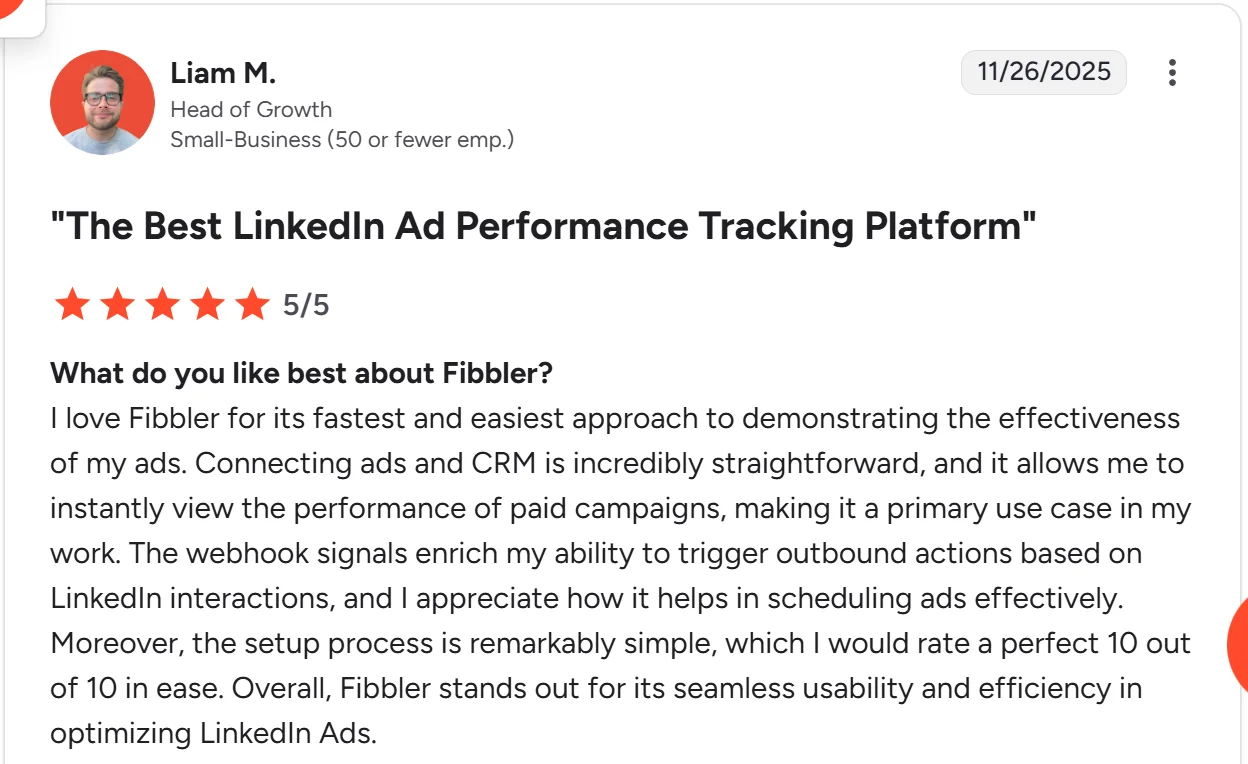
Here's an endorsement from one of our happy customers on G2:
Top 12 LinkedIn Ads Analytics Tools
| Tool | Key Features | Best For | Pricing |
| Fibbler | Revenue attribution, CRM sync, campaign optimization, custom dashboards, customer journeys, Ads intent signals | B2B brands running LinkedIn Ads needing a dedicated analytics tool | Starts at $89/month, 30-day free trial |
| Zoho Analytics | Collaborative analytics, Data blending, white label reports | Budget-conscious brands and Zoho users | Starts at $21/month |
| Hootsuite | Campaign & asset level data, multi-channel management, industry benchmarking | Companies managing many paid social channels | Starts from $99/month |
| Factors.ai | Multi-touch attribution, intent data, account journey mapping, custom reports | B2B teams needing strong intent detection across channels | Custom |
| Shield Analytics | Tracks organic profile lift alongside paid ad campaigns | Measuring executive thought leadership impact | Starts from $25/month |
| SocialPilot | Tracks LinkedIn ad spend metrics and conversion performance | Agencies reporting paid client ROI | Starts from $30/month |
| Rival IQ | Benchmarks your LinkedIn ad performance against competitors | Competitive paid advertising landscape intelligence | Starts from $239/month |
| Socialinsider | Advanced multi-campaign ad data aggregation and analytics | Data-driven teams scaling ad spend | Starts from $99/month |
| Oktopost | Syncs LinkedIn ad conversion data with CRM pipelines | B2B enterprise lead generation tracking | Custom |
| Superads | AI ad optimization, creative breakdowns, budget management, A/B testing, forecasting | Agencies managing many accounts | $49/month |
| Sprout Social | Unified dashboard, custom report builder, team collaboration, sentiment analysis | Teams managing many channels wanting to connect LinkedIn ads data to their BI tools | $199/month |
| Keyhole | Real-time campaign tracking, hashtags analytics, competitor monitoring. Influencer analytics | B2B teams wanting to combine ad tracking with social listening | Custom |
With the bird's-eye view done, let's dig into what each tool offers.
Top 12 LinkedIn Ads Analytics Tools
1. Fibbler
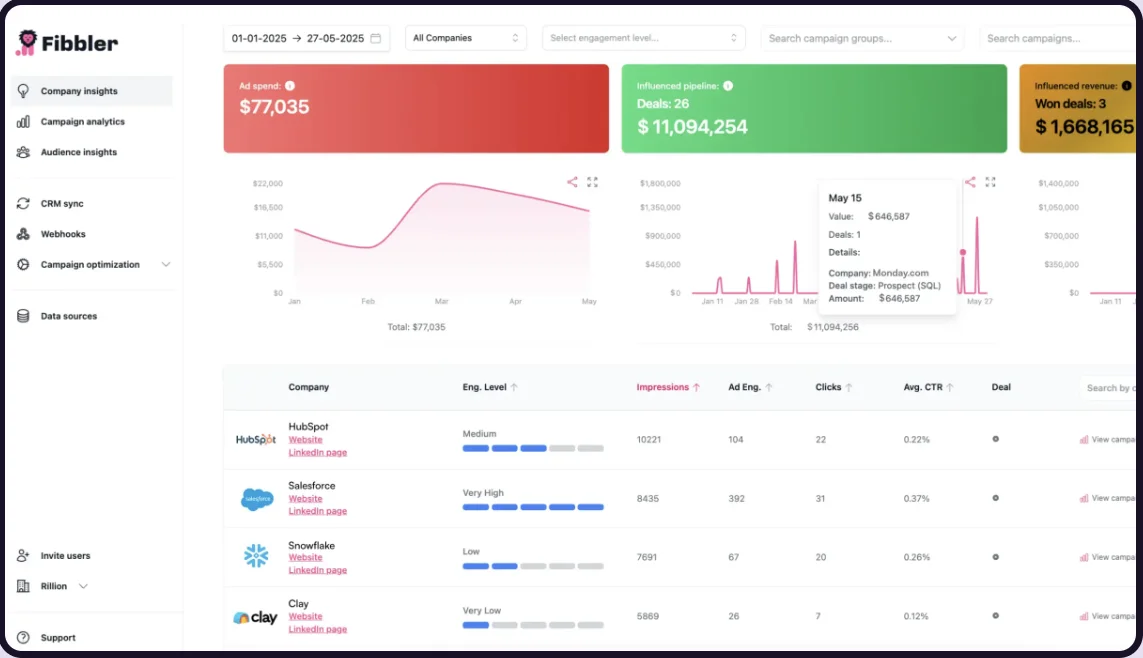
Fibbler is a B2B LinkedIn ads attribution and analytics platform that connects LinkedIn ad data to your company's CRM. It gives you the hard numbers to help you understand how your LinkedIn ad campaigns influence your pipeline and revenue. The platform combines advanced tracking capabilities with intuitive, real-time dashboards for instant insights into ad performance. It's also SOC 2 Type 1 compliant.
The platform comes with plenty of tools to improve your campaigns and boost your return on investment.
Key Features:
- Data Integration: Syncs LinkedIn, Google Ads, and Meta Ads data with CRMs (Salesforce, HubSpot, Attio, Pipedrive) and your BI tools.
- Google Ads and Meta Ads visibility: Identify companies clicking your Google Ads and Meta Ads and validate ICP fit.
- Revenue Attribution: Measures the impact of paid ads and organic LinkedIn activity to give a complete ROI view.
- Custom Attribution Models: Choose how to score influence-awareness (impressions), engagement (interactions), or intent (clicks).
- Campaign Analytics: Identifies which ads generate the most leads and revenue to guide budget decisions.
- Customer Journeys: Maps how each account engaged with ads and how that activity led to sales.
- Intent Signals: Track ad and organic engagement to spot highly engaged companies and push them to tools like Clay, Slack, or Zapier.
Teams on Unlimited and Agency plans can also connect Fibbler directly to AI assistants like Claude and ChatGPT using the LinkedIn Ads MCP Server. Query campaign performance, pipeline influence, and company-level engagement in plain language without exporting a single file. See the full setup guide here.
Pricing:
Fibbler offers three plans:
- Growth $89/month: Unlimited insights, analytics, journeys, and HubSpot integration.
- Unlimited $129/month: Everything in Growth plus unlimited CRM data sync and campaign optimization.
- Agency $159/month: Full CRM access, advanced features, and unlimited users.
The platform also offers Google Ads and Meta Ads add-ons for $59/month each, which let you see which companies click your Google Ads or Meta Ads, validate ICP fit, and sync that data to your CRM (requires an active Fibbler subscription).
Pros
- Easy-to-use interface with minimal training required.
- Responsive customer support.
- Powerful API and integrations with major CRMs.
- SOC 2 Type 1 compliant, audited by Sensiba in September 2026, with all customer data hosted in the EU.
Cons:
- Overkill for teams running simple LinkedIn campaigns.
Ratings:
- G2: 4.9/5 Users praise Fibbler for its comprehensive analytics but want access to more paid channels. The Google Ads and Meta Ads add-ons now address this need.
2. Zoho Analytics
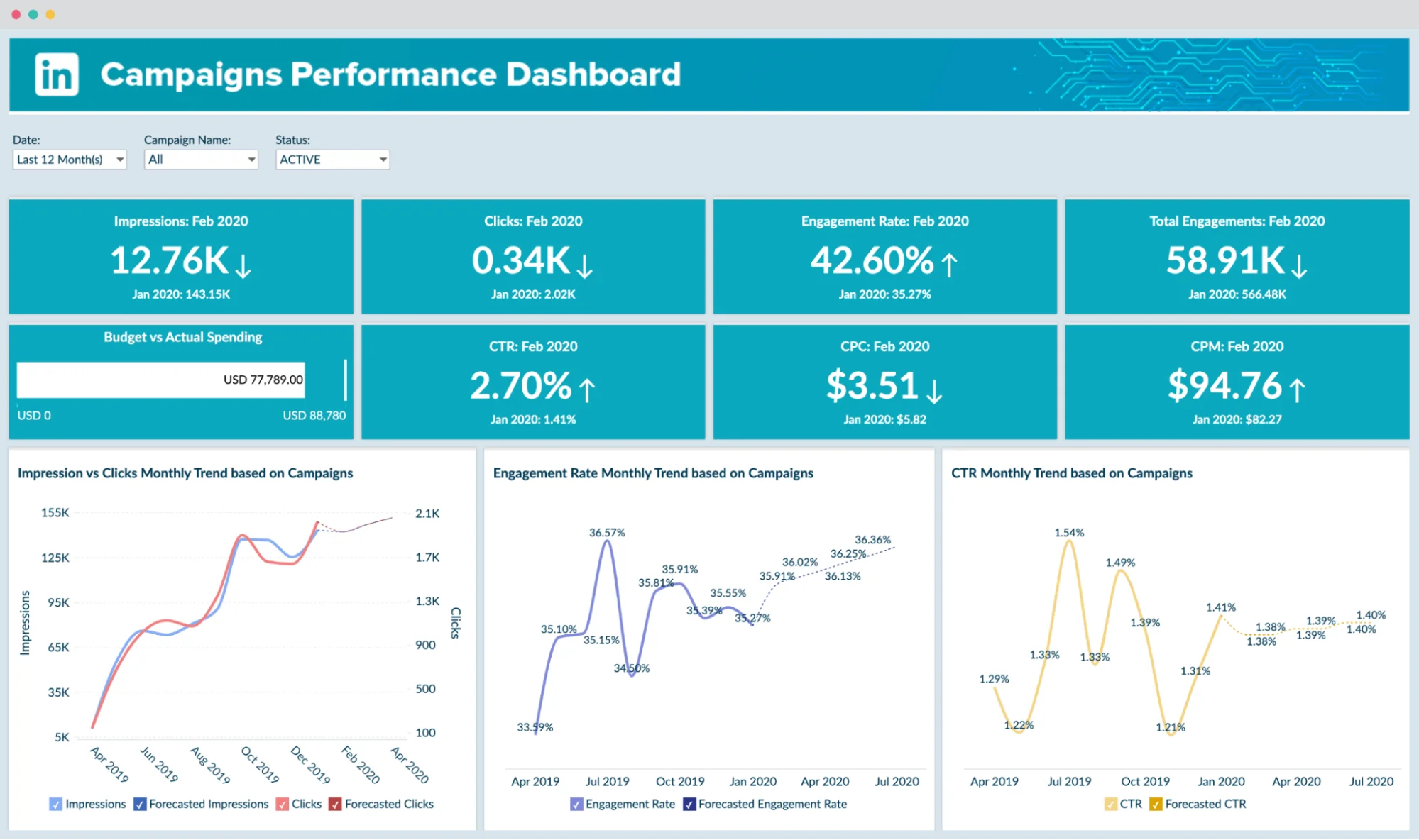
Zoho Analytics is a BI and analytics platform with powerful LinkedIn Ads tracking built into its broad data analysis toolkit. The platform shines at blending data from multiple sources, making it ideal for teams managing many paid channels or already on the Zoho Products Ecosystem. Zoho Analytics makes data insights accessible to people of all skill levels.
Key Features:
- AI-Powered Insights: Zia assistant analyses ad performance data and creates custom reports and dashboards.
- Data Blending: Combine LinkedIn Ads metrics with CRM, sales, and other data.
- White-Label Reports: Create branded reports and dashboards for clients or executives.
- Collaborative Analytics: Share insights and collaborate with team members in real-time.
- Pre-Built Visualizations: Access 75+ pre-built ad performance reports and dashboards.
Pricing:
The LinkedIn Ads connector comes bundled with the Zoho One/CRM Plus plan which starts at $25/month. However, costs scale up with more users or data volume.
Pros:
- More affordable than most enterprise analytics tools.
- Smooth integration with other Zoho products.
- Powerful multi-source data blending.
Cons:
- The interface can overwhelm analytics beginners.
- LinkedIn-specific features aren't as deep as dedicated tools.
Ratings:
- G2: 4.3/5 Users commend the value for money and data blending features, but cite a steep learning curve for beginners.
3. Hootsuite

Hootsuite is a popular one-stop shop for managing multiple social networks. But it also has a LinkedIn Ads analytics tool. The platform lets you track paid campaign performance (impressions, clicks, engagement) alongside organic content in one dashboard. This gives you a holistic view of paid and organic performance across channels.
Key Features:
- Campaign & Asset Level Data: Analyze performance at the campaign, ad set, and individual ad level.
- Customizable Reports: Create cross-platform social and ads reports, choosing your preferred metrics and visualizations.
- Breakdown Analysis: Get detailed breakdowns by audience attributes to understand who is engaging.
- Industry Benchmarking: Compare your LinkedIn performance against industry averages.
- Multi-Platform Management: Schedule and publish content across all major social networks.
Pricing:
Currently, Hootsuite has three tiers:
- The Standard plan costs $99/month for 10 social accounts.
- The Advanced plan is $249/month for 20 social accounts.
- The Enterprise plan with advanced analytics and unlimited users comes at a custom price.
Pros:
- Centralized view of organic and paid LinkedIn performance.
- Solid unified reporting across many social networks.
- Ideal for teams managing multiple platforms.
Cons:
- LinkedIn ads analytics lack depth compared to dedicated tools.
- Primarily built for organic management, not paid optimization.
Ratings:
G2: 4.3/5 Users value the unified dashboard but say LinkedIn-specific ad insights are limited.
4. Factors.ai

Factors.ai is an account identification and demand gen platform that tracks customer journeys across channels, including LinkedIn Ads. It's decent at attribution modeling, revealing how LinkedIn campaigns drive pipeline and revenue jointly with other marketing efforts. Factors.ai's deep intent data and journey mapping insights fit companies that need a multi-channel analytics tool.
Key Features:
- Multi-Touch Attribution: Understand LinkedIn Ads' role in complex B2B buying journeys.
- Intent Data Integration: Identify accounts showing buying signals and engagement patterns.
- Account Journey Mapping: Visualize how target accounts interact across all channels and touchpoints.
- Analytics Reports: Create custom reports filtered by channel, campaign, or funnel stage.
- Pipeline Analytics:Track LinkedIn's impact on opportunities, deals, and revenue.
Pricing:
Factors.ai charges custom prices based on company size, data volume, and specific feature requirements.
Pros:
- Good attribution modeling for complex B2B sales cycles.
- Powerful account-based analytics align perfectly with ABM strategies.
- Deep integrations with major CRMs and marketing automation platforms.
Cons:
- Often priced above lightweight LinkedIn-only tools.
- Complexity may be overwhelming for smaller businesses.
Ratings:
- G2:4.5/5 Customers like the platform's sophisticated attribution, but they dislike its complex setup.
5. Shield Analytics
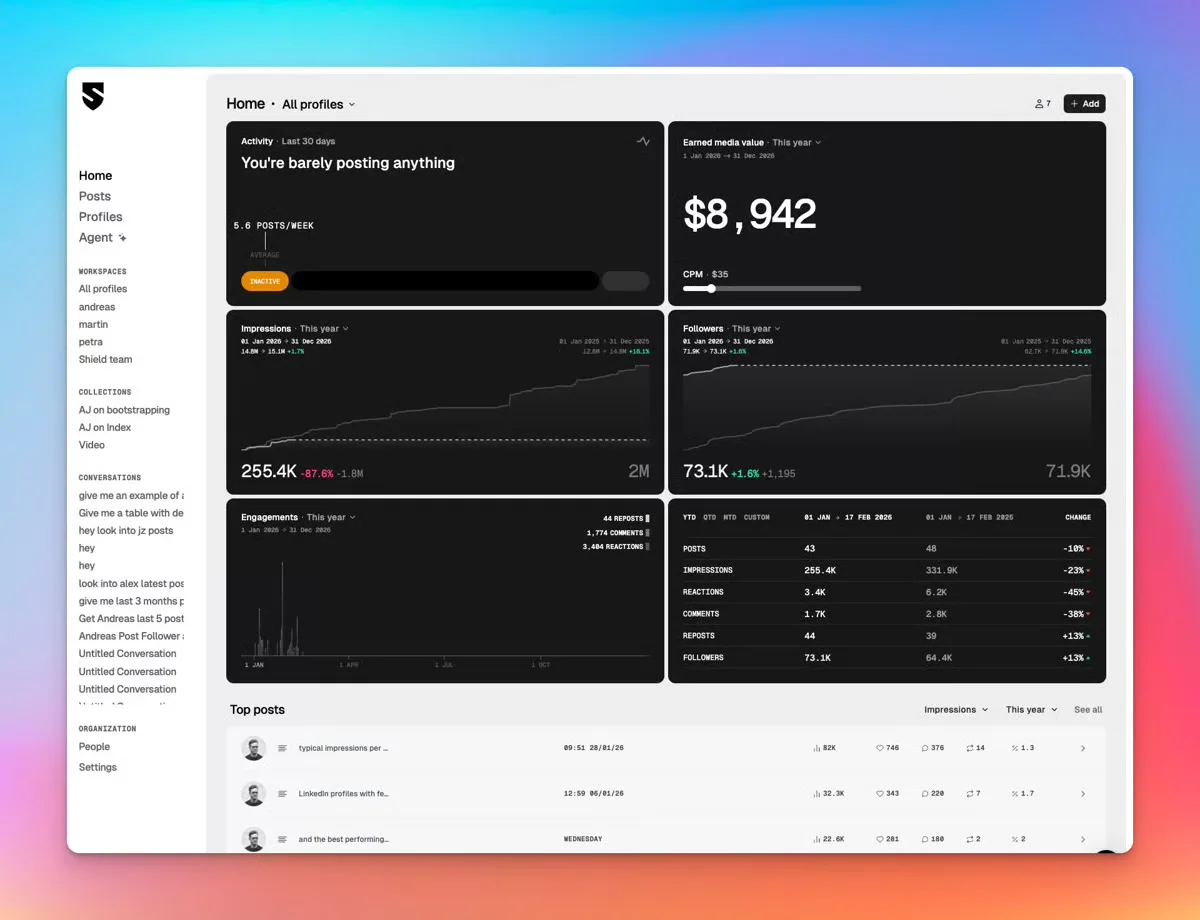
Shield Analytics is a dedicated LinkedIn analytics platform built specifically for tracking organic post and profile performance. Unlike multi-channel tools that treat LinkedIn as one of many networks, Shield focuses exclusively on LinkedIn, giving creators, sales teams, and B2B brands deeper content insights than any broader platform can match.
It is particularly strong for teams using LinkedIn organic as a demand generation channel alongside paid ads.
Key Features:
- Post Performance Tracking: Tracks impressions, engagement rate, reach, and reactions for every post with lifetime data access
- Follower Growth Analytics: Monitors follower growth over time, broken down by audience demographic
- Content Library:Stores all historical posts with full analytics, unlike LinkedIn's native limited retention
- Profile Analytics: Tracks profile views, search appearances, and connection growth over time
- Team Workspaces: Keeps profiles, data, and reports separate for different team members or clients
Pricing:
The Solo plan costs $25 per month for a single profile. Team plans start at $50 per user per month with a minimum of three users.
Pros:
- Deepest LinkedIn-specific post analytics
- Lifetime content history stored
- Transparent per-profile pricing
Cons:
- LinkedIn organic only, no ads
- No CRM integration available
Ratings:
G2: 4.7/5 Users praise depth of post analytics and simplicity of setup.
6. SocialPilot
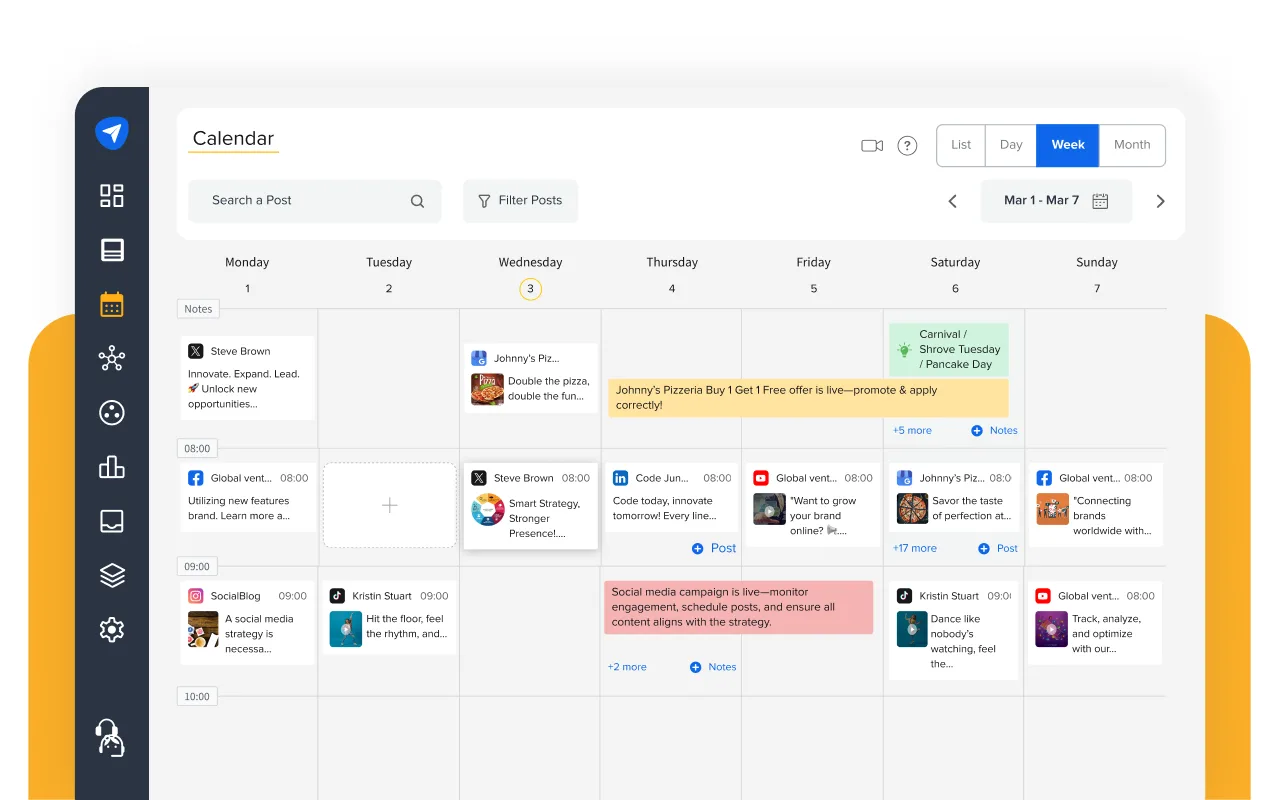
SocialPilot is a social media management and analytics platform popular with agencies and SMBs managing multiple clients and channels without enterprise tool costs. It covers LinkedIn alongside eight other social networks, combining scheduling, analytics, and white-label client reporting in one dashboard.
For teams where LinkedIn is one of several active channels and budget efficiency matters, SocialPilot delivers solid value.
Key Features:
- LinkedIn Post Analytics: Tracks impressions, clicks, engagement rate, and follower growth for company pages
- White-Label Reports: Generates fully branded PDF reports for client delivery without SocialPilot branding
- Bulk Scheduling: Uploads up to 500 posts at once via CSV for high-volume publishing workflows
- Client Management Dashboard: Manages multiple client accounts from a single login with separate workspaces
- Optimal Posting Times: Recommends best posting times based on historical engagement data
Pricing:
Currently, SocialPilot has four tiers:
- Essentials: $30/month for 1 user and 10 social accounts
- Advanced: $50/month for 3 users and 20 accounts
- Agency: $100/month for 6 users and 30 accounts
- Agency+: $200/month for unlimited users and 50 accounts
Pros:
- Significantly more affordable than alternatives
- White-label reports save time
- Handles high-volume content calendars
Cons:
- Limited LinkedIn-specific analytics depth
- Advanced reports locked behind higher tiers
Ratings:
G2: 4.5/5 Users value affordability and multi-client management, though analytics depth lags premium tools.
7. Rival IQ
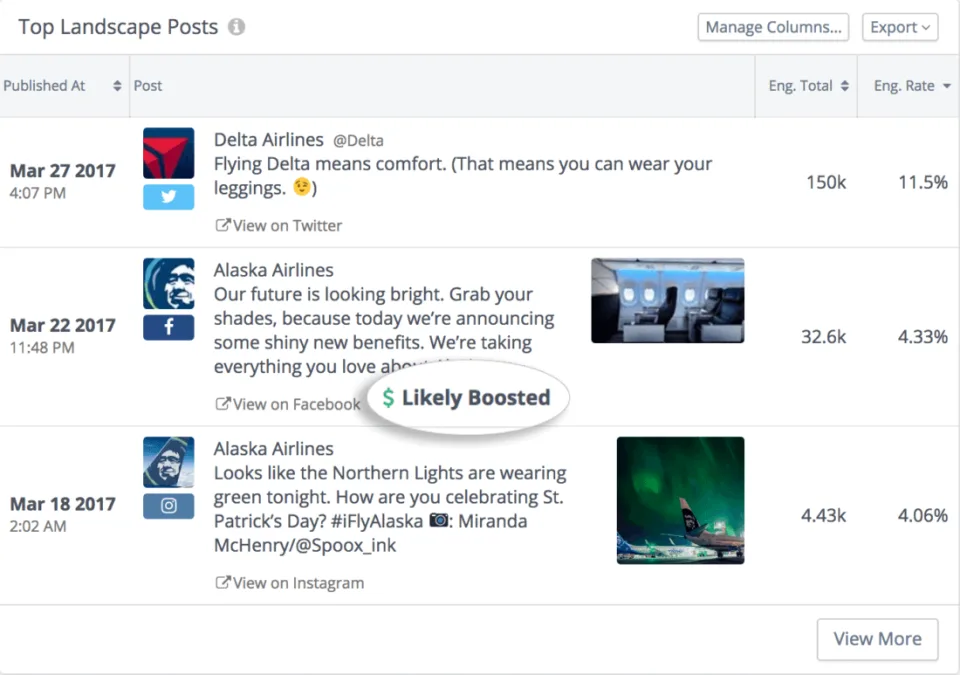
Rival IQ is a social media analytics and competitive intelligence platform specializing in benchmarking LinkedIn performance against competitors. For teams that need to understand not just how their own content performs but how it stacks up against industry peers, Rival IQ offers more competitive depth than any other tool on this list.
It is particularly valuable for agencies and in-house teams in competitive industries.
Key Features:
- Competitive Benchmarking: Compares your LinkedIn performance directly against named competitors
- Boosted Post Detection: Identifies when competitor posts are being amplified by paid spend
- Cross-Platform Analytics: Covers LinkedIn, Instagram, Facebook, X, TikTok, and YouTube
- Hashtag Analytics: Tracks hashtag performance and reach for campaign strategy.
- Custom Landscape Reports: Generates shareable competitive reports across tracked brands
Pricing:
Rival IQ has three pricing tiers:
- Drive: $239/month for up to 10 tracked companies
- Engage: $349/month for up to 20 tracked companies
- Engage Pro: $559/month for up to 40 tracked companies
All plans billed annually.
Pros:
- Strongest competitive benchmarking available
- Boosted post detection adds useful context
- Covers all major social platforms
Cons:
- Higher entry price than most
- Less focus on individual post optimization
Ratings:
G2: 4.5/5 Users consistently highlight the quality of competitive data and ease of generating landscape reports.
8. Socialinsider
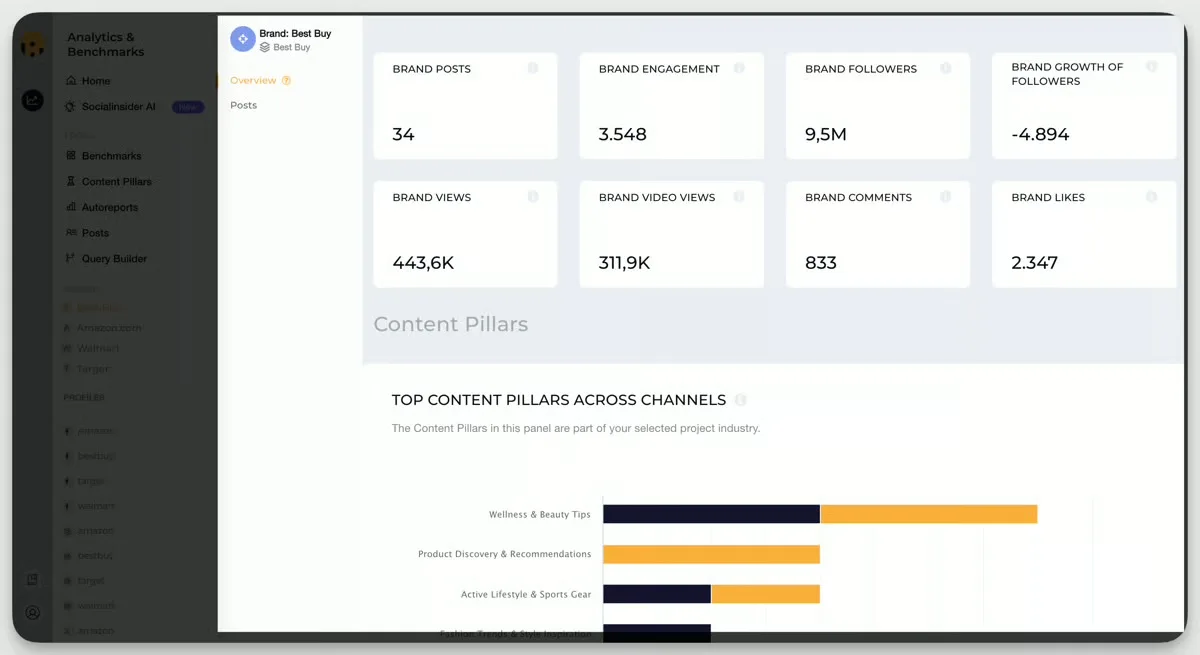
Socialinsider is a social media analytics and competitive benchmarking platform covering LinkedIn, alongside other major channels. It combines content performance analytics, competitor analysis, and AI-powered insights in a cleaner, more accessible interface than most enterprise tools.
For B2B teams running regular LinkedIn competitive audits alongside their own performance reporting, Socialinsider offers strong depth at a more accessible price than Rival IQ.
Key Features:
- LinkedIn Content Analytics: Tracks post performance, engagement rate, reach, and follower growth
- Competitive Benchmarking: Analyzes competitor posting frequency, content formats, and engagement
- AI Content Insights: Identifies top-performing content themes across your brand and competitors
- Cross-Channel Analytics: Covers LinkedIn, Instagram, Facebook, TikTok, and YouTube
- Conversational AI Dashboard: Ask natural language questions directly inside the analytics dashboard
Pricing:
Socialinsider offers three tiers:
- Adapt: $99/month for 3 profiles and 5 competitors
- Grow: $159/month for 10 profiles and 10 competitors
- Advanced: $259/month for 25 profiles and unlimited competitors
Pros:
- Strong competitive benchmarking, lower price
- AI content analysis surfaces hidden patterns
- Conversational AI speeds up reporting
Cons:
- LinkedIn Ads attribution not covered
- Historical data limited on lower tiers
Ratings:
G2: 4.7/5 Highly rated for ease of use and competitive intelligence, with particular praise for AI content analysis.
9. Oktopost
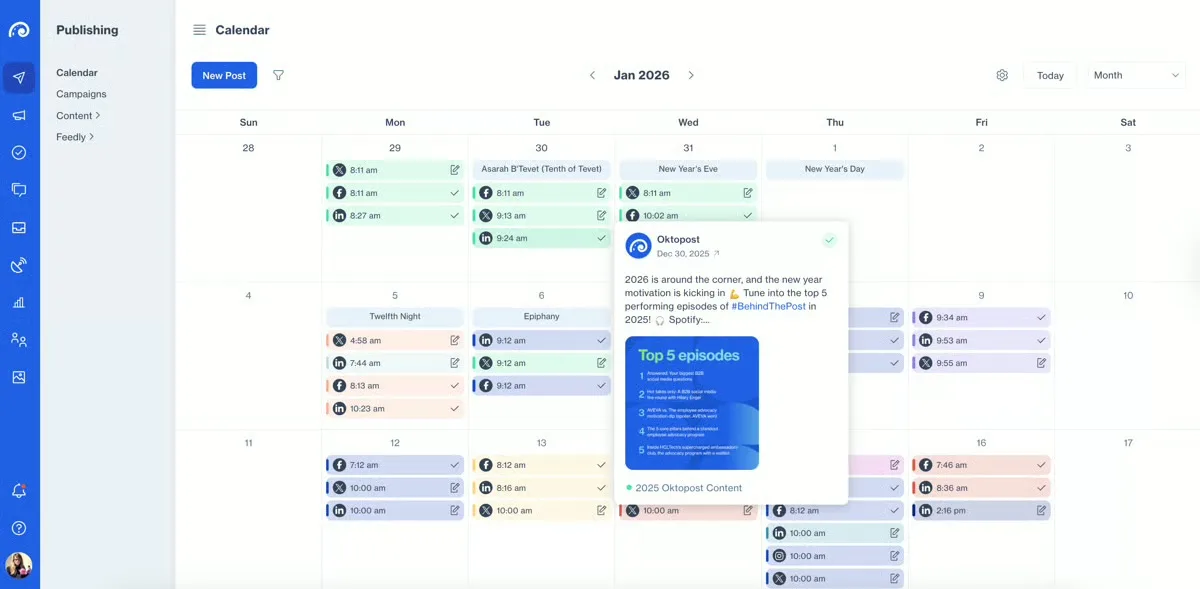
Oktopost is a B2B social media management platform built specifically for enterprise marketing teams. Unlike general social tools, it is designed around B2B use cases, including employee advocacy, social selling, and campaign attribution tied to CRM pipeline.
It is the only tool on this list that connects LinkedIn organic activity directly to lead generation and revenue in Salesforce and HubSpot, making it a natural complement to paid attribution tools like Fibbler.
Key Features:
- B2B Attribution: Connects LinkedIn activity to pipeline and revenue in Salesforce and HubSpot
- Employee Advocacy: Manages and measures employee sharing programs across the organization
- Campaign Analytics: Tracks performance across campaigns, boards, and individual posts
- Social Selling Tools: Equips sales teams with approved content and surfaces warm leads
- Compliance Controls: Manages content approval workflows for regulated industries
Pricing:
Oktopost does not publish pricing publicly. All plans are custom-quoted based on team size and feature requirements. Contact Oktopost directly for a quote.
Pros:
- Only tool with B2B CRM attribution
- Strong employee advocacy management
- Built specifically for enterprise B2B
Cons:
- Expensive for smaller teams
- Overkill for non-enterprise use cases
Ratings:
G2: 4.4/5 Users value the B2B attribution and advocacy features, though setup complexity is frequently noted.
10. Superads
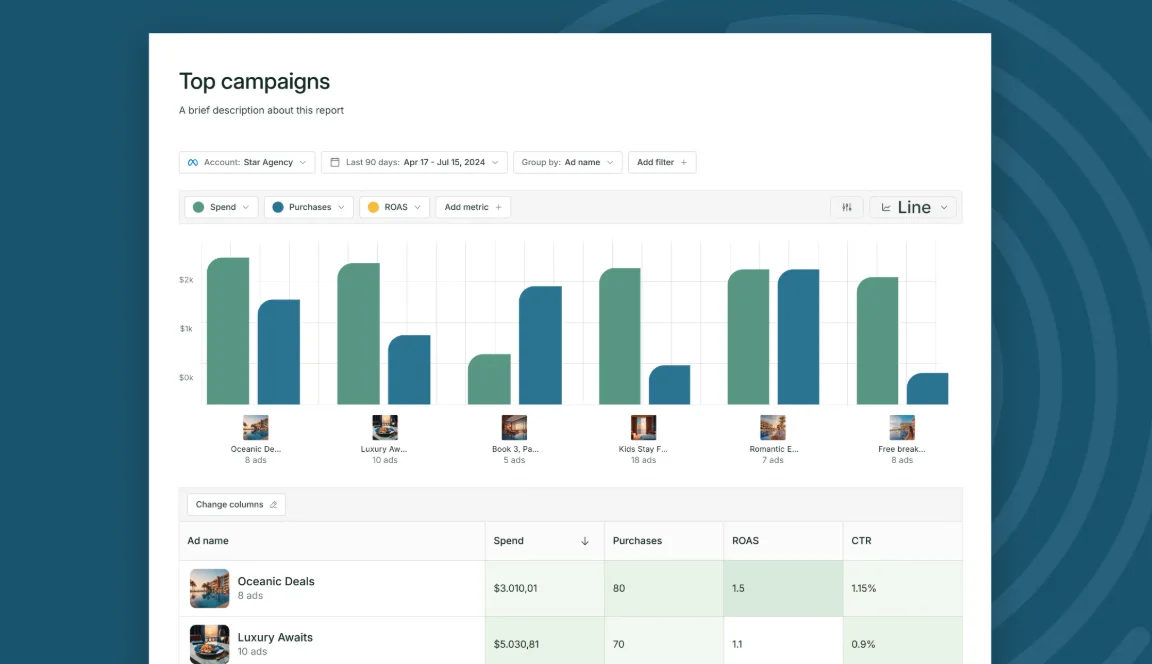
Superads is a LinkedIn ads optimization tool offering AI-driven recommendations, deep campaign analytics, and automated performance improvements. It helps marketers and agencies refine targeting, creative, and bidding specifically for LinkedIn.
Superads goes beyond LinkedIn metrics into creative analysis for better results.
Key Features:
- AI Optimization: Creative, automated suggestions to boost ad performance and lower costs.
- Advanced Analytics: Breakdowns by audience, creative, and placement for better ad analysis.
- Budget Management: Smart allocation across campaigns to stretch every dollar.
- A/B Testing: Test ads, audiences, and landing pages.
- Forecasting: Predictive insights on ad performance and budget needs.
Pricing:
Presently, the Superads Professional plan starts at just $49/month. Note that the price increases with your ad spend, so it's not as straightforward as it looks.
Pros:
- Offers cross-channel analytics.
- AI recommendations improve performance.
- Great for agencies managing many accounts.
Cons:
- Pricing tied to ad spend.
- The initial setup is difficult for some users.
Ratings:
G2: 4.8/5 High praise for deep analytics, but the free version has limited features.
11. Sprout Social
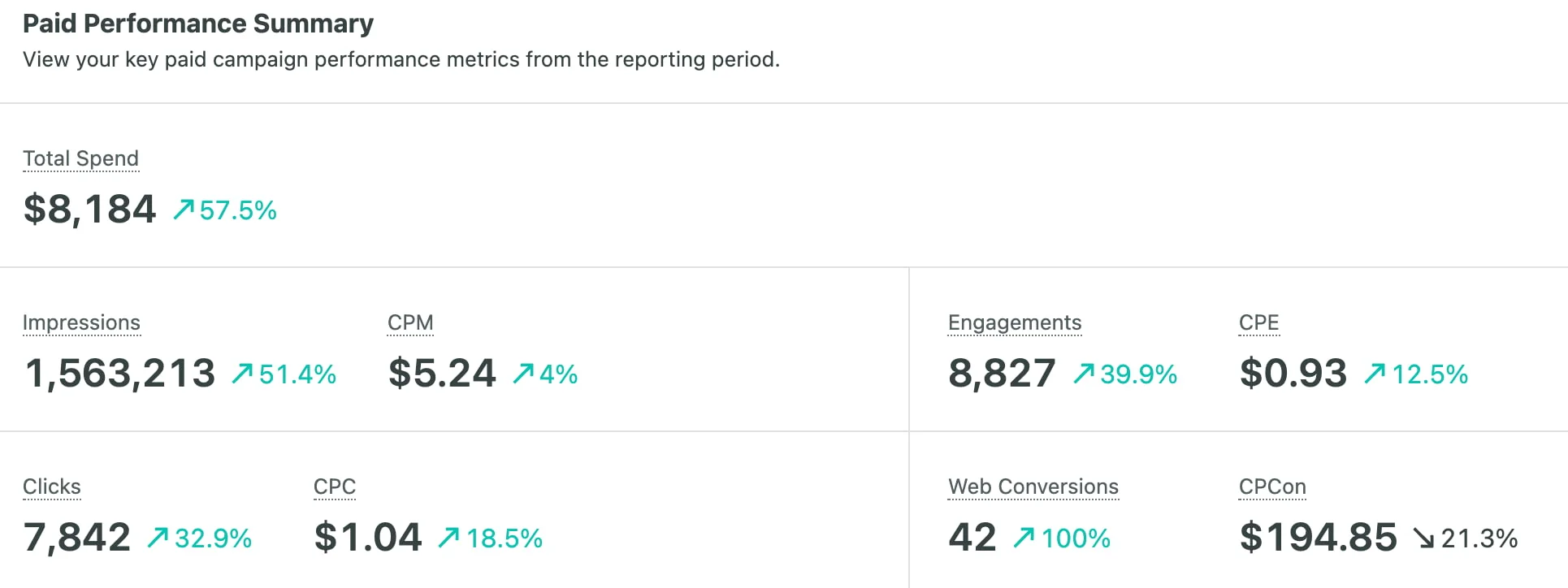
Sprout Social is a social media management and intelligence platform that includes LinkedIn Ads analytics within its extensive marketing toolkit. Built for teams managing multiple networks, it offers a unified solution for content creation and performance tracking. Sprout Social isn't designed specifically for LinkedIn, but it delivers insightful cross-platform analytics for advertisers.
Key Features:
- Unified Dashboard: Monitor all social platforms, including LinkedIn, in one place.
- Advanced Publishing: Schedule LinkedIn content and ads with optimal timing recommendations.
- Sentiment Analysis: Understand audience sentiment and reactions to your campaigns.
- Team Collaboration: Assign tasks, approve content, and collaborate across departments seamlessly.
- Custom Report Builder: Create tailored reports showcasing metrics that matter most.
Pricing:
Sprout Social's LinkedIn analytics pricing comes along with its tiered plans:
- The Standard plan costs $199/month.
- The Professional plan costs $299/month.
- The Advanced plan is $399/month.
- There is a custom price for enterprise brands with complex needs.
Pros:
- All-in-one multi-platform solution.
- Strong collaboration features for large teams.
- Robust, customizable reporting.
Cons:
- More expensive than LinkedIn-specific tools.
- Overkill for LinkedIn-only campaigns.
Ratings:
- G2: 4.4/5 Users love the unified platform and collaboration features, but are unhappy with the high cost.
12. Keyhole
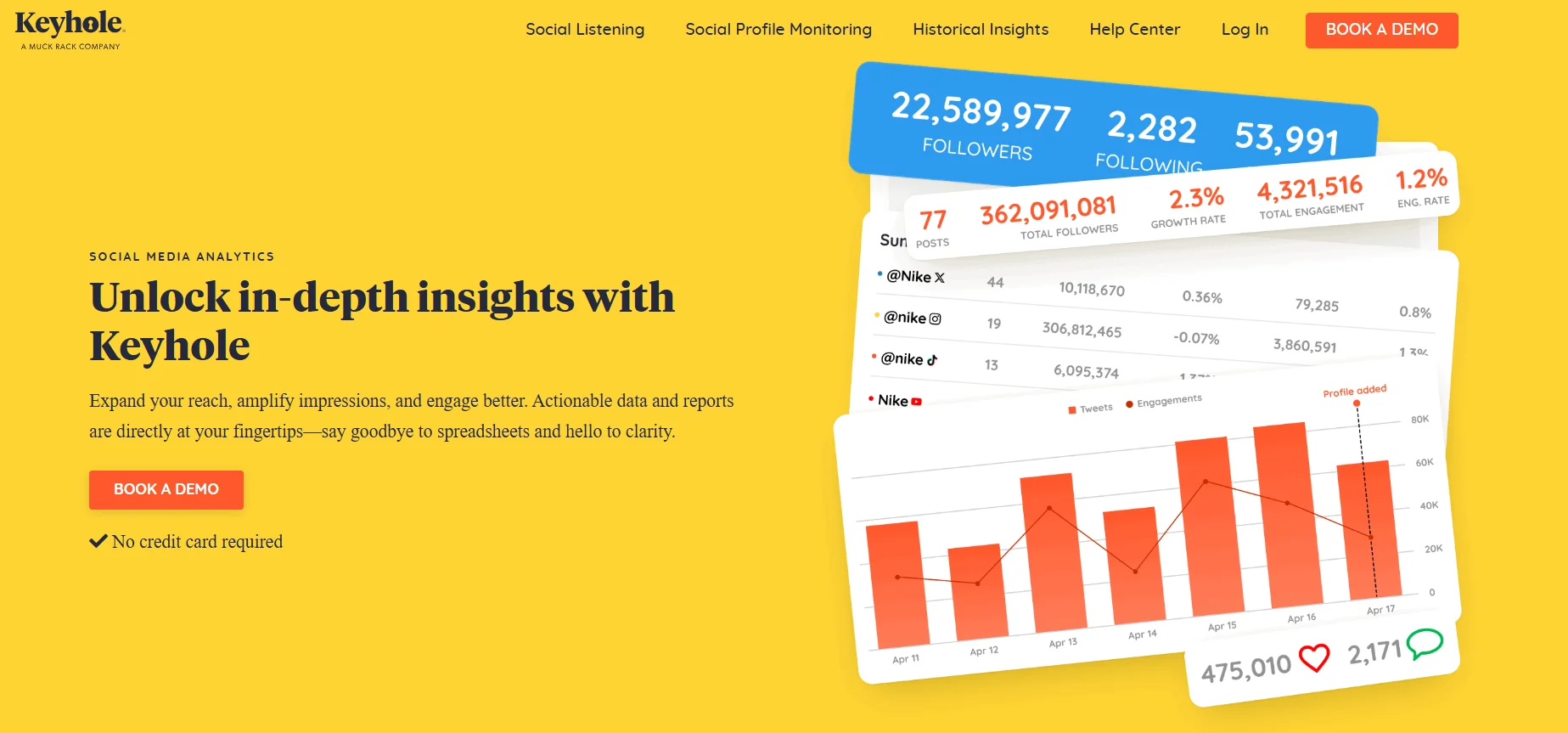
Keyhole, acquired by Muck Rack in 2024, is a social media analytics tool designed for real-time campaign tracking, hashtag monitoring, and influencer analytics across platforms, including LinkedIn. It's ideal for marketers needing to track brand mentions and hashtag performance. Though not LinkedIn-specific, Keyhole adds valuable context around ad performance through strong social listening and campaign insights.
Key Features:
- Real-Time Campaign Tracking: Monitor LinkedIn campaigns and mentions as they happen.
- Hashtag Analytics: Identify trending hashtags and measure campaign reach effectively.
- Influencer Identification: Discover and track key influencers within your industry.
- Competitor Monitoring: Benchmark your performance against competitors across social platforms.
- Custom Alerts: Receive notifications when specific keywords or thresholds are triggered.
Pricing:
Keyhole offers custom pricing based on your tracking needs and features required.
Pros:
- Excellent real-time monitoring and alert capabilities.
- Powerful hashtag analytics help optimize campaign reach.
- User-friendly interface with intuitive visualizations and reports.
Cons:
- LinkedIn-specific features are less developed than other platforms.
- Historical data access is limited on lower-tier plans.
Ratings:
- G2: 4.3/5 Customers value the real-time tracking and hashtag analytics, but note that LinkedIn features are limited.
Optimize Your Pipeline and Boost Revenue Through LinkedIn Ads Analytics Tools
Choosing the right LinkedIn Ads analytics is critical because advertising doesn't come cheap. Don't let your valuable advertising dollars go to waste. If you are serious about optimizing your LinkedIn ads and getting real value from your ad spend, choose a dedicated LinkedIn solution like Fibbler.
If you want to go further with your LinkedIn data, Fibbler's LinkedIn Ads MCP Server gives AI assistants like Claude and ChatGPT direct read access to your attribution data. Full setup guide here.
Start your 30-day free trial right away.
FAQs
What metrics should I track in LinkedIn Ads analytics?
Go beyond impressions and clicks. The metrics that drive real decisions are cost per lead, lead form completion rate, company-level engagement, pipeline influenced, and cost per pipeline opportunity. Tools like Fibbler surface company-level engagement and CRM pipeline impact that LinkedIn Campaign Manager cannot show natively.
How do I measure LinkedIn Ads ROI?
Connect your ad spend to actual pipeline and revenue in your CRM, not just platform conversions. The formula is revenue attributed to LinkedIn divided by LinkedIn ad spend. Tools like Fibbler map LinkedIn impressions and clicks to named accounts and follow those accounts through to closed deals automatically.
What is company-level attribution on LinkedIn?
Company-level attribution identifies which specific companies are engaging with your ads rather than showing aggregate click counts. LinkedIn Campaign Manager shows how many people clicked, but not who they work for. Tools like Fibbler use LinkedIn's Company Intelligence API to surface which target accounts are seeing and engaging with your campaigns.
Is LinkedIn Campaign Manager enough for analytics?
For basic monitoring, it is a reasonable starting point covering impressions, clicks, CTR, and basic demographics. But it cannot answer which companies are seeing your ads, how many entered your pipeline, or which campaigns influenced closed revenue. Teams spending a meaningful part of their budget on LinkedIn need a dedicated attribution tool beyond Campaign Manager.
How do LinkedIn analytics tools integrate with CRMs like HubSpot?
Most dedicated LinkedIn analytics tools offer native CRM integrations that sync campaign data and company engagement directly into HubSpot or Salesforce. Fibbler automatically creates or updates company records with LinkedIn engagement data and ties that activity to pipeline and revenue without manual exports or cross-referencing separate dashboards.
What is the best free LinkedIn analytics tool?
LinkedIn Campaign Manager is the best free option for basic LinkedIn Ads metrics and is available to any advertiser at no cost. For organic content analytics, Shield Analytics offers a 14-day free trial. Fibbler offers a 30-day free trial covering company-level engagement data and CRM pipeline syncing before any payment is required.
Written by

Adam Holmgren
CEO @ Fibbler

Prove paid ads drive pipeline
Fibbler helps you see which companies view or engage with your LinkedIn, Google and Meta Ads, and connect them to pipeline and revenue in your CRM.
Try 30 days for free
Prove paid ads drive pipeline
Fibbler helps you see which companies view or engage with your LinkedIn, Google and Meta Ads, and connect them to pipeline and revenue in your CRM.
Try 30 days for free