

LinkedIn Ads
- LinkedIn Ads Company Insights
- LinkedIn Ads Customer Journeys
- LinkedIn Ads Audience Insights
- LinkedIn Ads Campaign Optimization
- LinkedIn Ads Benchmarks

Google Ads

Meta Ads
Cross-Channel
Ad signals
New




LinkedIn Carousel Ads: Specs, Examples, Benchmarks, and When to Use Them
Quick Summary
LinkedIn carousel ads are a Sponsored Content format that runs 2 to 10 swipeable square image cards in the feed, each with its own headline and link. They’re built for sequences: a case study, a product tour, a step-by-step guide.
In Fibbler’s benchmark data, they also report one of the lowest median click-through rates across LinkedIn formats (0.05%) and a median CPC of $28.98. So run them when the story genuinely needs more than one frame, and judge them on account reach and pipeline, not CTR.
How LinkedIn Carousel Ads Fit Into a B2B Ad Mix
Start with the CTR, because it’s the number that puts people off the format. Across Fibbler’s benchmark dataset, LinkedIn carousel ads post a median CTR of 0.05%. A single image ad posts 0.38%. If Campaign Manager is your only scoreboard, carousel looks like the first format to cut.
But CTR was never the right scoreboard for B2B. Buyers don’t click ads. They see them over weeks and months, then show up later through branded search, a direct visit, or a reply to an SDR. A carousel that walks a target account through your best customer story, card by card, can do real work without ever earning a click.
That’s the trade-off this guide is about. You’ll get the current specs (checked against LinkedIn’s own pages), where the format runs, real examples worth copying, Fibbler’s benchmark data, and a straight answer on when to pick a carousel over a document ad. If you’re still weighing every option, start with our overview of LinkedIn ad formats.
Why Listen to Us?
Fibbler is an official LinkedIn Marketing Partner. That gives us company-level data directly from LinkedIn, the data source behind the benchmark numbers in this guide. Those benchmarks cover 1,000+ B2B advertisers, $200M+ in LinkedIn ad spend, and roughly 4 billion impressions between August 2025 and July 2026.
More than 2,000 marketers use Fibbler to connect ads to pipeline, including teams at DataSnipper, Perceptyx, Storylane, and Refine Labs. We’re rated 4.8/5 on G2. As Mary Descalso puts it: “We can actually see that the people who converted were the same ones engaging with our LinkedIn ads weeks earlier.”


What Are LinkedIn Carousel Ads?
LinkedIn carousel ads are a Sponsored Content format that shows a swipeable series of 2 to 10 image cards inside a single ad. Each card has its own image, headline, and landing page link. LinkedIn describes the format as a way to “tell your story with a swipeable series of cards.”
The difference from a single image ad is the sequence. A single image ad makes one point. A carousel is closer to a short deck the prospect flips through at their own pace. That makes it a natural fit for:
- A customer story told as problem, process, result.
- A product tour with one feature or screen per card.
- A multi-product or multi-offer ad where each card links to a different page.
- A how-to or framework broken into steps.
LinkedIn positions carousel for brand awareness, consideration, traffic, and lead generation, and supports Lead Gen Forms and Conversion Tracking for measurement.
LinkedIn Carousel Ad Specs (Verified September 2026)
Third-party pages disagree on carousel specs. Everything below comes from LinkedIn’s official carousel ad specifications, checked in September 2026.
| Spec | Requirement |
|---|---|
| Number of cards | 2 to 10 |
| File type | JPG or PNG |
| Aspect ratio | 1:1 (square) |
| Resolution | At least 1080 x 1080 pixels |
| Max file size | 10 MB per card |
| Card headline | 45 characters |
| Introductory text | 255 characters |
| Ad name (optional) | 255 characters |
| Landing page URL | Required, must start with http:// or https://, up to 2,000 characters |
| Video | Not supported |
A few practical notes that the spec sheet doesn’t spell out:
Design for a phone first. Carousel is a swipe format, and swiping happens on mobile. Text baked into a card has to stay readable at a small size, so keep it to a few words per card and use large type.
Front-load the intro text. You get 255 characters, but the first line does most of the work. Put the reason to swipe there.
Use the 45-character headline as a caption, not a sentence. Each card gets its own headline. Treat it like a label (“Step 2: Sync to HubSpot”) rather than a second pitch.
No video. If you need motion, run a video ad. If the content is closer to a report or a guide, run a document ad (more on that below).
Where LinkedIn Carousel Ads Show Up (Placements)
Carousel ads run directly in the LinkedIn feed, the same placement as any other Sponsored Content post, which LinkedIn serves across all devices and platforms. LinkedIn also offers the LinkedIn Audience Network for extending Sponsored Content reach beyond LinkedIn itself, and you can enable or disable it for each Sponsored Content campaign.
For most B2B teams, the feed is where carousel does its job. The format depends on context: a prospect scrolling their professional feed, seeing a named customer story from a vendor they might evaluate.
Off LinkedIn, that same sequence loses most of that context. If you’re running carousel to reach a defined account list, check whether Audience Network is switched on and whether the extra reach lands on accounts you care about.
LinkedIn Carousel Ads Examples
Here are five real carousel ads from B2B brands. For each one, you’ll see what the ad showed and what you can copy from it.
1. Nudge Security: A Customer Success Story
What the ad showed: A customer success story. The ad was titled “See How Wallace Plese + Dreher Transformed Their Security in 14 Days.”
The story behind it: Wallace Plese + Dreher is a CPA firm in Chandler, Arizona, with 60+ employees. During a two-week trial, the firm finished 160+ hours of security work in about 6 hours.
What you can copy: Tell one real customer’s story. Use their name, a clear timeframe, and one number people can check. Use the cards to show the problem, what you did, and the result.
Source: Aimers (the ad) and Nudge Security (the case study)
2. IBM Instana: One Message on Every Card
Number of cards: 5
What the ad showed: The same short line on every card: “Detect costly IT incidents fast.” The ad also showed hard numbers (50% and 70%) and named a customer, SIXT.
What you can copy: Keep one message across all your cards, and change the proof as people swipe. Technical buyers trust numbers more than big claims.
Source: ContentBeta
3. BigCommerce: A Short 3-Card Guide Ad
Number of cards: 3
What the ad showed: A free PDF guide called “The Replatforming Guide: 5 Steps to Modernize Your Ecommerce Store.” People had to fill in a form to get it. The three cards followed a simple order: the problem, the risk, then the solution. The ad spoke to teams unhappy with their old ecommerce platform.
What you can copy: You don’t need 10 cards. Three is enough if each card moves the story forward, and a short carousel is easier to finish.
Source: ContentBeta
4. Zapier: Cards That Make You Want to Swipe
Number of cards: 4
What the ad showed: A free Zapier workflow that sends LinkedIn Ads data into a CRM. The cards used a black background with large white text. A thin orange bar at the bottom of each card showed how far along you were. The copy talked about tracking “every lead, sale, sign-up,” and the last card offered something free.
What you can copy: Give people a reason to keep swiping. A progress bar, numbered cards, or a sentence that finishes on the next card all work.
Source: ContentBeta
5. Semrush: A Long Carousel for a Narrow Audience
Number of cards: 9
What the ad showed: Semrush’s tools for large retail companies with big product catalogs. Each card covered one benefit. The ad also included a quote from a customer, AutoScout24.
What you can copy: A long carousel can work, but only when the audience is narrow. Every card needs a clear reason to be there.
Source: ContentBeta
What all five have in common: each ad has one job, and every card helps do that job. None of them try to list every feature.
LinkedIn Carousel Ad Benchmarks
Fibbler’s LinkedIn Ads benchmarks break performance out by format. The dataset covers 1,000+ B2B advertisers and $200M+ in spend from August 2025 to July 2026, and every figure is measured on identified companies only.
| Format | Median CTR | Median CPC | Median CPM | Engagement rate |
|---|---|---|---|---|
| Thought Leader Ads | 1.35% | $6.95 | $88.17 | 1.84% |
| Single Image | 0.38% | $16.03 | $64.55 | 0.59% |
| Document Ads | 0.11% | $15.25 | $88.63 | 5.20% |
| Video | 0.09% | $30.55 | $59.38 | 0.32% |
| Carousel | 0.05% | $28.98 | $71.98 | 0.17% |
| Event Ads | 0.04% | $28.50 | $92.39 | 0.11% |
Source: Fibbler LinkedIn Ads Benchmarks
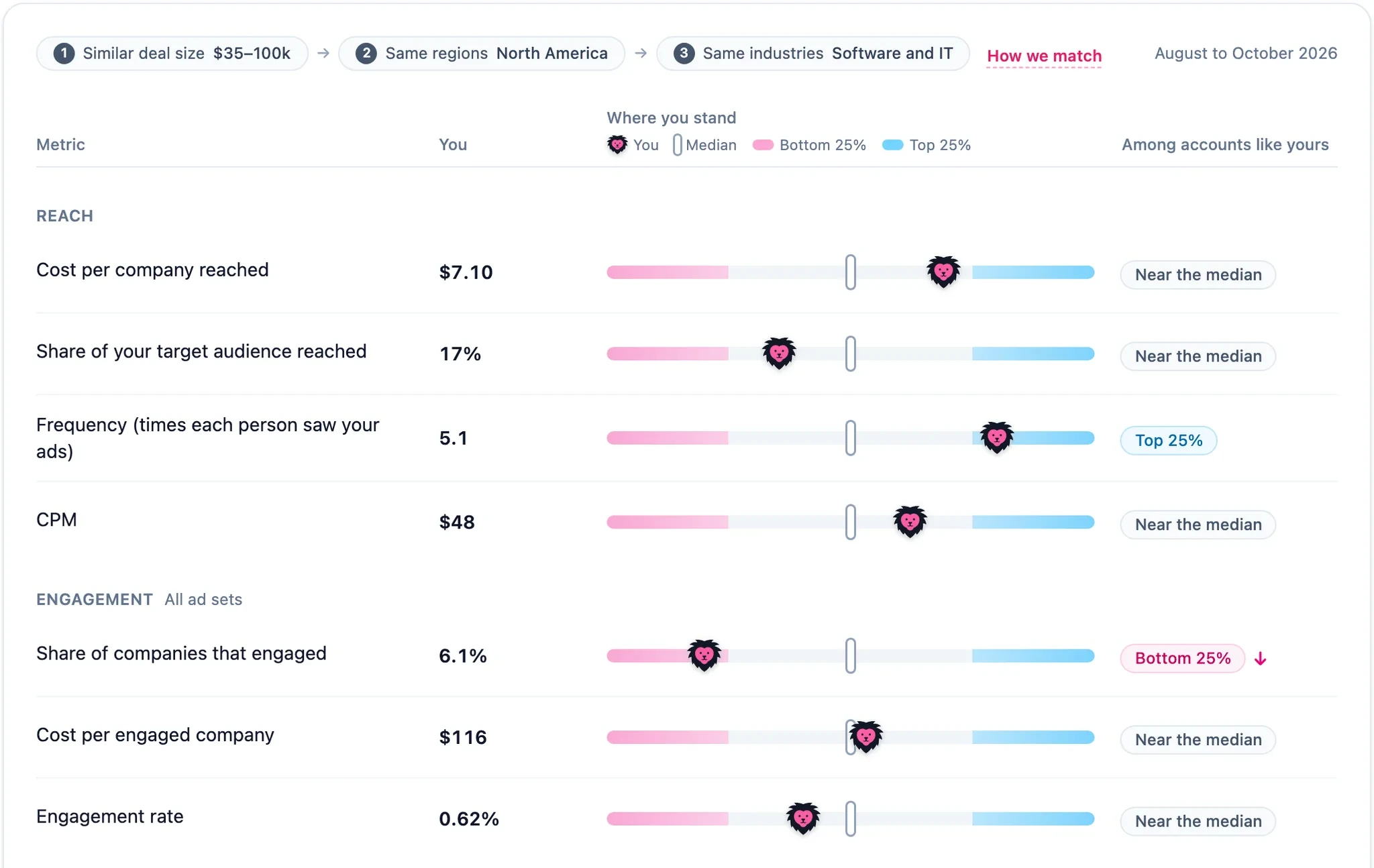
Read plainly, carousel is one of the weakest formats on click metrics. Its median CTR is less than one-seventh of a single image ad’s, and its median CPC is nearly double. Only event ads post a lower CTR and engagement rate.
That’s a reason to stop judging it by clicks, not to drop it. A carousel asks for attention before it asks for a click. The prospect who swipes through five cards of a customer story may never click, and can still show up in your pipeline a month later.
Campaign Manager can’t connect those two events, which is why carousel looks worse than it is.
The better questions are:
- Which target accounts saw and engaged with this carousel?
- Did those accounts move into pipeline at a higher rate than accounts that didn’t?
- How much of closed-won revenue did this campaign influence?
For the full breakdown by metric, see Fibbler’s LinkedIn Ads benchmarks report.
When to Use LinkedIn Carousel Ads
Reach for a carousel when one frame isn’t enough:
- Customer stories with a clear before, during, and after.
- Product walkthroughs where each card shows one screen or feature.
- Multiple offers or audiences where each card links to a different landing page.
- Frameworks and step-by-step content where the sequence is the value.
- Mid-funnel campaigns to a known account list, where you’re building familiarity with accounts that already fit your ICP.
Skip it when you need volume over depth. A webinar signup, a single stat, or one clear offer lands in a single glance, and a single image ad will get you there at roughly half the CPC.
And if engagement is the goal, carousel isn’t your best bet. Thought leader ads post a 1.84% median engagement rate in Fibbler’s data, more than ten times carousel’s 0.17%, if you have an exec willing to post under their own name. Document ads post 5.20%.
New to LinkedIn advertising? Start with our guide on how to advertise on LinkedIn before choosing a format.
What Are the Differences Between LinkedIn Carousel Ads and Document Ads?
LinkedIn carousel ads show 2 to 10 separate square images, each with its own headline and link, and send people off LinkedIn when they click.
Document ads show a single uploaded file (PDF, DOC, DOCX, PPT, or PPTX) that people read page by page inside the feed, and they can be gated with a Lead Gen Form.
Carousel suits short visual sequences. Document ads suit substantive content like guides and reports.
Here’s how they compare side by side, using LinkedIn’s official specs for carousel and document ads and Fibbler’s benchmark data:
| Carousel ads | Document ads | |
|---|---|---|
| What you upload | 2 to 10 images (JPG or PNG) | One file (PDF, DOC, DOCX, PPT, PPTX) |
| Size limit | 10 MB per card | 100 MB |
| Length | 2 to 10 cards | Under 10 pages recommended, 300 pages or 1M words max |
| Headline | 45 characters per card | 70 characters |
| Intro text | 255 characters | 150 characters |
| Links | Each card can link to its own page | Reader stays in the feed; can gate with a Lead Gen Form |
| Median CTR | 0.05% | 0.11% |
| Median CPC | $28.98 | $15.25 |
| Engagement rate | 0.17% | 5.20% |
The practical difference comes down to what the prospect does next. Every carousel card is a doorway out of LinkedIn. A document ad lets the reader read and download the content directly in the feed, and gives you the option to gate it with a Lead Gen Form.
In Fibbler’s data, document ads post 5.20% engagement against 0.17% for carousel.
If you’re choosing between the two for the same idea, start with the content itself:
- Five product screenshots with a caption each: carousel.
- Different offers that need different landing pages: carousel.
- A 10-page buyer’s guide or benchmark report: document ad.
- Gated content where lead capture is the goal: document ad.
For the full breakdown, including specs, lead gen setup, and examples, see our guide to LinkedIn document ads.
See What Happens After the Swipe
Carousel ads will almost never win on CTR. That’s fine, as long as you can see what they’re doing: which target accounts are swiping through your customer story, and whether those accounts turn into pipeline.
Fibbler closes that gap. Using LinkedIn’s Company Intelligence API, it shows which companies view or engage with your LinkedIn ads, maps everything that happened on LinkedIn before deal creation and close in Customer Journeys, and syncs that data into HubSpot, Salesforce, Attio, or Pipedrive.
Ad Engagement Signals send engaging companies to your sales team so they can reach out at the right time. Your data lights up in under 30 seconds, and plans start at $89/month.
Start your 30-day free trial, no credit card required, and see which of your LinkedIn ad formats are reaching the accounts that matter.
FAQs
How Much Do LinkedIn Carousel Ads Cost?
In Fibbler’s benchmark data, LinkedIn carousel ads post a median CPC of $28.98 and a median CPM of $71.98. That’s close to double a single image ad’s median CPC of $16.03. Your actual cost will depend on your audience, your bid strategy, and how many other advertisers are competing for the same audience.
How Many Cards Can a LinkedIn Carousel Ad Have?
A LinkedIn carousel ad needs at least 2 cards and can have up to 10. Each card has its own image, its own headline (up to 45 characters), and its own landing page URL.
What Image Size Should You Use for LinkedIn Carousel Ads?
LinkedIn requires square (1:1) images of at least 1080 x 1080 pixels, in JPG or PNG format. Each card can be up to 10 MB.
Can You Use Video in LinkedIn Carousel Ads?
No. LinkedIn’s specs state that carousel ads don’t support video. If you need motion, use a video ad instead.
Can You Use Lead Gen Forms With LinkedIn Carousel Ads?
Yes. LinkedIn lists Lead Gen Forms as one way to collect and track leads from carousel ads. You can also install the LinkedIn Insight Tag on your website to track conversions.
Are LinkedIn Carousel Ads Worth It?
They’re worth it for the right job. Carousel posts one of the lowest median CTRs of any LinkedIn format, so it’s a poor pick if you want cheap clicks. It earns its place when you’re telling a step-by-step story to a defined list of accounts, and when you measure the result by pipeline, not clicks.
Written by

Adam Holmgren
CEO @ Fibbler

Prove paid ads drive pipeline
Fibbler helps you see which companies view or engage with your LinkedIn, Google and Meta Ads, and connect them to pipeline and revenue in your CRM.
Try 30 days for free
Prove paid ads drive pipeline
Fibbler helps you see which companies view or engage with your LinkedIn, Google and Meta Ads, and connect them to pipeline and revenue in your CRM.
Try 30 days for free