

LinkedIn Ads
- LinkedIn Ads Company Insights
- LinkedIn Ads Customer Journeys
- LinkedIn Ads Audience Insights
- LinkedIn Ads Campaign Optimization
- LinkedIn Ads Benchmarks

Google Ads

Meta Ads
Cross-Channel
Ad signals
New




How to Set Up a Meta Ads Pipedrive Integration
Quick Summary
Pipedrive doesn’t build its own Meta Ads connector. Most teams sync Facebook and Instagram Lead Ad submissions through a third-party Marketplace app such as Outfunnel’s Facebook Lead Ads Sync, map their form fields, add Zapier or Make for routing, and send deal stages back to Meta through the Conversions API.
All of that works at the lead level, which means it misses every company that clicks your ads and leaves without filling in a form. To close that gap, Fibbler’s Meta Ads add-on identifies the companies behind your Meta ad traffic and writes their visit data straight into Pipedrive organization records through Fibbler’s native Pipedrive integration.
Most Meta-to-Pipedrive Integrations Only Get You Halfway
Getting Facebook Lead Ad submissions into Pipedrive takes a few minutes. Pick a sync app, map your fields, and every submission shows up as a contact, lead or deal.
The trouble is what that sync leaves out. Most people who click through to your site from a Facebook or Instagram ad leave without filling in a form. In B2B, some of those visitors work at the very accounts your sales team is chasing.
A lead-sync setup never sees them, so Meta can look like a channel that produces a few form fills and little else.
The real question isn’t only whether you captured the lead. It’s which companies your ads are reaching and whether any of them turn into pipeline. That’s the part most Meta-to-Pipedrive setups miss.
Why Listen to Us?
Fibbler already writes ad data into Pipedrive every day. Our native Pipedrive integration reads your deals and organizations, matches them to ad engagement by company domain, and writes LinkedIn Ads and Google Ads metrics back into organization records. The Meta Ads attribution add-on uses that same path to Pipedrive.
Fibbler is an official LinkedIn Marketing Partner, is used by more than 2,000 marketers, and holds a 4.8 out of 5 rating on G2 across 47 reviews. We’re also open about how the Meta product works: company identification for Meta ad traffic is powered by Leadfeeder.
What Is a Meta Ads Pipedrive Integration?
A Meta Ads Pipedrive integration connects your Facebook and Instagram advertising data to Pipedrive. At the basic level, it syncs Lead Ad form submissions into Pipedrive as new contacts, leads or deals.
More advanced setups push deal outcomes back to Meta so its ad delivery can learn from them. Others bring company-level attribution data into Pipedrive so you can see which businesses your ads reached, including the ones that never filled in a form.
In practice, it’s rarely one connection. It’s a small stack of tools, because no single connector covers everything a B2B team needs.
Pipedrive’s Built-In Meta Options Only Go So Far
Pipedrive doesn’t build its own Meta Ads connector. Its help center sends you to a Facebook Lead Ads listing in the Pipedrive Marketplace that runs through Zapier, and the other Meta options in the Marketplace come from third-party developers, such as Outfunnel’s Facebook Lead Ads Sync app.
What Pipedrive does offer natively is source tracking. Every lead and deal carries a system-set Source origin field (values such as Marketplace, API or Web forms) and an admin-defined Source channel field. That covers the basics, but it leaves three gaps for B2B teams.
First, it only tracks individual leads, meaning people who submitted a form. It tells you nothing about the companies visiting your site from the same ads.
Second, there’s no campaign-level attribution. The source fields can show that a record came in through a Marketplace app, but not which Meta campaign, ad set or ad brought it in.
Third, nothing flows back to Meta on its own, so Meta can’t learn from your deal outcomes without another tool.
How to Set Up a Meta Ads Pipedrive Integration
1. Connect Facebook Lead Ads to Pipedrive
Start with a lead sync app from the Pipedrive Marketplace. Outfunnel’s Facebook Lead Ads Sync app sends Lead Ad form submissions into Pipedrive in real time as contacts, and you can also have it create leads, deals, activities or notes. When a matching record already exists, the app links the update to it.
Before you connect, check the Meta side. Outfunnel’s setup guide asks for admin access to both the Facebook Page and the ad account, acceptance of Meta’s Lead Ads terms, and CRM access granted under Lead Access in Meta Business Manager. It also notes that only lead ads managed through Business Manager are supported.
The app is paid, with a 14-day free trial, and Outfunnel’s pricing page lists plans from $29 a month. If you only run Lead Ads and your main goal is capturing form submissions, this step alone may be enough to start.
2. Map Lead Form Fields to Pipedrive Contact and Deal Records
Basic contact details carry over easily, and Outfunnel requires email, first name and last name as a minimum. But most B2B teams also ask for company name, job title or team size on their Lead Ad forms.
Make sure each of those questions maps to a matching Pipedrive field. If a field doesn’t exist yet, create a custom field in Pipedrive first, then update the mapping. Outfunnel supports multiple-choice and short-answer questions, but not conditional or appointment request questions, so keep those off forms you plan to sync.
If a form doesn’t show up in the app, use its “Refresh fields” option. Getting this right means reps see the full picture on every record from day one.
3. Add a Middleware Tool for Advanced Routing
If you want conditional logic, such as sending enterprise leads to one pipeline and SMB leads to another or assigning owners by country, a middleware tool gives you that control. Zapier and Make both connect Facebook Lead Ads to Pipedrive and let you add filters and multi-step workflows on top.
One cost to plan for: Pipedrive’s own help center notes that Facebook Lead Ads is a Premium app in Zapier, so you’ll need a paid Zapier plan to use it.
4. Send Conversion Data Back to Meta With the Conversions API
The first three steps move data from Meta into Pipedrive. This one runs the other way. Without it, Meta only learns from form fills, not from the leads that turn into real deals.
Stape’s Pipedrive app sends deal stage changes to Meta as conversion events. You can map specific stages to custom event names or switch on “Send all statuses” so every stage is sent automatically, and you can point the app at the Pipedrive field where you store the Meta Lead ID.
You’ll need an active Stape account with a server-side Google Tag Manager container hosted on Stape, or with Stape’s Meta Conversions API Gateway or Signals Gateway.
This improves the signal Meta optimizes on, but it adds no new visibility inside Pipedrive. For that, you need company-level data.
5. Add Company-Level Meta Attribution With Fibbler
This is where the integration goes beyond lead-level form sync. Fibbler’s Meta Ads add-on identifies the companies clicking your Facebook and Instagram ads, using a tracking script on your site and URL parameters on your ads.
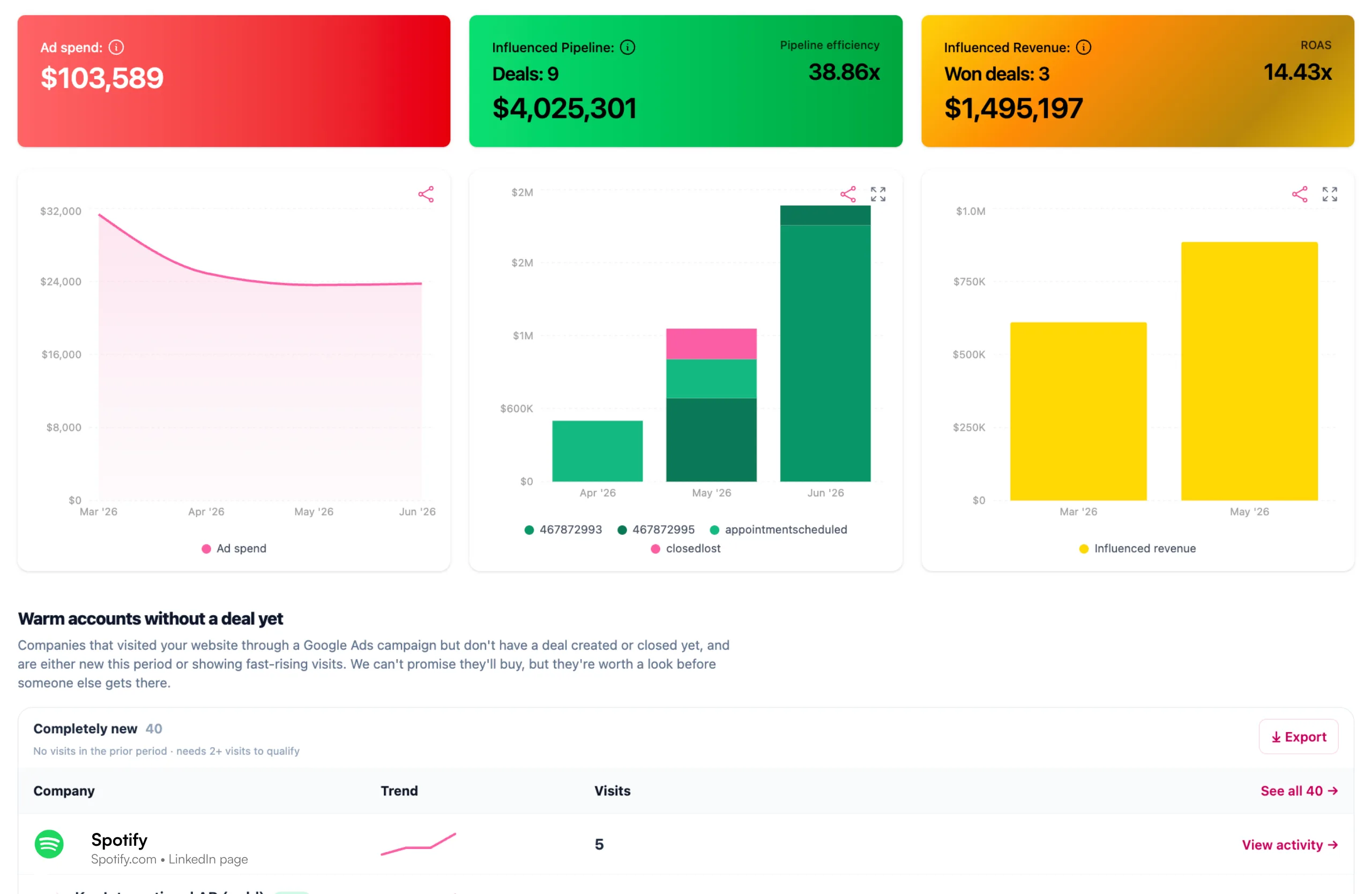
It shows whether that traffic matches your ICP by company size and industry, and it connects your Meta campaigns to influenced pipeline and revenue, including the customer journey from first ad click to closed deal. It’s company-level attribution: Fibbler shows which organizations engaged, not which individual people.
Setup follows Fibbler’s getting started guide.
- Connect your Meta ad account under Settings, then Sources, using Continue with Facebook (you’ll need admin access to the ad account).
- Add the URL parameters to your ads, paying most attention to utm_id={{campaign.id}}, which carries the campaign identifier behind every campaign-level metric. Then paste the tracking script into your site’s head section or deploy it through a tag manager, and Fibbler shows a green checkmark once it detects it.
- Update your privacy and cookie policies to disclose IP collection and the first-party cookie the script sets.
Your first identified companies typically appear within 24 hours. Campaign-level data only covers ads served after the URL parameters were added, so add them before launch.
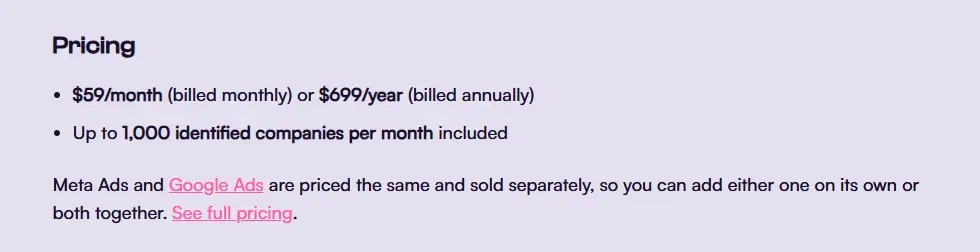
The add-on is part of every Fibbler trial for 30 days from the day the tracking script goes live. After that it’s $59 a month per ad account, or $699 a year, on top of an active Fibbler plan (Growth, Unlimited or Agency), with up to 1,000 identified companies a month included. It needs a connected CRM, and Pipedrive is one of the four supported.
The same sync works for HubSpot, Salesforce and Attio. See our guides to the Meta Ads HubSpot integration and the Meta Ads Salesforce integration.
6. Sync Meta Engagement Data Into Pipedrive Organization Records
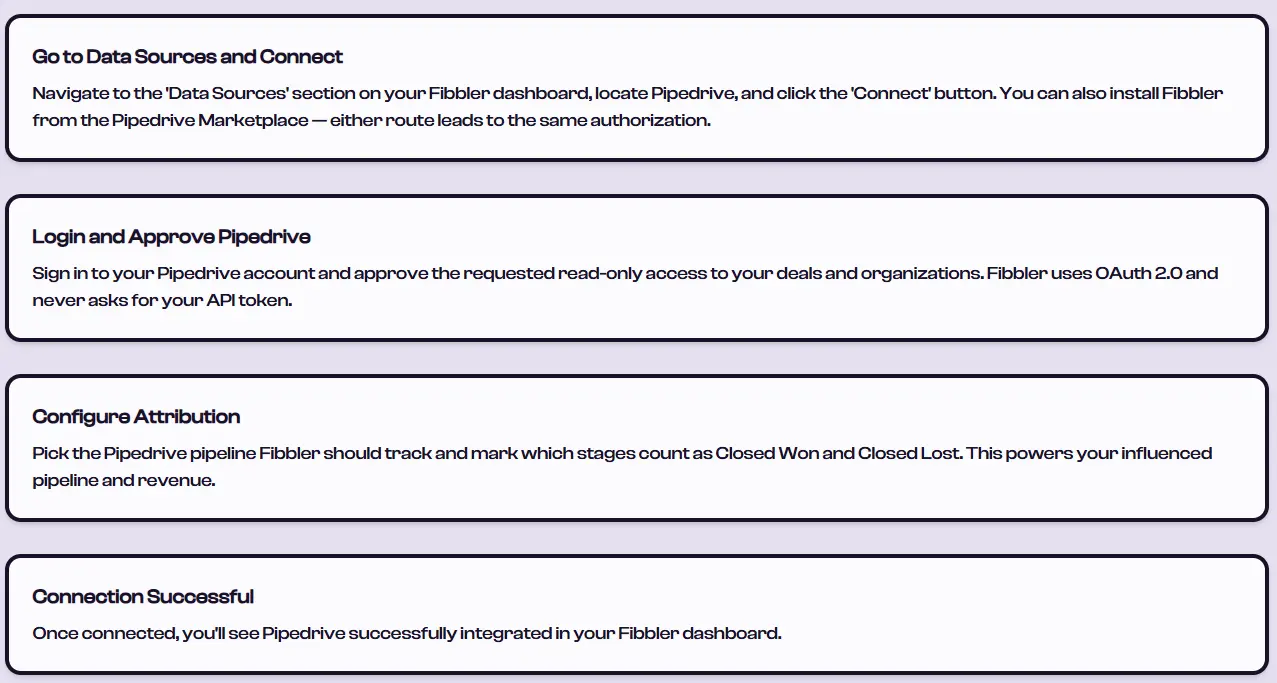
If you haven’t connected Pipedrive to Fibbler yet, open Data Sources, click Connect on Pipedrive, approve access with OAuth, choose the pipeline to track, and mark which stages count as Closed Won and Closed Lost. Our Pipedrive setup guide walks through each screen.
From there, Fibbler’s Meta Ads CRM sync writes company-level visit data to Pipedrive organization records in two ways.
- Global sync counts website visits from all your Meta campaigns across rolling 7-day, 30-day and 90-day windows. You can switch each window on independently, and Fibbler creates the matching Pipedrive fields automatically when you do.
- Campaign-specific sync groups count visits from a single campaign or a group of campaigns, such as all your retargeting campaigns, and write them to their own fields. They rely on the utm_id parameter. Without it, a visit still counts toward the global windows but can’t be attributed to a campaign group.
Matching runs on company domain, so organizations need a domain filled in before Fibbler can update them. Fibbler reads your deals to calculate attribution, but it only writes to organization records, so your deal data stays as your reps left it.
This gives sales a view a lead-sync setup can’t. A rep can filter organizations by Meta visits in the last seven days and open with something relevant instead of a cold pitch.
And if you already use Fibbler’s LinkedIn Ads Pipedrive integration or track Google Ads in Fibbler, Meta visit data sits on the same organization record, so reps see paid activity across channels without leaving Pipedrive.
Start Tracking Which Companies Your Meta Ads Reach
Syncing Lead Ad submissions from Meta into Pipedrive is the easy part. The harder question for B2B teams is which companies your ads reach and whether those companies turn into pipeline.
If you run Meta Ads and use Pipedrive, start a free 30-day Fibbler trial, no credit card required, and connect Pipedrive to see company-level Meta data alongside your existing lead sync.
FAQs
Can You Connect Facebook Lead Ads to Pipedrive Without Zapier?
Yes. Third-party Marketplace apps such as Outfunnel’s Facebook Lead Ads Sync connect the two directly, without Zapier. You’d only add Zapier or Make if you need routing rules, conditional logic or multi-step workflows on top.
Does Pipedrive Show Which Meta Campaign a Lead Came From?
Not on its own. Pipedrive’s Source origin and Source channel fields show how a record entered Pipedrive, not which Meta campaign, ad set or ad drove it. For campaign-level attribution, you need to capture UTM data yourself or add a dedicated attribution tool.
What Is the Difference Between Lead-Level and Company-Level Meta Attribution?
Lead-level attribution tracks individual people who filled in a form. Company-level attribution identifies which businesses your ads are reaching, even when nobody from that company converts. For B2B teams, company-level data captures the ad impact that form submissions miss.
How Much Does Fibbler’s Meta Ads Attribution Cost?
It’s $59 a month per ad account, or $699 a year, with up to 1,000 identified companies a month included. It’s part of every 30-day Fibbler trial and then needs an active Fibbler plan plus a connected CRM such as Pipedrive.
Can You Send Pipedrive Data Back to Meta for Ad Optimization?
Yes. Meta’s Conversions API accepts CRM events, and tools such as Stape’s Pipedrive app send deal stage changes to Meta as conversion events. That lets Meta learn from leads that progress, not just form fills.
Written by

Adam Holmgren
CEO @ Fibbler

Prove paid ads drive pipeline
Fibbler helps you see which companies view or engage with your LinkedIn, Google and Meta Ads, and connect them to pipeline and revenue in your CRM.
Try 30 days for free
Prove paid ads drive pipeline
Fibbler helps you see which companies view or engage with your LinkedIn, Google and Meta Ads, and connect them to pipeline and revenue in your CRM.
Try 30 days for free